


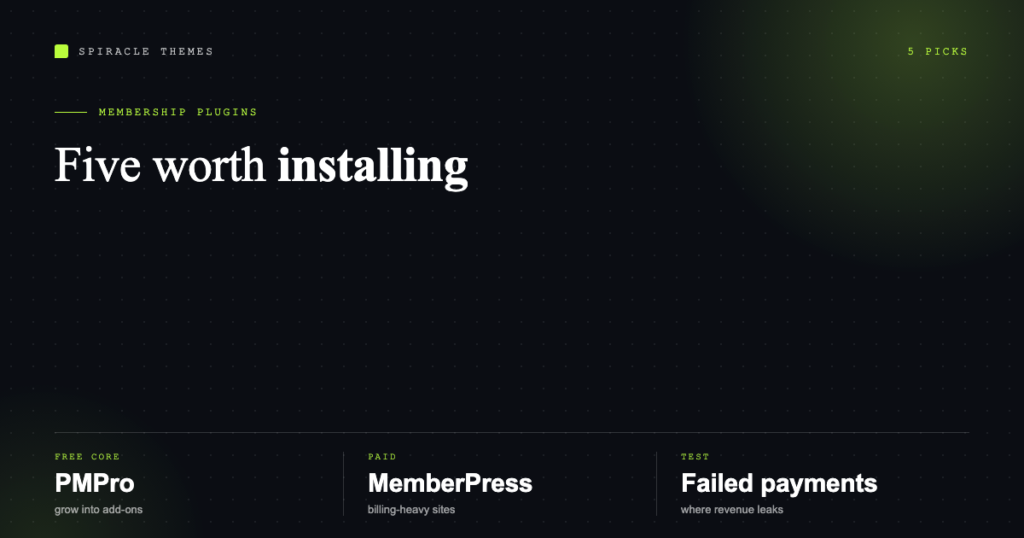
The right membership plugin depends on one question: are you selling access to content, or running a subscription business? Content access can be done well for free. Recurring revenue, dunning, proration and tax usually cannot.
This list is deliberately short. The WordPress plugin directory has dozens of membership plugins; most of them are thin wrappers around the same three ideas, and five of them cover every realistic requirement.
What a membership plugin has to do
- Restrict content by role, by product, by page, or by tag — reliably, including in search results and feeds.
- Handle accounts: registration, login, password reset, profile fields, email verification.
- Take recurring money: subscriptions, proration, failed-payment recovery, invoices.
- Gate the right things: downloads, forums, courses, drip schedules, API access.
Plenty of plugins do 1 and 2 well and fail at 3. If you are charging monthly, test the failed-payment path before you launch — that is where revenue leaks.
The five worth considering
| Plugin | Model | Best for | Where it is distributed |
|---|---|---|---|
| MemberPress | Premium | Paid memberships with serious billing needs | Vendor site only |
| Paid Memberships Pro | Free core + paid add-ons | Anyone who wants to start without a licence fee | Vendor site (directory listing closed 2024) |
| Restrict Content Pro | Premium | Content libraries and simple subscriptions | Vendor site only |
| Simple Membership | Free | Small paid-content sites on a budget | WordPress.org |
| Ultimate Member | Free + extensions | Communities where profiles matter more than billing | WordPress.org |
Directory data as of late 2026, for the two that live there: Simple Membership (v4.8.6) carries a 92 rating and was updated in October 2026; Ultimate Member (v2.14.1) sits at 88 with a similar update cadence. Both are actively maintained, which is the thing to check on any plugin you install.
MemberPress
The most complete option for paid access: content rules by tag and category, subscriptions through multiple gateways, coupon codes, proration, and a mature set of integrations with page builders and course plugins. It is a paid product with no free tier, which filters out a lot of half-committed projects.
Choose it if memberships are the business, not a feature of the site. Skip it if you need free membership with two gated PDFs.
Paid Memberships Pro
The pragmatic default for most sites: the core plugin is free and covers levels, content restriction and subscriptions, with paid add-ons for the parts that get complicated (tax, advanced gateways, reporting).
One practical note — its WordPress.org listing was closed in October 2024 at the author’s request, so it is now distributed directly from the vendor. That is not a red flag, but it does mean no one-click install from the dashboard: you upload the zip or install from the vendor’s own update server, and you should verify updates come from there.
Restrict Content Pro
Cleaner and lighter than MemberPress, strong on content libraries and straightforward subscription plans, and it plays well with WooCommerce if you already sell there. Premium only.
Choose it when you want subscriptions without the full marketing-suite surface area of MemberPress.
Simple Membership
Free, focused, and surprisingly complete for the price: membership levels, content protection, PayPal and Stripe buttons, and a small ecosystem of paid add-ons. It is the least fashionable option on this list and the one we see working quietly on small sites.
Its limits show up at scale — complex billing, multiple currencies, heavy automation. For a few hundred members paying monthly for a resource library, it is enough.
Ultimate Member
Not a billing plugin first: it is a user-profile and community system with member directories, custom fields, front-end registration and content restriction. Add a payment extension and it becomes a membership site.
Choose it when the community is the product — profiles, directories, messaging — and paid access is a layer on top.
What to check before you commit
- The failed-payment path. Does the plugin retry, notify, and downgrade gracefully? Test it in sandbox mode.
- Tax and VAT. Selling to the EU or UK means tax rules on digital goods. Some plugins handle it, some need a tax service.
- Proration and upgrades. Members will want to move between tiers. If upgrading means cancelling and re-subscribing, expect support tickets.
- Content leaks. Check whether restricted posts appear in search, RSS feeds and the REST API. Many plugins leak through one of the three.
- Performance. Membership checks run on every request. A heavy plugin on a $2 host is a slow site with a login wall.
- Exit plan. If you leave the plugin, do you keep your member data? Ask before you import 500 subscribers into it.
What membership sites actually cost to run
The plugin is the small number. Expect payment processing fees, an email service for transactional mail, and hosting that can handle logged-in traffic — membership pages cannot be cached for members, which changes the hosting maths.
That last point is where most membership sites fail quietly: the site is fast for logged-out visitors because of page caching, and slow for the paying members who never benefit from it. Our WordPress care plans include the performance and update checks that keep a gated site honest, and if you are pricing the build itself, the WordPress cost breakdown covers the rest.
FAQ
Which membership plugin is best for beginners?
Simple Membership if the budget is zero, Paid Memberships Pro if you want room to grow without a licence fee. Both can be set up in an afternoon.
Can I run memberships with WooCommerce instead?
Yes, with Subscriptions and Memberships extensions. It makes sense if you already sell products; it is more moving parts for a pure content site.
Do I need a separate plugin for courses?
Not necessarily. MemberPress and Paid Memberships Pro both integrate with course plugins, and several course plugins include their own membership layer. Pick one system rather than stacking two.
Is a free membership plugin secure enough?
Security comes from maintenance, not price. A free plugin updated weekly is safer than a paid one abandoned two years ago — check the last-updated date before anything else.