


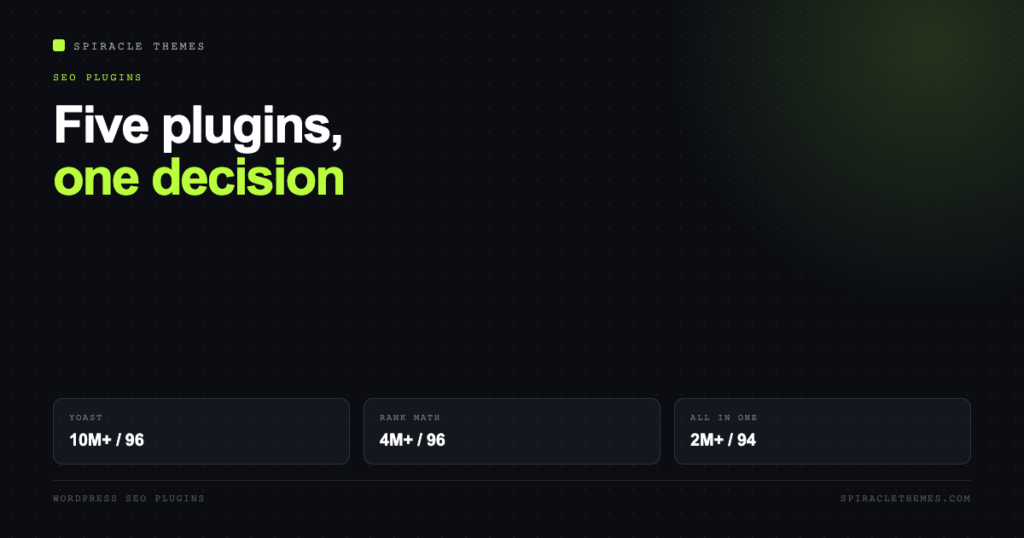
Five SEO plugins are worth considering in 2026, and the differences between them are smaller than the difference between any of them and doing the work without a plugin. All five handle titles, meta descriptions, canonicals, XML sitemaps and basic schema. What separates them is how much of the advanced work is gated, and how much surface area you are willing to manage.
If you only want a free plugin, that decision is covered separately in the free SEO plugin comparison, where the keyphrase limits are laid out side by side. This article is about the full picture, including the paid tiers that most sites eventually need.
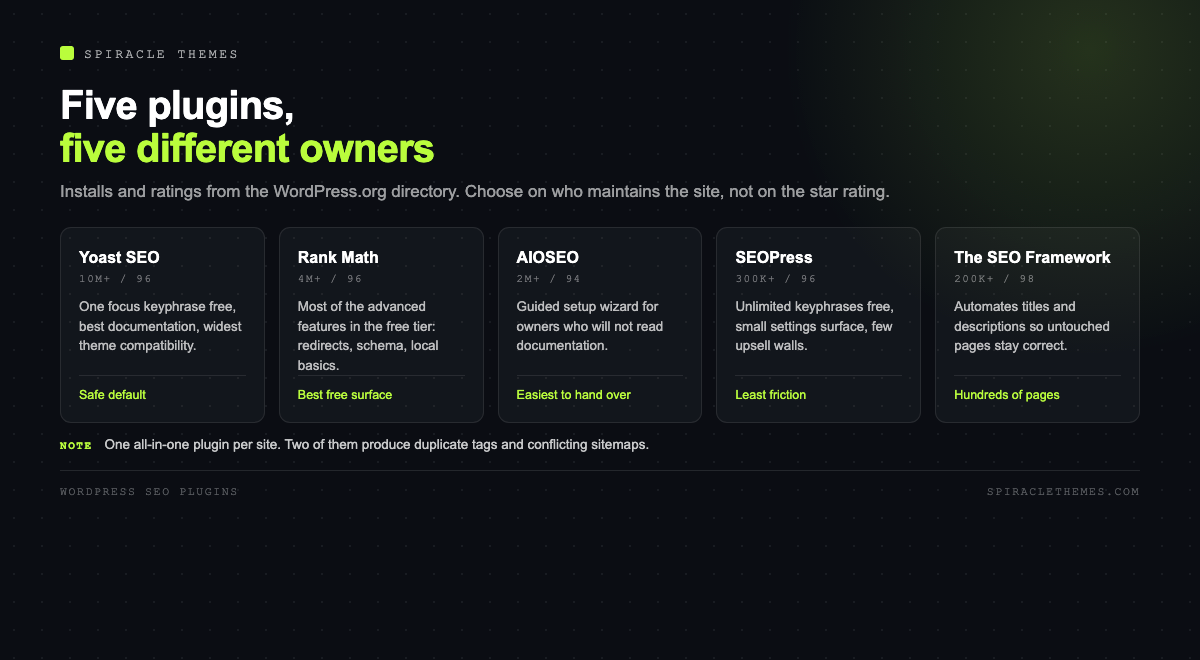
The five, with current numbers
| Plugin | Installs | Rating | Version | Best for |
|---|---|---|---|---|
| Yoast SEO | 10M+ | 96 (27,821) | 28.8 | The safe default, best documentation |
| Rank Math | 4M+ | 96 (7,519) | 1.0.280 | Most features in the free tier |
| All in One SEO | 2M+ | 94 (5,231) | 5.0.4 | Guided setup for non-technical owners |
| SEOPress | 300K+ | 96 (1,267) | 10.4 | Small surface area, no upsell walls |
| The SEO Framework | 200K+ | 98 (380) | 5.2.0 | Automation with almost no configuration |
Installs and ratings from the WordPress.org directory; all five are tested against the current WordPress release. The star rating measures satisfaction among the people who review, and the review count measures how loud that group is, not how many sites it represents.
Yoast SEO
Ten million installs is a compatibility argument: almost every theme and page builder is tested against Yoast first, and the documentation is the best of the five. The free plugin gives you one focus keyphrase per post, a content analysis with readability checks, and the schema graph that most sites need.
The paid tier is where the practical limits live: up to five keyphrases per post, internal link suggestions, redirects, and more schema types. If you write long content that targets several related queries, one keyphrase is a real constraint rather than a checkbox.
Rank Math
Rank Math’s strategy is to put more in the free plugin than anyone else: multiple focus keyphrases by default, redirects, a broad set of schema types, local SEO basics, and a setup wizard that configures things most people would never find. It is the plugin to choose when the budget is zero and the requirements are not.
The cost is surface area. There are more settings, more modules and more ways to produce a configuration nobody can explain later. On a site maintained by one person, that is manageable. On a handover, it is a liability, and the recommendation should be to document which modules are on.
All in One SEO
The most guided experience: a wizard walks through site type, verification and sitemap setup, and the interface assumes the user does not know what a canonical is. That is a feature for a business owner and a limitation for a developer.
Its free tier is generous on keyphrases but keeps the strongest items, local SEO and advanced schema, in the paid version. It is the plugin I would hand to a client who insists on doing their own SEO and will not read documentation.
SEOPress
The quiet one. Fewer installs, a smaller interface, and a philosophy of not putting the essentials behind a paywall: unlimited target keywords in the free version, redirects, and schema without a per-post upsell. It is a good fit for people who find Yoast’s readability scoring patronising and Rank Math’s module list exhausting.
The trade is ecosystem: fewer tutorials, fewer third-party integrations, and fewer developers who already know it. For a straightforward content site, that matters less than it sounds.
The SEO Framework
Automation-first, with the highest rating on this list and by far the smallest review count. It generates titles, descriptions and social tags from sensible defaults so that untouched pages are still correct, which is the opposite of the plugin-as-checklist approach.
For a site with hundreds of pages and nobody to write meta descriptions for each one, that default behaviour is worth more than a green score. For a site with ten carefully written pages, the others give more control.
What actually differentiates them
| Need | Free covers it | Needs paid |
|---|---|---|
| Titles, meta, canonicals, sitemap | All five | Nothing |
| Multiple focus keyphrases | Rank Math, SEOPress, AIOSEO, TSF | Yoast |
| Redirect management | Rank Math, SEOPress | Yoast, AIOSEO |
| Local business schema | Rank Math (basics) | Others, for full local packs |
| Internal link suggestions | None | All five |
| News or video sitemaps | Some | Usually paid |
| Multisite or agency licensing | No | All five |
What no plugin will do
Google’s documentation is explicit that there is no word count target and no ideal number of headings, and that E-E-A-T is not a ranking factor in itself. The things that move rankings are the things plugins cannot generate: a page that answers the query better than the alternatives, internal links that give it context, and other sites choosing to link to it.
A plugin makes your site legible to a crawler. It does not make it worth ranking. The most common failure pattern is a site with a perfect SEO score on every page and no traffic, because the pages were optimised rather than written.
How to choose in one minute
- Handing the site to a non-technical owner: All in One SEO.
- Zero budget, many requirements: Rank Math.
- Widest compatibility and best docs: Yoast SEO.
- Fewer settings, fewer upsells: SEOPress.
- Hundreds of pages, no time for meta: The SEO Framework.
Switching between them
All five import each other’s settings, so switching is a twenty-minute job rather than a rebuild: install the new plugin, run its importer, check that titles and canonicals are unchanged on a sample of pages, then remove the old one. Do it on staging if the site earns money, because the failure mode is a duplicated meta tag or a missing schema block that only shows on some templates.
What Search Console shows that the plugin cannot
The plugin’s job ends where indexing begins. Four reports are worth a monthly look, and none of them are visible inside an SEO plugin:
- Pages report: which URLs are indexed, excluded, or crawled but not indexed, and the reason. A sudden “crawled, currently not indexed” wave is a content or duplication problem.
- Core Web Vitals: field data from real phones, split by mobile and desktop. The plugin cannot see this, and it is the number that affects experience.
- Enhancements: schema validity for articles, products, FAQs and breadcrumbs. Invalid markup loses rich results silently.
- Sitemaps: whether the file was read, how many URLs were discovered, and when it was last fetched.
A site with a perfect plugin score and a Pages report full of exclusions has an indexing problem, not an optimisation problem, and no amount of green ticks fixes it.
Choosing for a client site versus your own
The recommendation changes with who maintains the site afterwards. For a client who will log in monthly, choose the plugin with the least surface area and the clearest defaults, and write down which modules are enabled, because the handover is where configuration becomes folklore.
For your own sites, the calculus is different: you can afford a plugin with more settings because you are the one who will debug it. For an agency managing twenty sites, licence terms and multisite support matter more than either, and the all-in-one decision usually comes down to which licence covers the portfolio without per-site pricing surprises.
None of that changes the underlying rule: one all-in-one plugin per site, configured once, and the rest of the effort spent on pages that deserve to rank.
When a specialist beats the all-in-one plugin
Every plugin on the list tries to cover the same ground, and each one is weakest at the edges. Three jobs are commonly better served by a small dedicated plugin, kept alongside the main one rather than instead of it:
| Job | Why the all-in-one struggles | What to add |
|---|---|---|
| Redirects at volume | The built-in manager is basic, and the paid tier is per-site | A redirect plugin with 404 logging and regex support |
| Internal linking | Suggestions are generic and rarely reflect what you actually want to rank | A link-suggestion tool, or a spreadsheet and thirty minutes |
| Schema beyond the basics | Custom post types often need markup the plugin does not cover | A schema plugin, with the all-in-one’s schema output disabled for those types |
The rule that keeps this from becoming a mess: one plugin owns the title tag, the canonical and the sitemap, and any specialist you add must be configured not to output those. Two plugins emitting a canonical is the most common cause of a page quietly dropping out of the index.
How to tell whether the plugin helped
Installing a plugin is not a change you can measure in a week, and the plugin’s own dashboard is the worst place to look. Three signals, in Search Console, are worth watching over a 28-day window before and after:
- Clicks and impressions on pages you touched. A rise in impressions with flat clicks means the titles changed how the page appears but not how it competes.
- Indexed pages. A jump after enabling sitemaps or fixing canonicals is the clearest early win, and it usually appears within two weeks.
- Enhancement errors. If schema errors rise after the switch, the plugin is emitting markup the theme already produced.
What will not move in a month: rankings for competitive terms. The plugin removes technical obstacles; it does not create relevance. If clicks are flat after three months and the pages are indexed, the plugin is working and the content is the constraint, which is a different project.
Related reading: if the budget is zero, the free tiers are compared line by line in the best free SEO plugin for WordPress, and the publishing workflow around the plugin is in how to create a blog on WordPress.
FAQ
Do I need more than one SEO plugin?
No. Two all-in-one plugins produce duplicate meta tags and conflicting sitemaps. If you need a specialist tool, choose one that does not also output tags, such as a redirect manager or an internal-linking tool.
Is a paid SEO plugin worth it?
For a business site with more than a handful of pages, usually yes, for redirects and multiple keyphrases alone. For a personal blog, the free tiers cover everything that matters.
Does the green score affect ranking?
No. The score is the plugin’s own heuristic. It correlates with good practice and not with rankings, and chasing it produces content written for a checklist.
Which is fastest?
All five are lightweight compared with a page builder or a slider. Feature modules you do not use are what add weight, so disable what is off rather than switching plugins for performance.
Can I use one on client sites and another on my own?
Yes, and it is common. Consistency within a single site is what matters; the problems come from mixing two all-in-one plugins on the same install.
Pick one, configure it once, and spend the remaining time on the pages. The plugin decision is worth an afternoon, not a quarter.