


Yoast SEO and Rank Math both write your titles and meta descriptions, build your XML sitemap, output schema markup and score your draft as you type. On an ordinary site that overlap covers most of what either plugin does, which makes “which one is better” a poor question and a worse basis for a decision. The real differences sit in four places: how the editing screen fits the way you publish, what the paid tier actually includes, how the plugin behaves when you run many sites, and what happens if you ever want to leave. Everything below is compared on published data checked 2 November 2026. Nobody installed both plugins on a test site to produce it, and any claim that could not be sourced is marked as judgement.
Key takeaways
- Both plugins ship a free version that covers titles, meta descriptions, XML sitemaps, schema and an on-page content score. Redirects, multiple keyphrases and rank tracking sit in the paid tiers.
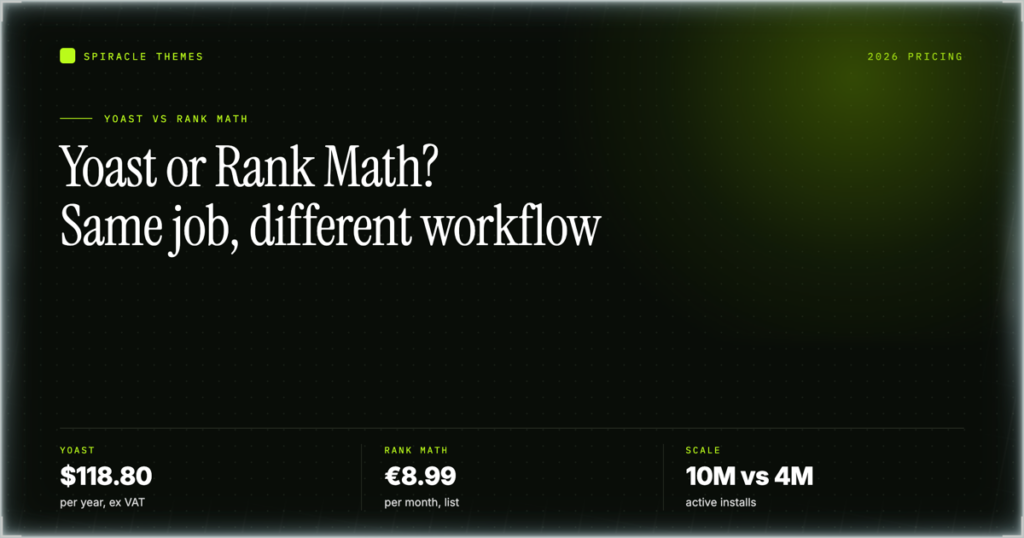
- On 2 November 2026, Yoast SEO had 10,000,000+ active installs and a 4.8/5 rating from 27,820 reviews. Rank Math had 4,000,000+ installs and the same 4.8/5 from 7,520 reviews.
- Yoast SEO Premium is $118.80 a year excluding VAT. Rank Math PRO was €5.59 a month on an annual bill during a sale, list €8.99, also excluding VAT. Those figures are in different currencies because of the vendor’s geo-detection, not because one is a bargain and the other is not.
- Neither content score is a Google metric. Yoast shows two traffic lights, SEO and readability. Rank Math shows a single 0 to 100 number with points per test. Google ranks pages, not plugin scores.
- If you manage client sites, the client-site count decides your tier: 100 to 200 on Rank Math BUSINESS, 500 to 750 on AGENCY. Yoast sells one product line and prices add-ons separately.
The short answer: pick by workflow, not by feature count
Choose Yoast SEO if you publish on one site or a handful, your writers already understand the readability signal, and you are willing to pay $118.80 a year for redirects, five keyphrases per post and the orphaned-content report. Choose Rank Math if you want more of the paid feature set sitting in the free tier, you want keyword positions inside the dashboard, or you run enough client sites that per-site licensing decides the budget. Choose neither, yet, if the content is not written. Both plugins are proofreading and plumbing tools. Neither one writes a page worth ranking.
| Your situation | Start here | Why |
|---|---|---|
| One blog, one writer, tight budget | Either free version | Free tiers cover titles, meta, sitemaps, schema and a content score. Rank Math’s free tier includes more of the extras. |
| Publishing team that argues about readability | Yoast SEO Premium | Two separate traffic lights, bulk metadata editing and internal-link suggestions in one editor. |
| Freelancer or agency with many client sites | Rank Math BUSINESS or AGENCY | Client-site limits are explicit: 100 to 200 and 500 to 750. |
Yoast SEO and Rank Math at a glance, checked 2 November 2026
The numbers below come from the WordPress.org plugin API and from each vendor’s own pricing page, read in a browser on the same day. They are the numbers worth quoting back to a client who asks why you picked one.
| Data point | Yoast SEO | Rank Math |
|---|---|---|
| Version | 28.8 | 1.0.280 |
| Active installs | 10,000,000+ | 4,000,000+ |
| Rating | 4.8 / 5 from 27,820 ratings | 4.8 / 5 from 7,520 ratings |
| Last updated | 27 October 2026 | 6 October 2026 |
| Tested up to | WordPress 7.1.4 | WordPress 7.1.4 |
| Requires PHP | 7.4+ | 7.4+ |
| Free version | wordpress.org/plugins/wordpress-seo | wordpress.org/plugins/seo-by-rank-math |
| Paid entry price | $118.80 per year, ex VAT | €5.59 per month, annual bill, ex VAT |
Two things stand out. The ratings are identical at 4.8, but Yoast’s average is built on 27,820 reviews and Rank Math’s on 7,520, so the two 4.8s are not equally settled. And both plugins were updated within the same month and both declare support for WordPress 7.1.4 and PHP 7.4, which means neither is a maintenance risk on an older host.
What you actually pay
Pricing is where most comparisons get lazy, so here is the arithmetic. Yoast SEO Premium is $118.80 for a year, excluding VAT, shown as the headline price on Yoast’s pricing page. That page sells one product line and upsells WooCommerce SEO, Local SEO, News SEO and Yoast AI as separate add-ons, so a shop with a local landing page and a news section pays more than the headline.
Rank Math’s pricing page displayed euros when it was opened from India on 2 November 2026, so every figure below is in euros as shown. PRO was €5.59 a month inside a Halloween sale, against a list price of €8.99, billed annually and excluding VAT. Twelve months at the sale price is €67.08. Twelve months at list is €107.88. BUSINESS was €17.59 a month against €27.99 list, which is €211.08 a year at the sale price, and AGENCY was €38.59 a month against €64.99 list, which is €463.08 a year.
| Plan | Price shown 2 Nov 2026 | Billing | Client sites |
|---|---|---|---|
| Yoast SEO Premium | $118.80 | Per year, ex VAT | Not sold by client-site count, add-ons separate |
| Rank Math PRO | €5.59/mo, list €8.99 | Annual bill, ex VAT | Unlimited personal sites, 500 to 1,000 keywords tracked |
| Rank Math BUSINESS | €17.59/mo, list €27.99 | Annual bill, ex VAT | 100 to 200 client sites |
| Rank Math AGENCY | €38.59/mo, list €64.99 | Annual bill, ex VAT | 500 to 750 client sites |
Do not convert the euro figures to dollars to declare a winner. The currency is the vendor’s geo-detection speaking, not a pricing trick, and an exchange rate read on a Tuesday will not survive a renewal twelve months later. Compare the shape of the offer instead. Yoast charges one price for one site and sells capabilities as add-ons. Rank Math charges by how many sites you run and bundles the capabilities. Rank Math also offers a 30-day money-back guarantee, and both free plugins cost nothing.
VAT sits on top of both numbers. If you are VAT-registered you reclaim it and the figure on the page is close to your real cost. If you are not, add your local rate before you compare anything to your budget. On a single site, the gap between €67.08 and $118.80 is real but small next to the cost of one lost ranking, so price should not be the deciding factor at that scale.
What the content score actually means
Neither score is a Google metric. Google does not read Yoast’s traffic lights or Rank Math’s 0 to 100 number, and no amount of green moves a page up the results. Both scores are calculated inside your browser from a list of heuristics: is the keyphrase in the title, does it appear in the first paragraph, how long are the sentences, how much passive voice is there, are there subheadings, are there links. Those checks are useful prompts for a human editor and nothing more.
Yoast reports two separate traffic lights, one for SEO and one for readability. That split is genuinely useful because it tells a writer whether the problem is structural or tonal. Rank Math reports a single 0 to 100 score with points attached to each test, which is easier to read at a glance and easier to game, because you can chase points without improving the page.
The practical use of either score is catching omissions: an empty meta description, a keyphrase that never appears in a subheading, a 60-word paragraph that should be three. The practical danger is treating 100 as a target. A page can score full marks and still say nothing a searcher needs, and a page can score badly and rank for years because it answers the query better than everything else. My rule of thumb is that a red score is worth a look and a green score is worth no celebration.
One more thing that catches people mid-migration: the score does not travel. Switch plugins and your numbers reset, because each plugin runs its own tests. Your rankings do not reset with them. If a client panics about a page dropping from 90 to 62, that is a change of calculator, not a change of performance.
Feature-by-feature comparison
The table lists only what each vendor states on its own pricing page. Where a feature is missing, it was not listed on 2 November 2026, which is not proof it does not exist, only proof that the vendor is not selling it there.
| Feature | Yoast SEO | Rank Math |
|---|---|---|
| Redirect manager | Premium, including bulk CSV import | Pro |
| Broken-link checker | Not listed | Pro |
| Schema types | Free covers basics, further types reserved for Premium | Free includes schema types Yoast reserves for Premium |
| Keyphrases per post | Up to five on Premium | Unlimited keyword optimisation on Pro |
| Rank tracking | Not on the Premium feature list | Free for a small number of keywords, 500 to 1,000 on Pro |
| Bulk title and description editing | Premium, with AI drafts | Not listed |
| Internal-link suggestions | Premium | Pro, as automated keyword linking |
| Orphaned-content report | Premium | Not listed |
| AI drafting | Premium, plus Content Planner starter drafts | AI trial included with Pro |
| Sitemaps | Free | Free, automated on Pro |
| Support | 24/7 | 24/7 |
Redirects
Yoast Premium includes a redirect manager with bulk CSV import, which is the feature that saves an afternoon when you restructure a section of a site and need 200 old URLs pointed somewhere sensible. Rank Math Pro includes redirects and a broken-link checker that finds the 404s worth redirecting in the first place. In my judgement the CSV import is the more valuable of the two on a planned migration, because you already know which URLs are moving. The checker earns its keep on a site that has been neglected for years and nobody knows what is broken.
Schema types
This is the clearest structural difference. Rank Math’s free tier ships schema types that Yoast holds back for Premium. If you need LocalBusiness, Recipe, Course or FAQ markup on a site with no budget, Rank Math removes a paywall that Yoast keeps. If you have already paid for Yoast Premium, the difference disappears. Either way, remember that schema is a template. Both plugins output JSON-LD that Google reads the same way, and a filled-in template beats a fancy one every time.
Keyphrases per post
Yoast Premium allows up to five keyphrases on a single post. Rank Math Pro advertises unlimited keyword optimisation. Five is enough for the vast majority of pages, and honestly the fourth and fifth keyphrase rarely earn anything on a 1,200-word article. Multiple keyphrases pay off on long guides and category pages where one URL genuinely serves several close variants of a query, and they are close to useless on a short news post.
Rank tracking
Rank Math puts positions inside your dashboard: a small number of keywords on the free tier and 500 to 1,000 on PRO. Yoast’s Premium feature list does not include a rank tracker, so if in-dashboard position tracking is a requirement, that decision is already made. My view is that a tracker is a convenience layer rather than a reason to switch. Search Console remains the honest source for impressions and clicks, and it costs nothing.
Bulk metadata and internal links
Yoast Premium lets you bulk edit missing titles and descriptions, with AI drafts to fill the gaps. On a 600-post blog where half the meta descriptions are empty, that is a day of work turned into an hour. It also suggests internal links as you write, and reports orphaned content, meaning posts with no internal links pointing at them. Rank Math Pro offers automated keyword linking instead, which inserts links for chosen keywords. Automation is faster and riskier, because over-linking is its own problem. Suggestions keep a human in the loop.
AI drafting
Yoast Premium includes AI drafts inside bulk editing and starter drafts through Content Planner. Rank Math Pro includes an AI trial. Both are fine for a first pass on a meta description and poor at the thing that actually makes a page rank, which is specific, earned detail. Treat any generated draft as a placeholder you will rewrite.
Where the free tiers diverge
Both free plugins cover the same core: titles, meta descriptions, sitemaps, schema and a content score. The difference is what comes with them. Rank Math’s free tier includes a rank tracker for a small number of keywords and schema types that Yoast reserves for Premium. Yoast’s free tier is more conservative about module toggles, which some people read as fewer features and others read as fewer ways to break a site by switching something on. If your budget is zero and you need schema breadth or a keyword position check, Rank Math is the stronger free download. If you want the smaller surface area and the editing screen most writers have already seen, Yoast free is fine. There is a longer comparison of the free options in this guide to free SEO plugins for WordPress if that is the actual decision you are making.
Migrating from one to the other
People move in both directions, and the mechanics matter more than the marketing. The two plugins store their per-post data under different keys in the post meta table. Yoast writes under a _yoast_wpseo_ prefix, Rank Math under its own rank_math_ prefix, which is why an import is a mapping exercise rather than a copy. WordPress provides the underlying post meta functions if you ever need to fix a handful of records by hand.
What carries over
Titles, meta descriptions, focus keyphrases, canonical settings, robots settings, social defaults and redirects usually survive, because both importers read the other plugin’s keys and write their own. Redirects are the fragile one: export them before you touch anything, because a redirect table that fails to import is invisible until a client clicks an old link in a proposal.
What does not carry over
Content scores, because each plugin computes its own. Internal-link indexes and orphan reports, which have to be rebuilt. Rank-tracking history, if you are moving away from Rank Math. And title templates, where the syntax differs enough that you should check ten real URLs after the import rather than trusting the preview screen.
The order of operations that avoids duplicate meta tags
- Back up the database and keep the file somewhere you can reach without the site.
- Export redirects and note your title and description templates.
- Deactivate the old plugin. Do not delete it yet, because deactivating stops it printing tags while leaving its data in the database for the importer to read.
- Install the new plugin and run its importer against the old data.
- View source on five to ten URLs and count: exactly one title tag, one meta description, one canonical.
- Delete the old plugin and, if you want the tables gone, drop its leftover tables.
Never run both plugins active at the same time, even for an afternoon. Both write meta tags and both add database tables, and two active SEO plugins are the single most common cause of duplicated meta tags on a WordPress site. Duplicate titles and descriptions are not fatal, but they waste crawl attention and make every diagnostic you run afterwards unreliable.
Which one fits your site
Site count is the variable that changes the answer fastest, so start there rather than with a feature list.
| Setup | Recommendation | The deciding factor |
|---|---|---|
| Solo blogger, one site | Either free tier, upgrade only when you need redirects | Free covers the core. Pay for redirects when you start restructuring URLs. |
| Freelancer with 5 to 20 client sites | Rank Math BUSINESS | 100 to 200 client sites at €17.59 a month covers growth without renegotiating. |
| Agency with 100+ sites | Rank Math AGENCY | 500 to 750 client sites, and the per-site cost falls as the tier rises. |
Solo blogger or single site
Start free on either plugin and spend the money on hosting instead. Upgrade when redirects become a real need, which is usually the first time you delete or rename a post that has links pointing at it. At that point Yoast Premium is one payment of $118.80 a year and Rank Math PRO was €5.59 a month on an annual bill, and both are defensible. Pick the editor you do not resent opening.
Five to twenty client sites
This is the band where per-site licensing starts to hurt. Rank Math BUSINESS covers 100 to 200 client sites at €17.59 a month, which is a rounding error against a single retainer, and it includes the schema generator and rank tracker you will want when a client asks for a monthly report. Yoast charges per product line and per add-on, so a mixed portfolio of shops and local businesses needs several purchases. As a freelancer, my judgement is that the client-site limit decides this one before the feature list does.
Agency with a hundred or more sites
AGENCY covers 500 to 750 client sites at €38.59 a month, and at that scale the operational question is standardisation. Whichever plugin you choose, run the same one everywhere, because a mixed estate means every process has two versions and every junior hire learns both. The other thing to standardise is the account: one licence holder, documented, not an ex-employee’s personal login. If you would rather not own that at all, a WordPress care plan that includes plugin updates and monitoring is the alternative to building the process in-house.
What neither plugin fixes
This is the part affiliate listicles leave out, and it is the reason so many sites have a green score and no traffic.
- Content quality. Neither plugin knows whether your page answers the query. They check whether a keyphrase appears, not whether the answer is right.
- Internal linking discipline. A suggestion is not a strategy. Someone still has to decide which pages deserve links and which ones exist to receive them.
- Page speed. An SEO plugin adds weight; it does not remove it. If your LCP is four seconds, no metadata field will rescue the page. Start with ways to speed up a WordPress site instead.
- Backlinks and authority. Neither plugin earns a single link. Both will happily report that you have none.
- Site structure. A clean URL hierarchy and sensible categories are decisions you make, not modules you toggle.
If you are choosing between these two plugins because traffic fell, you are treating a content and authority problem as a settings problem. The plugin change will take an afternoon and the traffic will not come back.
Five mistakes that cost people rankings
Running both at once. It is the most common cause of duplicate meta tags, and it makes every later diagnosis guesswork. One plugin, always.
Chasing a perfect score. Rewriting a page until Rank Math shows 100 or both Yoast lights are green produces text that reads like it was written for a plugin. Readers notice before Google does.
Switching everything on. Rank Math’s module toggles are convenient until someone enables three modules that all touch the head of the page. Enable one, check the source, then enable the next.
Buying the wrong client tier. Count the sites before you buy. BUSINESS is 100 to 200 client sites and AGENCY is 500 to 750, and upgrading mid-term is more annoying than buying correctly once.
Publishing AI drafts unedited. A generated meta description is a placeholder. The specific detail that makes someone click is the part the model does not have.
One more, closer to home: don’t switch plugins to fix a content problem. If you want a wider view of what is actually installed and doing work on a site, this list of WordPress SEO plugins is a better starting point than moving from one dashboard you know to another you do not.
Frequently asked questions
Is Yoast SEO or Rank Math better for SEO?
Neither is better for SEO in the sense of producing higher rankings, because both output the same fundamentals: titles, meta descriptions, canonicals, sitemaps and schema. The difference is workflow, price and the client-site limits. Pick the one whose editing screen your writers will actually use, then spend your remaining effort on content.
Can I run Yoast and Rank Math at the same time?
No. Both write meta tags and both add their own database tables, and running two SEO plugins is the most common cause of duplicated meta tags. Deactivate one before you activate the other. If you are migrating, deactivate first and leave the old plugin installed so the importer can still read its data.
Is Rank Math really free?
The plugin on WordPress.org is free and covers titles, meta descriptions, sitemaps, schema and a content score, plus a rank tracker for a small number of keywords. Rank tracking at scale, redirects, the schema generator and automated keyword linking sit in Pro. The free tier is generous, but it is not the whole product.
Does switching SEO plugins hurt rankings?
Not by itself. Rankings move when titles, descriptions or canonicals change, or when a redirect breaks, so the risk is in the migration rather than the switch. Follow the order above, check the source of a handful of URLs for duplicate tags, and export redirects before you start. Then leave it alone for a month.
Which is cheaper, Yoast Premium or Rank Math Pro?
On the figures shown on 2 November 2026, Rank Math PRO was €5.59 a month on an annual bill, or €67.08 a year, against $118.80 a year for Yoast Premium. The currencies differ because of vendor geo-detection, so avoid converting them. Rank Math also bundles more into that price, including rank tracking.
Do I need the paid version of either plugin?
Only when you need something the free tier does not do: redirects after a URL change, more than one keyphrase per post, or schema types held back for Premium. A new blog with stable URLs and a small sitemap can run free for a year without missing anything important.
If you have read this far, the decision is probably already made, and the useful next step is to install one free version and write something worth ranking. Theme choice matters less than either plugin, but if you are rebuilding the site while you are at it, pick a theme that does not fight your page builder.