
About This Theme
Available Demos


Why Choose Own Shop?
Bootstrap Framework
Built on the world's most popular responsive framework for rock-solid stability.
SEO Optimized
Clean HTML5 structure and schema markup to help you rank higher on Google
Elementor Ready
Full compatibility with Elementor page builder for easy drag-and-drop editing
RTL Support
Native support for Right-to-Left languages like Arabic and Hebrew
Who keeps Own Shop updated?
Themes don't maintain themselves. WordPress core, plugins and PHP versions move on, and a theme that worked last year can break quietly on a live site. If you would rather not babysit updates, our WordPress care plan handles tested updates, daily offsite backups, uptime monitoring and two hours of small changes a month, from $99.
See the maintenance plansWho Own Shop is for
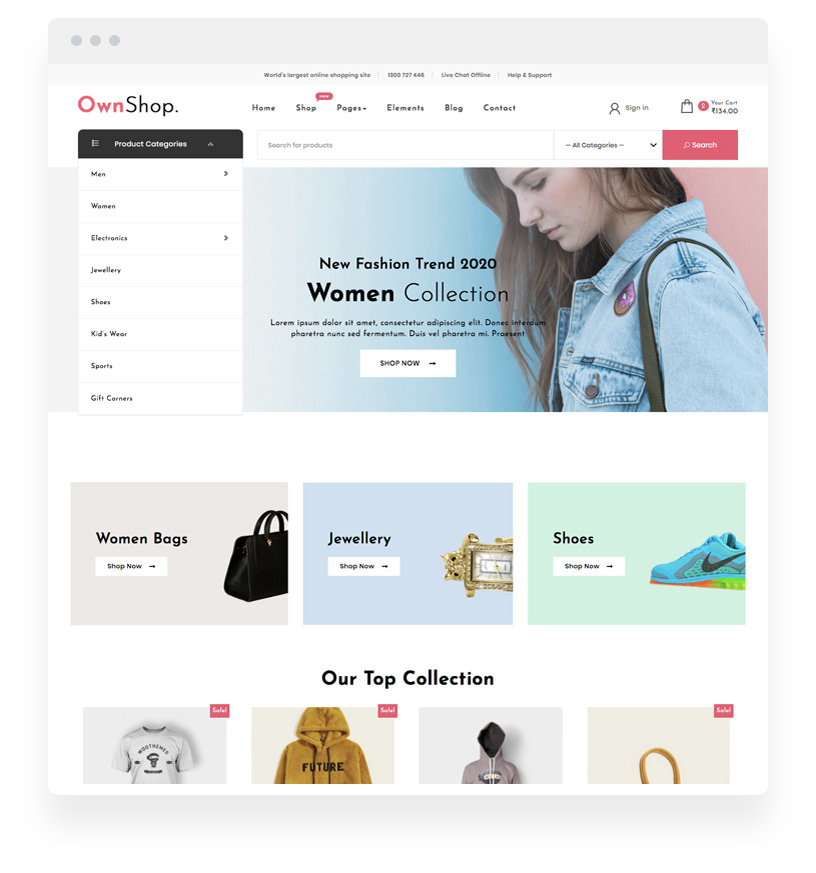
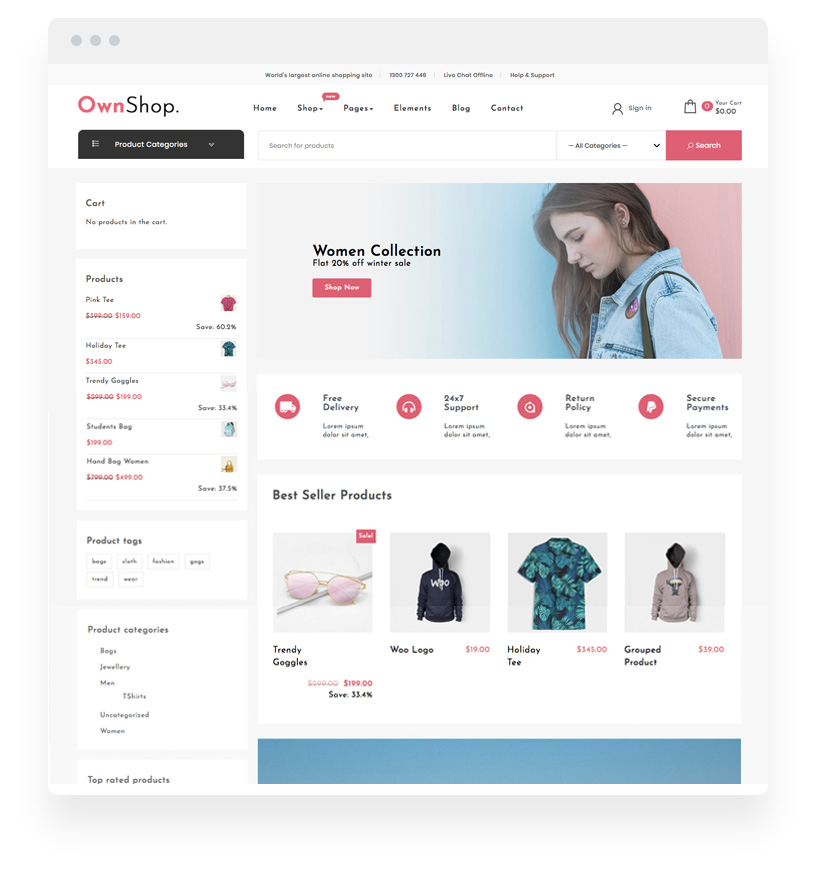
Own Shop is a WooCommerce theme for stores that want to be selling quickly rather than designing a shop from a blank canvas. Two free demos ship with it, both built around a product grid and a checkout that stays out of the way, so a small catalogue can be live in an afternoon without a page builder.
- New stores that need a real shop layout, not a blog theme with products bolted on
- Shops selling in more than one language, including Arabic and Hebrew, since RTL is native
- Owners who would rather set colours and a logo than build templates
What you can build with Own Shop
The free version carries the entire store foundation: WooCommerce support, a product category menu, a menu cart, two layout settings, a top bar, a preloader, sidebar options for full, left or right, colour settings and one-click demo import. It is built on Bootstrap, works with the block editor, and supports Elementor, Beaver Builder and SiteOrigin, plus Contact Form 7 and Jetpack. The markup is clean HTML5 with schema, which is what SEO tools look for first.
Pro (v3.1) is aimed at merchandising rather than layout: colour swatches, product price filters, a newsletter popup and cookie banner, product sale countdowns, wishlist and product compare, a sidebar cart, light and dark mode, header and testimonial sliders, 800+ font settings, a footer credits editor and three extra demos. Compare the Own Shop Pro add-ons.
How to install Own Shop
- Install Own Shop from the WordPress.org theme directory.
- Install WooCommerce and create your product categories before adding products, because the category menu drives store navigation.
- Import a free demo, then replace its images and colours in the customizer.
- Add products with real prices and stock levels, and check the cart and checkout on a phone.
- Only reach for Pro add-ons once you know which merchandising feature you are missing.
Free vs Pro Comparison
| Feature | Free | Pro |
|---|---|---|
| Favicon, Logo, Title and Customization | ||
| Customizer Theme Options | ||
| 2 Custom Widgets | ||
| WooCommerce | ||
| Product Category Menu | ||
| Menu Cart | ||
| 2 Layout Settings | ||
| Top Bar | ||
| Preloader | ||
| Responsive Design | ||
| RTL Support | ||
| Sidebar Options (Full, Left and Right) | ||
| 1 Click Demo Import | ||
| Color Settings | ||
| Color Swatches variations | ||
| Product Price Filters | ||
| Newsletter Popup | ||
| Cookie Banner | ||
| Product Sale Countdown | ||
| Section Countdown Elementor Widget | ||
| New Sidebar Cart | ||
| Maintenance Mode Option | ||
| Light and Dark Mode | ||
| 800+ Fonts Settings | ||
| Social Sharing Icons | ||
| Author Details in Single Post | ||
| Author Widget with Social Icons | ||
| WooCommerce Extra Settings | ||
| Products Wishlist | ||
| Product Widget Slider | ||
| Products Slider | ||
| Products Compare | ||
| Sticky Header | ||
| Breadcrumb Display | ||
| Footer Credits Editor | ||
| Related Posts | ||
| Header Slider | ||
| Testimonial Slider | ||
| MailChimp Newsletter Integration | ||
| Footer Columns Widgets | ||
| 4 PRO Demos | ||
| Priority Support |
Unlock every current and future pro addons plugins and themes for one low price. See Pro Options →
Frequently asked questions
Is the Own Shop theme really free?
Yes. Own Shop is a free WordPress theme available from WordPress.org, and you can use it on personal and commercial sites at no cost. A Pro version adds extra layouts and priority support, but the free theme is a complete WooCommerce store theme on its own.
Does Own Shop work with WooCommerce?
Yes. Own Shop is built for WooCommerce and designed around product grids, cart and checkout. Install WooCommerce alongside the theme and the store templates become available immediately, with demo content you can import in one click.
What does the Own Shop Pro version add?
Pro adds additional demo layouts, priority support and extra customisation options beyond the free theme. The free version already covers the core store experience: product grids, a distraction-free checkout layout and full customisation without touching code.
Can I use Own Shop with Elementor or the block editor?
Yes, both. Own Shop supports the WordPress block editor, the live customizer and popular page builders including Elementor, so pages can be designed visually without editing template files.
Will Own Shop slow down my store?
The theme itself is lightweight and ships without a bundled page builder, so it adds little to page weight. Store speed is then mostly decided by product image size, plugin count and hosting. Compress images and keep plugins lean and the theme will not be the bottleneck.
Does Own Shop include support and updates?
The free theme receives updates through the WordPress.org repository. Pro licences include direct support with a response commitment. For the free version, questions go to the WordPress.org support forum, where the author responds.