


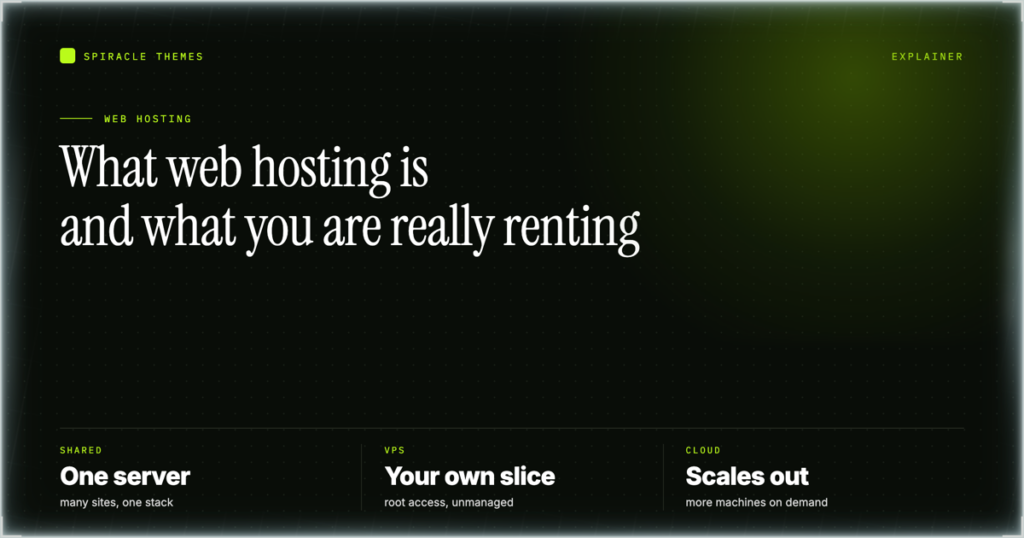
Web hosting is a rented space on a server that stays switched on so your website is available when someone types your domain into a browser. You pay a host monthly or yearly for that space, and in return you get storage for your files, a share of processing power, a way for your domain to find the server, and increasingly a certificate so the site loads over HTTPS. Everything else on a plan card, from email to backups to a control panel, is a service built on top of that arrangement. This guide explains the concept first and uses Hostinger as a worked example, so the pricing at the end illustrates the idea rather than replacing it.
What a hosting company actually provides
A website is files and a database. The files are your pages, theme, images and scripts; the database holds your posts, products and settings. Both have to live somewhere with a public address, a power supply and a network connection, and that somewhere is a server in a data center. You could run one at home, but domestic upload speeds and a machine that sleeps make that a poor choice for anything public.
So a host supplies a bundle. The useful way to read a plan is to match each item in the bundle to the job it does.
| What you need | What the host supplies | Why it matters |
|---|---|---|
| A place for files and the database | Server space, measured in GB, on SSD or NVMe disks | Runs out quietly as you add images and plugins |
| An address people can type | DNS, so the domain points at the server | Wrong DNS is the most common reason a new site does not appear |
| Enough traffic capacity | Bandwidth, sometimes listed as unlimited | Sets what happens on a spike day |
| A padlock in the browser | An SSL certificate | Browsers warn visitors without one |
| A way to manage it | A control panel such as hPanel | Where domains, email and backups are handled |
| A recovery option | Backups at a stated frequency | Your only undo button after a bad update |
That table is the whole concept. A plan is a set of commitments about how much of each line you get, and a price is what those commitments cost for a fixed term. Most confusion about hosting comes from reading the price and skipping the commitments.
See the concept on a real plan card: look at the current Hostinger shared plans — Premium is $1.99/mo on a 48-month term with 3 websites and 20 GB SSD, so you can see how storage, website count and backup frequency sit next to each other.
Shared, cloud, VPS and managed WordPress hosting
The four labels describe how much of a machine you get and how much of it you look after. Shared hosting puts several websites on one server and shares the processor between them, which is why it is the cheapest option and why a noisy neighbour can affect your site. Cloud hosting spreads a site across pooled resources, and the plans are sold with more headroom. A VPS gives you a virtual machine with a guaranteed share of RAM and processor and usually root access. Managed WordPress hosting is a service layer: someone else handles updates, caching and the server, and you pay for that labour.
| Type | What you control | Who administers the server | Fits |
|---|---|---|---|
| Shared | Your site, through a panel | The host | A first site, a blog, a small business page |
| Cloud | Your site, with more resources pooled | The host | Traffic that varies, several sites on one bill |
| VPS | The whole machine, including the OS | You | Custom stacks, root access, apps that are not WordPress |
| Managed WordPress | Your content and plugins | The host, as a paid service | Someone who wants updates and caching handled |
What “unlimited” means in practice
Unlimited almost never means unlimited. On a shared plan it can simply mean “no number published, subject to fair use”, and the real limits show up as inode counts, CPU seconds, concurrent connections or a clause in the terms about resource abuse. A plan can advertise unlimited websites and still cap you at 20 GB of storage, which is the number that decides how many image-heavy sites you can actually run.
The practical test is to find the numbers that are not marketing. Storage, mailboxes and backup frequency are numbers; bandwidth and “unlimited” claims are not, which is why they are advertised. When a plan says unlimited websites but lists 20 GB of SSD, believe the 20 GB: it is the constraint you will hit first.
For reference, Hostinger’s published tiers on 10 November 2026 read 3 websites and 20 GB SSD on Premium, unlimited websites and 50 GB NVMe on Business, and unlimited websites and 100 GB NVMe on Cloud Startup. The word unlimited appears in two of the three, but the storage figure is what separates them.
How to read a plan card
A plan card is ordered by what sells, not by what matters. Read it in this sequence and the comparison takes about a minute. First, the term: the advertised monthly price is usually for the longest prepaid term, and the renewal price is a separate number, often several times higher. Second, the website count and the storage figure together, because one without the other tells you nothing. Third, backup frequency, since that defines your worst case after a mistake. Fourth, mailboxes, if you want email on the same bill. Fifth, what is excluded and what costs extra at checkout.
Two habits prevent most bad purchases. Convert the headline price into the amount charged today and write the renewal price beside it, because $1.99/mo and $10.99/mo are the same product at different points in its life. Then read the refund terms before you need them, particularly the exclusions, since domains and add-ons commonly sit outside the money-back window.
The domain and the hosting are two purchases
A domain is your address; hosting is the building. They are bought separately and they can live with different companies, which is why “I bought a domain, why is my site not live” is such a common question. Registering a domain gives you the right to use the name. It does not give you anywhere to put a website.
The link between them is DNS. Your domain has nameservers, and those nameservers point at the zone that says “this name goes to that server address”. Change the nameservers to your host’s pair and the domain follows the hosting; leave them at the registrar and you point individual records instead. Both routes work, and the second one is more work but keeps email where it is. Propagation after a change can take up to 24 hours, which is why a site can look broken for a few hours after a move even when nothing is wrong. The guide to the DNS zone editor covers the record types if you need to edit them by hand.
SSL belongs here too. A certificate is issued for a domain name, so it can only be issued once the domain points at the server. If you buy hosting first and the domain later, expect the padlock to appear after the domain resolves, not before.
Moving to another host later
Moving is normal, and a host that makes it hard is telling you something. The work is: export a full backup of files and database, create the same site on the new host, upload and restore, then change DNS. Email needs separate handling, because mailboxes do not travel with a website backup and mail received during the switch can land in the old inbox.
- Take a full backup of files and the database, and download it rather than leaving it on the old server.
- Note every mailbox address and export the messages you need to keep.
- Create the site on the new host and import the backup, testing it on a temporary address.
- Lower the DNS TTL a day before the switch so the change propagates quickly.
- Point the domain at the new host and wait up to 24 hours.
- Keep the old account active for a week before cancelling, and check the refund window before you close it.
The reason to buy a shorter term when you are unsure is this list. A 48-month prepay is a fine deal if you keep the site for four years, and an expensive mistake if you migrate in year one, because the money-back window is 30 days and the term is not refundable after it.
Which type fits which situation
A first website, a portfolio or a small business page belongs on shared hosting, where the host handles the server and you handle the content. Several sites with uneven traffic belong on cloud plans, where the resources are pooled and the per-site cost falls. Anything that needs root access, a specific runtime or an application that is not WordPress belongs on a VPS, and the trade is administration: Hostinger’s KVM 1 is $6.49/mo on a 24-month term with 1 vCPU, 4 GB RAM and 50 GB NVMe, but the OS, DNS zone, mail server and SSL are all yours to configure. The KVM plans compared set out the specs. Managed WordPress exists for the person who would rather pay than learn any of it.
Start with shared hosting and move up only when a limit bites: check the Hostinger web hosting tiers — Business is $2.79/mo on a 48-month term with 50 GB NVMe, daily backups and unlimited websites, which is where most sites stop needing anything more.
Frequently asked questions
Do I need hosting if I already own a domain?
Yes. A domain only reserves the name and provides the address book entry; it has nowhere to store files or a database. Hosting provides the server the domain points to. You can buy them from different companies, and many people do, but you still need both before a site can load.
Can I host a website without buying a domain?
Only on a temporary address supplied by the host or builder, which is fine for drafting and bad for anything public. Search engines and visitors need a stable name, and email needs a domain you control. A builder site on a temporary domain also cannot have its DNS managed, so connecting a real domain is a required step rather than an optional one.
Is cheap hosting good enough?
It depends which limit you hit first. A small site with modest traffic is well served by an entry plan, and paying more buys resources you will not use. Cheap becomes a problem when storage, backup frequency or the website cap starts constraining you, and that usually happens through growth rather than on day one.
How long does it take to get a site live?
The hosting itself is available immediately after checkout. The delay is DNS: a new domain or a nameserver change can take up to 24 hours to propagate, and SSL is issued for the domain once it resolves. Building the site takes as long as your content takes, which for most first sites is the real timeline.
What is the difference between hosting and a website builder?
A builder is software for making pages; hosting is the server those pages live on. Some hosts bundle a builder with the plan, and some builders bundle hosting with their subscription. When both come from one company the two are hard to separate, which is why it is worth knowing which part you are paying for and which part you could move.
Once the vocabulary is clear, choosing a host stops being a gamble and becomes a comparison of four numbers: storage, website count, backup frequency and renewal price. The Hostinger review applies exactly that comparison to one provider’s plans if you want a worked example with real figures.