
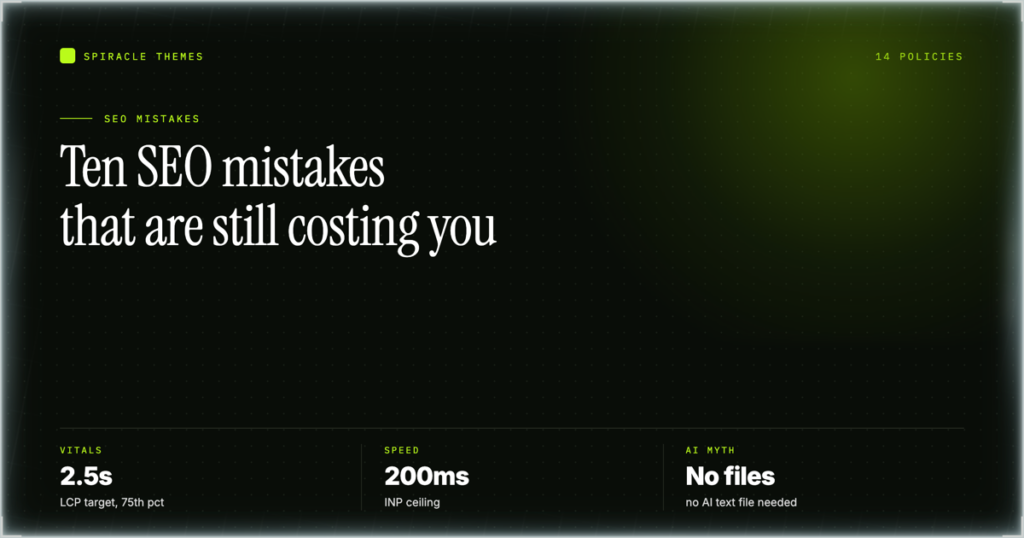
Most “SEO mistakes” lists are guesses. Google publishes the actual rules, and they fit in three buckets: Technical requirements, Spam policies, and Key best practices. That is the whole of Search Essentials — Google’s own summary of what it takes to appear in Search. A real mistake is a breach of one of those three. Everything else is superstition.
Below are the ten failures that cost WordPress sites traffic in 2026, each tied to the rule it breaks and the Search Console report that exposes it.
Key takeaways
- A “mistake” is a breach of a technical requirement, a spam policy, or a documented best practice — not a tactic someone on YouTube dislikes.
- Google indexes the mobile version of your page. If your desktop version has content the mobile version lacks, that content is effectively invisible.
- Core Web Vitals are judged at the 75th percentile of real page loads, split by device. One fast test on your laptop proves nothing.
- You do not need
llms.txt, an AI text file, or special schema to appear in AI Overviews or AI Mode. Google says so directly. - Scaled content abuse and the site reputation policy are the two rules catching the most WordPress sites right now.
The three-part test that turns opinion into a mistake
Before you accept any SEO advice, including the advice in this article, ask which of the three parts it comes from. Google’s structure is deliberately narrow, and that narrowness is useful: it tells you what is a hard requirement, what gets you penalised, and what is merely recommended.
| Search Essentials part | What it contains | What it means for a WordPress site |
|---|---|---|
| Technical requirements | The minimum for a page to be eligible at all | Googlebot can crawl it, the page returns a real status code, the content renders, and the page is not blocked by robots.txt or a stray noindex |
| Spam policies | Behaviours that lead to ranking loss or manual action | Scaled content, doorway pages, expired domains, link schemes, cloaking, sneaky redirects, keyword stuffing, site reputation abuse |
| Key best practices | What improves quality once you are eligible | Helpful content, descriptive titles and headings, internal linking, image alt text, page experience |
That table settles most arguments. A slow hero image is a best-practice problem. A page that returns a 200 but shows different content to Googlebot is a spam problem. They need different fixes, and the first step is knowing which one you have.
Mistake 1: A robots.txt rule or noindex tag that quietly removes the site
This is the most common technical failure, and it is almost always self-inflicted. Someone launches a staging copy, adds Disallow: / to robots.txt to keep it private, then points the domain at production and forgets. Or a plugin’s “discourage search engines” checkbox stays ticked after migration. The site looks fine to every visitor. Google sees nothing.
What it looks like in practice: a WordPress install where Settings ? Reading ? “Discourage search engines from indexing this site” is still enabled. WordPress writes that into robots.txt and adds a noindex hint. It survives plugin changes and database restores, because it is a single row in wp_options.
The second version is subtler: a security plugin blocks /wp-admin/ and with it admin-ajax.php. The site stays indexed, but pagination drops out and internal discovery slowly starves.
Why it fails: crawling and indexing are technical requirements. A blocked URL cannot be indexed no matter how good the content is.
How to check: In Search Console, open Settings ? Crawl stats and look at the response-code breakdown. A flat line of 403s or a collapse in requests is the signal. Then open Indexing ? Pages and read the “Excluded by ‘noindex’ tag” row — if it is growing, something is tagging pages. Fetch the live robots.txt in a browser rather than trusting the plugin screen; what Googlebot reads is the file at the domain root, not the plugin’s preview.
The fix: uncheck the Reading setting, remove the directive, then use URL Inspection ? Test live URL on three representative URLs (home, a post, a category). Do not request indexing until the live test returns “URL is available to Google”.
Mistake 2: Treating the desktop version as the real site
Google indexes the mobile version of your page — Google’s mobile-first indexing documentation is explicit about this. Whatever your phone layout shows is what gets evaluated. Yet most WordPress sites are still built by looking at a 1440px browser window and adding responsive rules afterwards.
The documented parity checks are worth treating as a literal audit list, because every one of them is something a theme or plugin can break without warning:
| Parity check | Typical WordPress breakage | Where to look |
|---|---|---|
| Content matches on both versions | A “hide on mobile” utility class removes a spec table or a pricing block | Theme customiser and page builder responsive settings |
| Structured data present or absent on both | An SEO plugin injects Product schema only when a WooCommerce template renders on desktop | Rich Results Test, run twice — once with a mobile user agent |
| Metadata matches on both | A mobile-only plugin rewrites the title, or a cache serves a stale mobile variant | View source on a phone, compare the <title> and description |
| Content is crawlable and renderable | Lazy-loaded sections never enter the DOM because the loader depends on scroll events | URL Inspection ? Test live URL ? screenshot |
| Ad placement does not push content below the fold | A sticky mobile ad unit occupies the first screen | Load the page on a 390px viewport |
| Video has an equivalent on both versions | A background video is replaced by a static image on mobile, with no transcript or text alternative | Compare the two renderings side by side |
Why it fails: if the mobile version lacks a section, that section is not in the index. It is not “ranked lower” — it is absent. This is why sites sometimes lose traffic after a redesign that everyone agreed looked better.
How to check: Search Console’s URL Inspection report renders the page as Googlebot-smartphone. Take the screenshot it gives you and compare it with what you see on your own phone. They should match; if the Googlebot render is emptier than your phone, a script is being blocked.
The fix: stop hiding content on mobile. If a table is too wide, wrap it and let it scroll rather than deleting columns. If a section must collapse, keep the text in the HTML and collapse it visually with CSS, not by removing it from the document.
This is the same failure that makes a site feel broken to real visitors, which is why mobile friendliness and search performance tend to move together.
Mistake 3: Judging Core Web Vitals from a single desktop test
You run PageSpeed Insights, see a green score, and close the tab. That number came from one synthetic load, usually on a fast connection, usually on desktop. It is not the number Google uses.
The field metrics are defined once, in web.dev’s Core Web Vitals documentation, and the definitions carry three conditions people skip:
| Metric | Good threshold | What it actually measures |
|---|---|---|
| LCP — Largest Contentful Paint | 2.5 seconds or less | When the largest visible element in the viewport finishes rendering |
| INP — Interaction to Next Paint | 200 milliseconds or less | The latency of interactions across the whole visit, not just the first click |
| CLS — Cumulative Layout Shift | 0.1 or less | How much visible content moves unexpectedly during load |
Two conditions matter here. These are measured at the 75th percentile of page loads, and they are segmented by mobile and desktop. A 75th-percentile threshold means a quarter of your loads can be worse than the target and you still pass — but your best-case load is irrelevant. And because the two devices are assessed separately, a site can pass on desktop and fail on mobile, which is the common shape for a theme with a heavy hero image and no responsive srcset.
Why it fails: page experience is a best practice, not a spam rule, so the consequence is a ranking disadvantage rather than a penalty.
How to check: Search Console ? Experience ? Core Web Vitals. Read the mobile tab first. It reports URL groups, not individual URLs, so a single bad template can drag a group of dozens of pages. PageSpeed Insights is still useful, but read the “Discover what your real users are experiencing” block, not the lab score at the top.
The fix, in the order that usually pays: compress and correctly size the hero image and serve it as WebP or AVIF; add width and height attributes to every image so CLS stops moving; defer non-critical JavaScript; and remove render-blocking plugin CSS from above-the-fold templates. If your host serves uncached HTML on a shared plan, no amount of front-end tuning fixes the first byte — the slow-site diagnostics apply before the metric work does.
Mistake 4: Publishing at scale and calling it a content strategy
Scaled content abuse is a named spam policy, and it is the one most likely to be triggered by an otherwise well-meaning WordPress site in 2026. The policy targets pages produced in large volumes primarily to manipulate rankings, rather than to help a reader. Generative tooling made that cheap, so the volume went up.
What it looks like in practice: two hundred posts published in a month, each 700 words, each following the same heading pattern, each covering a near-duplicate keyword variant of the same topic. Or a programmatic set of city pages built from a template where only the city name changes. Or a “tools” section generated from a spreadsheet of queries.
The tell is not the tool. It is whether a human added something the template could not: a number from your own data, a decision you had to make. If the page would read identically on any other site in the niche, it has no reason to exist on yours.
Why it fails: it is a spam policy breach, which means it can produce a site-wide effect, not a per-page one. That is the part people underestimate — the risk is not that the thin pages rank badly, it is that they affect how the rest of the site is assessed.
How to check: Search Console ? Indexing ? Pages, look at the “Crawled – currently not indexed” and “Discovered – currently not indexed” counts. Those two rows growing while published pages grow is the pattern. Then look at Performance filtered to the last 28 days and sort pages by impressions; if the long tail of new URLs has near-zero impressions, you are producing pages Google is choosing not to serve.
The fix: publish less and edit more. Merge the twenty thin variants into three substantial pages and redirect the rest. Add first-hand detail that cannot be generated. Where a page exists only to catch a query variant, delete it and let the main page rank for the variant.
Mistake 5: Renting authority from a host domain
The site reputation policy covers content published on a site that borrows the host’s ranking signals while being produced by a third party with little or no oversight from the host. The classic shape is a news or authority domain carrying a “partners” or “sponsored” section filled with unrelated commercial content.
In WordPress terms it shows up in three ways: a subdirectory like /partners/ or /deals/ filled with posts from an outside agency; a multisite network where one subsite publishes material the main brand would never edit; and a guest-post programme where the “editorial” review is a spell-check.
Why it fails: the policy is about who is responsible for the content, not whether it is paid. Content the host edits and stands behind is a different situation from a section nobody reads.
How to check: list every subdirectory on the site that publishes content your team does not write. Then check whether anyone can name the person who approved the last ten posts in it. If nobody can, that section is a liability.
The fix: either bring the section under real editorial control — named editor, review step, the brand’s byline — or remove it. Culling a sponsored directory is one of the few SEO actions with a plausible upside and no content loss that matters.
Mistake 6: Building doorway pages instead of pages
Doorway abuse is a named policy and the definition is narrow enough to be useful: multiple pages or sites that rank for similar queries and funnel users to the same destination, adding little unique value. The WordPress version is a set of near-identical landing pages for “SEO services in [city]” or “[theme name] support” that all end at the same contact form.
The distinction that matters: a genuine location page has a local address, local work, local pricing or local staff. A doorway has a swapped place name and the same three paragraphs. If you deleted the location from the page and nothing else had to change, it was a doorway.
Why it fails: it is a spam policy breach, and the pages compete with each other as well as with everyone else, so internal cannibalisation is guaranteed on top of the policy risk.
How to check: Search Console ? Performance ? Search results, filter by page, and look for clusters of URLs where the same query surfaces three or more of your pages in rotation. That rotation is cannibalisation, and on templated pages it is usually doorway-shaped.
The fix: consolidate. One strong page per real service, with genuine local detail where you have it, and 301s from the variants. If you serve several cities and only have real presence in two, publish two.
Mistake 7: Keyword stuffing, in its 2026 form
Keyword stuffing is still a named spam policy, but almost nobody does the 2012 version any more — repeating a phrase until the paragraph breaks. The current version is subtler: a heading structure that repeats the exact query in every H2, an FAQ section where all six questions are keyword variants of each other, and alt text that reads like a search query rather than a description.
It survives because it feels like diligence: the brief lists the keyword twelve times, and the writer complies.
Why it fails: it is a spam policy, and it makes the page worse to read.
How to check: read the headings in sequence. If three consecutive H2s contain the same phrase, that is stuffing. If alt text repeats the target keyword regardless of what the image shows, so is that.
The fix: one exact-match use in the title or H1 area, natural variants in headings, and headings that describe what the section answers. Alt text describes the image. That is the whole rule.
Mistake 8: Link spam and the paid-link blind spot
Link spam covers links created primarily to manipulate rankings: bought links, exchanged links, links in low-quality directories, and automated link insertion. The WordPress-specific traps are less obvious than a paid guest post.
Three that recur: a footer credit link to a “design by” site that is itself a link network; a plugin that injects links into post content automatically; and a comment section left open with rel attributes stripped. Each adds outbound links you did not write.
Why it fails: it is a spam policy breach, and outbound links you did not choose are the hardest to audit later.
How to check: use a crawler on your own site and export every outbound link, grouped by domain. Sort by count. Any domain appearing on dozens of pages that you cannot explain is the finding. Then open one post in the editor and compare its rendered HTML with what you wrote — extra links in the body mean a plugin is inserting them.
The fix: remove automated link insertion, set rel="nofollow sponsored" on anything paid, and audit the footer once. Internal links deserve the opposite treatment: they should be contextual and numerous, which is why the internal linking errors in this list cost more traffic than most external link problems.
Mistake 9: Sneaky redirects and expired-domain relaunches
Two policies sit next to each other here and both catch WordPress sites during migrations.
Sneaky redirects means sending users or Googlebot to a different URL than the one requested, in a way designed to deceive. The accidental version: a plugin redirects every 404 to the homepage. That looks helpful and it destroys the signal — Google never learns that a URL is gone, and every dead inbound link now points at a page about something else.
Expired domain abuse means buying a domain for its existing reputation and repurposing it for unrelated content. The legitimate version of this is a rebrand or a genuine continuation of the same topic; the abusive version is buying a lapsed site about gardening and publishing casino pages on it.
Why they fail: both are named spam policies. A 404-to-homepage redirect is more likely to be classified as a soft 404 than as sneaky redirect, but the ranking outcome is similar — the URL’s value evaporates.
How to check: Search Console ? Indexing ? Pages ? “Soft 404” and “Page with redirect”. A large soft-404 count on a site whose 404 handler redirects to the homepage is a direct confirmation. For a domain you just bought, check its indexed history before you publish anything, and keep the new content in the same subject area if you want to keep any of it.
The fix: let 404s return 404. Redirect only when you have mapped an old URL to a genuinely equivalent new one, and keep that map in a spreadsheet so the redirect plugin config is reviewable.
Mistake 10: Chasing AI-search myths that Google has already denied
This one has the worst ratio of effort to outcome in 2026, because the work is real and the premise is false. Google’s AI features in Search documentation answers it directly: “You don’t need to create new machine readable files, AI text files, or markup to appear in these features. There’s also no special schema.org structured data that you need to add.”
The same page adds that you can “apply the same foundational SEO best practices for AI features as you do for Google Search overall”. So the entire category of llms.txt-style files, “AI-readable” markup layers, and bespoke AI schema is optional at best and a distraction at worst.
Three more facts from the same page that change how you should read your reports:
- AI Overviews “are only shown when our systems determine that it is additive to classic Search, and as such, often don’t trigger.” A missing AI Overview is not a failure on your part.
- Traffic from AI features is counted inside normal Search traffic in Search Console. There is no separate AI report to optimise against.
- You cannot audit your way into AI citations with a schema field. You get there by being the page that answers the question.
Why it “fails”: not a policy breach — a resource breach. Every hour spent generating markup files is an hour not spent on the technical requirements and content quality that the documentation actually names.
How to check: Search Console ? Performance ? Search results. If you want to see whether AI surfaces are sending anything, filter by page and compare impressions against clicks over time; the aggregate is already in there. There is no separate report because Google does not segment it that way.
The fix: delete the to-do item. Keep the site crawlable, keep the content specific, and stop treating an AI-specific checklist as a ranking input.
The 15-minute check: three Search Console reports, in order
Everything above is diagnosable from three reports. Fifteen minutes, in this order, tells you which of the ten mistakes you actually have — as opposed to which ones sound likely.
| Minutes | Report | What you are looking for |
|---|---|---|
| 0–5 | Indexing ? Pages | Which exclusion reason is largest, and whether it is growing. “Excluded by noindex”, “Crawled – currently not indexed”, “Soft 404” and “Page with redirect” each point at a different mistake above |
| 5–10 | Experience ? Core Web Vitals | The mobile tab, grouped by URL pattern. One failing group usually means one template |
| 10–15 | Enhancements | Which structured-data types are valid, which are not, and whether any have disappeared — an empty Enhancements section on a shop is a signal that schema stopped rendering |
Two notes. Pages is the report people misread: the excluded counts are not errors, and a large “Crawled – currently not indexed” number is normal on a site with archives. Watch the trend and the reason mix, not the total. And Core Web Vitals data lags by roughly a month, so last week’s fix will not appear yet.
If Pages jumps on a specific date, cross-reference your plugin update log. There is almost always a deploy or a settings change behind a step change in indexing.
What is not a mistake
Refuting bad advice is more useful than repeating it. Here is what gets flagged as an error and is not.
A keyword in the domain name
An exact-match domain is not a penalty and not a boost worth restructuring a brand for. It is not a spam signal either. Choose the domain for the brand and move on.
Publishing less often
There is no publishing-frequency requirement. A site that publishes four substantial pages a year and updates them can outrank a site publishing daily, and the second pattern is the one that trips scaled content abuse. Frequency is a business decision, not an SEO setting.
Word count as a ranking factor
No minimum length exists. Length correlates with rankings because long pages tend to cover a topic more completely, which is the mechanism — not a threshold. Padding a 900-word answer to 2,000 words adds nothing a reader wants and costs you the clarity you had.
Leaving a page without a meta description
Google rewrites descriptions often enough that a missing one is not a defect. A well-written one can help the snippet, but it is not a ranking input, and a page with no description is not “unoptimised” in any way that costs you position.
One 404 page, or a handful of them
404s are a normal part of a healthy site, not a defect to eliminate. Deleting content and letting the URL return 404 is correct when there is no equivalent page to point at. The mistake is redirecting every dead URL to the homepage, which hides the signal and leaves Google unable to retire the URL.
FAQ
Is duplicate content a penalty?
Not as a penalty. Google picks one version to show and consolidates signals, which is a filtering decision rather than a punishment. The risk is that the wrong version gets chosen, or that neither ranks because the signals are split. Fix it with canonical tags and 301s.
Do I need an llms.txt file for AI search?
No. Google states that you do not need new machine-readable files, AI text files or markup to appear in AI features, and that there is no special schema.org markup to add. The same foundational practices apply. If a plugin or agency sells you an “AI visibility file”, you are paying for something Google has said is unnecessary.
How long does it take to recover from a manual action?
It depends on the action. A manual action is lifted after you fix the cause and submit a reconsideration request, and the review is the variable — there is no published timeline. Site-wide spam actions take longer than partial ones because you must show the pattern is gone, not just that one page changed.
Should I noindex tag pages and archives?
Yes for tag pages that duplicate category content, no for archives people browse. The test is whether the page serves a reader. If WordPress creates it automatically and it duplicates a category, noindex it — but do not block it in robots.txt as well, because a blocked URL cannot pass its signals on.
Does a CDN fix Core Web Vitals?
It fixes part of LCP and none of INP or CLS. A CDN reduces time to first byte and serves images closer to the visitor. CLS comes from images without dimensions and late-loading fonts; INP comes from JavaScript on the main thread.
What should I fix first if I can only do one thing?
Check that Googlebot can crawl and index the site, then check the mobile rendering. Those are technical requirements, and everything else is downstream of them. A perfect content strategy on a site with a stray noindex produces nothing at all.
The short version
Almost every item above resolves to the same habit: read the page as Googlebot sees it, on a phone, and compare that with what you meant to publish. The gap between those two views is where the traffic goes.
Put the three Search Console reports on a monthly rotation rather than a yearly audit. Indexing problems compound quietly. A free SEO plugin handles the metadata layer; it will not tell you that your mobile template is hiding your pricing table.
