
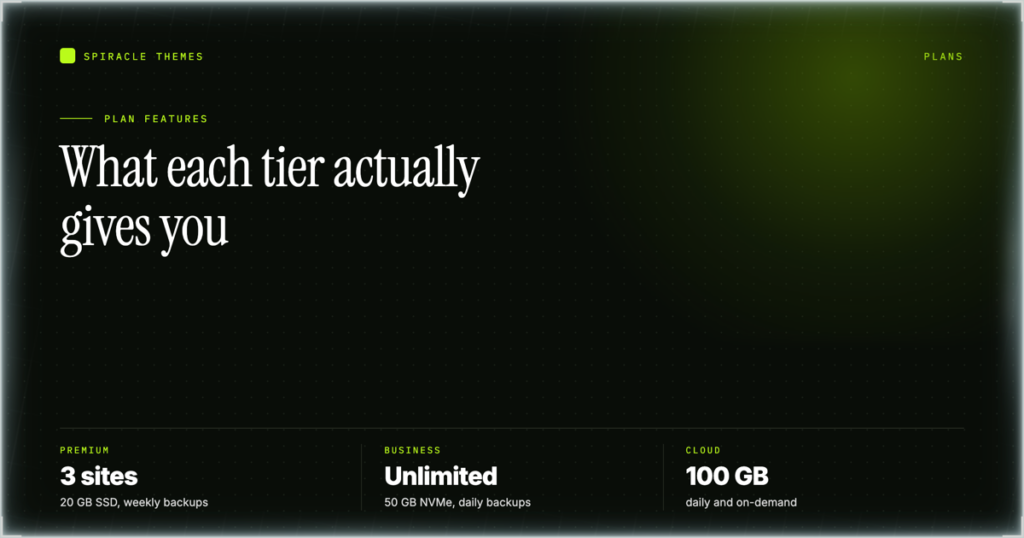
Hostinger’s shared plans bundle a control panel, a website builder, WordPress, business email, a CDN, free SSL and a DNS zone editor into a single bill, and the tier differences sit in four places: how many websites you can host, how much NVMe or SSD storage you get, how often backups run, and how many AI credits come with the plan. That is the short version of the published plan data checked 10 November 2026. What follows is a feature-by-feature tour of what each item does, where it lives in the panel, and which tier it appears on, so you can match a specific requirement to a specific line on the plan card.
The feature set, plan by plan
Read this as a checklist rather than a ranking, taken from the plan cards on Hostinger’s pricing page. Everything marked “all” is included from the $1.99/mo tier upward, which is the part of the offer that surprises people most; everything that scales is in the right-hand columns.
| Feature | Premium | Business | Cloud Startup |
|---|---|---|---|
| Price, 48-month term | $1.99/mo | $2.79/mo | $7.99/mo |
| Websites | 3 | Unlimited | Unlimited |
| Storage | 20 GB SSD | 50 GB NVMe | 100 GB NVMe |
| Backups | Weekly | Daily, easy restore | Daily and on-demand |
| Mailboxes | 2 per website, free 1 year | Unlimited, free 1 year | Unlimited, free 1 year |
| AI credits | 500 (promo) | 1,000 (promo) | 2,000 (promo) |
| Free domain, first year | All | All | All |
| CDN, free SSL, AI Builder | All | All | All |
| Priority 24/7 support | All | All | All |
| WordPress, AI coding tools, custom code | All | All | All |
See the tier split for yourself: open the current Hostinger plan comparison — Premium lists 3 websites with 20 GB SSD and weekly backups at $1.99/mo on a 48-month term, which is where every included feature above starts.
hPanel: the single control surface
hPanel is the control panel, at hpanel.hostinger.com, and it is one login for websites, domains, email and billing rather than separate billing and hosting portals. Three features inside it matter more than the rest for day-to-day work. Multiple logins let you give a team member or a client access with their own credentials instead of sharing yours, login history shows the sign-ins on the account, and social login can be linked or unlinked from the profile, which matters when the account was created through Google.
The Domains section holds the DNS editor, which is covered further down, and the Websites list is where a site is managed: the “Manage” action opens the site, and the dashboard button there leads to wp-admin for a WordPress install. The panel is not a staging tool: nothing in the published plan data describes a staging feature on these tiers. In practice the backup system is the rollback mechanism, so change the live site and restore a backup if it breaks.
AI Builder, AI credits and the temporary domain
The AI Builder is included on all three shared plans. It generates a site from a short description, and it is metered in AI credits: 500 on Premium during the promotion, 1,000 on Business, 2,000 on Cloud Startup. Credits are the real constraint on how much iteration you get, because each rebuild consumes them. Treat the number as a budget for drafts rather than a count of finished pages.
There is one behaviour worth knowing before you start. Sites built on a temporary AI Builder domain do not show nameservers, because that DNS cannot be managed directly, so the site stays on the temporary address until you connect a real domain you own. The builder is not the only route: WordPress, AI coding tools and custom code are listed on Premium, so the same $1.99/mo buys a conventional WordPress install. Connecting the domain afterwards is a separate step, and DNS propagation can take up to 24 hours.
Email: mailboxes, webmail and the connection values
Email is part of the plan rather than an add-on. Premium includes 2 mailboxes per website free for one year, Business and Cloud Startup include unlimited mailboxes per website free for one year, and Business adds free AI email marketing for one year up to 100 subscribers. Webmail runs at mail.hostinger.com, so a mailbox is usable before you configure a single desktop client.
All Hostinger servers support POP3, IMAP and SMTP, and they are enabled by default. The values below come from Hostinger’s own configuration article, and they apply to Hostinger Email specifically, not to Titan Email or legacy cPanel Email, which each have their own set. Mixing the two sets is the usual reason a client refuses to connect.
| Protocol | Host | Encryption | Port |
|---|---|---|---|
| IMAP, incoming | imap.hostinger.com |
SSL | 993 |
| POP3, incoming | pop.hostinger.com |
SSL | 995 |
| SMTP, outgoing | smtp.hostinger.com |
SSL | 465 |
| SMTP fallback | smtp.hostinger.com |
TLS / STARTTLS | 587 |
Two details cause most of the support tickets. The username is the full email address, not the part before the @, and the password is the mailbox password rather than the password you use to sign in to hPanel. Separately, POP3 behaviour changed: POP3 now downloads mail to the client but leaves it in webmail, so deleting in the client no longer clears the server. Switch the account to IMAP if you want deletions to sync across devices.
CDN, Object Cache and the caching claims
Hostinger’s plan pages list a built-in CDN, Object Cache, LiteSpeed servers, NVMe storage (from Business upward) and a global data center network, and the Business and Cloud Startup cards claim you can “handle traffic spikes with unlimited bandwidth”. These are the vendor’s published descriptions. Nothing on the plan page quantifies them, and no benchmark is reproduced here, because none is published alongside the plans.
What you can confirm from the plan data is where each item applies: the CDN and Object Cache are listed on all three tiers rather than sold as a separate product, NVMe starts at Business while Premium is listed as SSD, and cloud plans carry a free 24-hour plan boost. If a specific number matters, ask support in writing before you pay rather than inferring it from a feature name.
Backups, restore and what the frequency means
Premium includes weekly backups. Business includes daily backups with an easy restore path. Cloud Startup includes daily backups plus on-demand snapshots. That sets the worst case a bad plugin update can cost you: up to a week on Premium, up to a day on the higher tiers, or your last snapshot on Cloud Startup.
The restore is listed as part of the plan rather than a paid extra, which is what turns a backup into something you can use. A backup is not an archive, though. Nothing in the plan data describes off-site downloads on the shared tiers, and AI Builder sites in particular cannot be pulled out the same way as a normal file set, so keep your own copy of anything you cannot regenerate: post text, product listings, images you uploaded, theme files you edited.
The DNS zone editor and free SSL
The DNS zone editor is included with the hosting and does more than most people expect. It sits under Domains, then DNS, then the DNS records tab for the chosen domain, and the page carries seven tabs: records, child nameservers, redirects, DNSSEC, history, subdomains and SSL. Records support NS, A, AAAA, ALIAS, CAA, CNAME, MX, SPF, SRV and TXT including DKIM and DMARC, TTL defaults to 14400 seconds, and changes can take up to 24 hours to propagate.
The features that save time are the less obvious ones: bulk creation for adding several records at once, Quick setup presets for Shopify, Google Workspace and Google site verification, a history tab that can restore a previous version of the zone, and BIND import and export for moving a zone in or out. Two limits are worth noting. Hostinger domains do not allow custom nameserver records on subdomains, so use A, CNAME or TXT for those, and a domain whose nameservers point elsewhere cannot have its DNS managed here. The DNS zone editor walkthrough covers the record types in detail. Free SSL is listed on every plan, and the SSL tab on the same page is where the certificate state for a domain is visible.
The VPS line: same panel, different responsibilities
The KVM range runs from KVM 1 at $6.49/mo on a 24-month term (1 vCPU, 4 GB RAM, 50 GB NVMe, 4 TB bandwidth) to KVM 8 at $25.99/mo (8 vCPU, 32 GB RAM, 400 GB NVMe, 32 TB bandwidth). All four include free weekly backups and an AI web terminal, and Hostinger’s Agent can guide setup step by step.
The feature list stops at the operating system. Hostinger VPS is unmanaged, so installing and updating the OS and applications, creating the DNS zone, setting up a mail server and installing SSL are all manual tasks, and setting custom nameservers requires configuring the zone in the OS template yourself. The panel is the same hPanel, the responsibilities are not. Setup runs from VPS, then Setup, where you pick a server location and an operating system. The KVM plan comparison sets out the specs side by side.
If daily backups and NVMe are the two features you need: check the Hostinger hosting plans here — Business is $2.79/mo on a 48-month term with 50 GB NVMe, daily backups and unlimited websites, and the 30-day money-back guarantee applies to the purchase.
Frequently asked questions
Does Hostinger hosting include email?
Yes, on all three shared plans. Premium includes 2 mailboxes per website free for the first year; Business and Cloud Startup include unlimited mailboxes per website for the first year. Webmail is at mail.hostinger.com, and the IMAP, POP3 and SMTP values are published by Hostinger for client setup, so a mailbox can be connected to a phone or desktop client the same day.
Is there a staging environment on the shared plans?
Nothing in the published plan data describes a staging feature on Premium, Business or Cloud Startup. The working pattern is to build on a temporary or secondary domain, connect the real domain, and use backups for rollback. On Premium that means the rollback point can be up to a week old.
What are the AI credits for?
They meter the AI Builder, which generates a site from a description, and the AI coding tools listed on the plans. Premium includes 500 credits during the promotion, Business 1,000 and Cloud Startup 2,000. Each rebuild uses credits, so the count limits how much iteration you get rather than how many finished pages you can publish.
Do I get a free domain with every plan?
A free domain for one year is listed on all three shared plans. It is registered for the first year only, and domain renewals sit outside the 30-day money-back guarantee, so a domain billed at renewal is not refundable even if you cancel the hosting.
Is SSL included or extra?
Free SSL is listed on every shared plan and on the VPS plans as a certificate you install. On shared hosting the SSL tab on the Domains, DNS page shows the certificate state for a domain. On a VPS nothing is issued for you: installing SSL is one of the manual tasks that comes with an unmanaged server.
Can several people log in to one account?
Yes. An account can hold multiple logins with different permissions for team members or clients, and login history is visible per account, so access can be granted and audited without sharing a single password. Social login can also be linked or unlinked, which matters when the account was originally created through a Google sign-in.
Features are only half the decision, and the pricing and suitability review covers the other half: what the plans cost at renewal and who should not buy them. Start from the requirement you cannot compromise on, find the tier where it appears, and ignore the features you will never open.
