
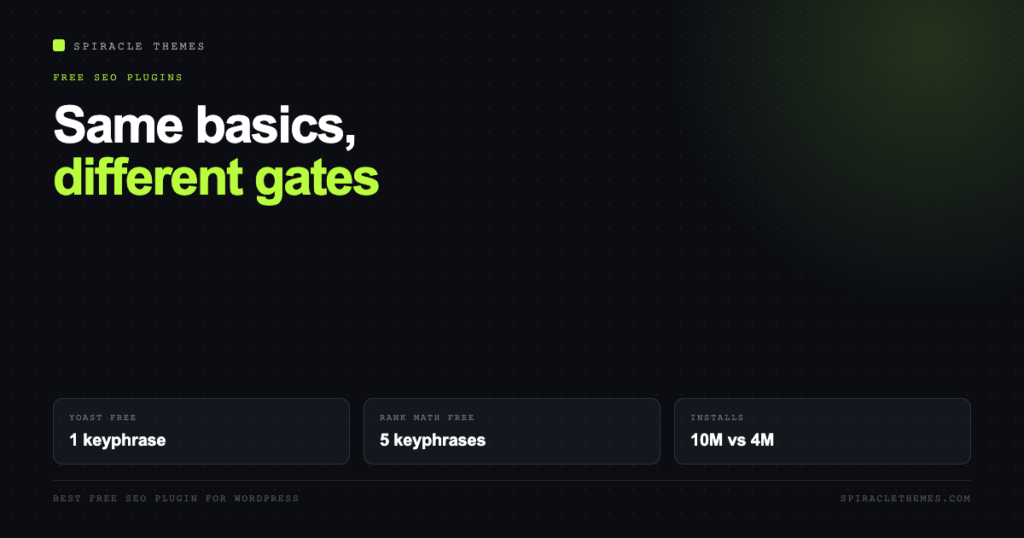
Every free SEO plugin handles titles, meta descriptions, canonical tags and a sitemap. That is the boring 90 percent, and it is why “which free plugin is best” arguments go nowhere: on the basics, all four major plugins are fine. The decision is made by what each one gates behind a paywall, and by how much of it you will actually miss.
Here is the comparison with numbers read from the WordPress.org directory rather than from memory.
The numbers, as they stand
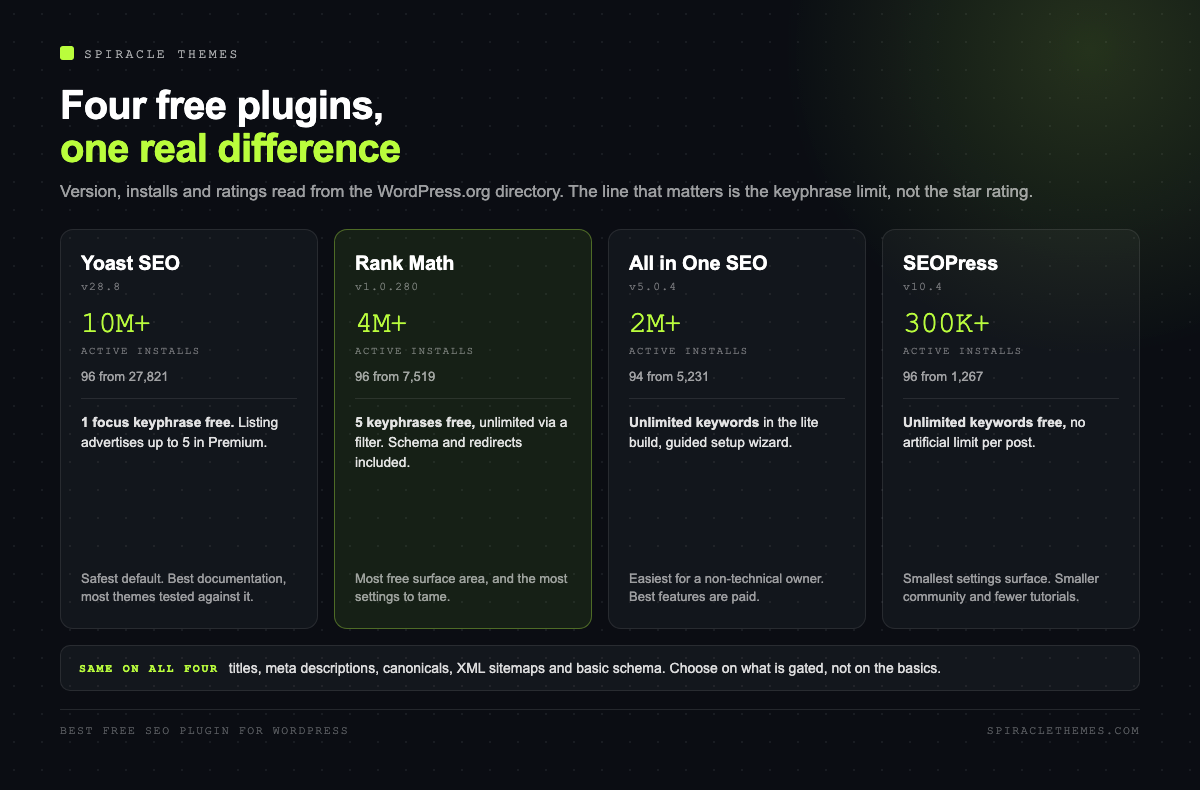
| Plugin | Version | Active installs | Rating | Tested up to |
|---|---|---|---|---|
| Yoast SEO | 28.8 | 10 million+ | 96 from 27,821 ratings | WordPress 7.1.4 |
| Rank Math SEO | 1.0.280 | 4 million+ | 96 from 7,519 ratings | WordPress 7.1.4 |
| All in One SEO | 5.0.4 | 2 million+ | 94 from 5,231 ratings | WordPress 7.1.4 |
| SEOPress | 10.4 | 300,000+ | 96 from 1,267 ratings | WordPress 7.1.4 |
Install counts tell you how many sites will find bugs before you do, which is a real benefit. They do not tell you which plugin is better for your site. A 300,000-install plugin that does what you need beats a 10 million-install plugin that gates it.
Where the free tiers actually diverge
Four things separate them, and only one of them is a feature most people use.
- Focus keyphrases. The real differentiator, and the one nobody mentions in listicles.
- Schema types. Free versions ship the common ones; premium ships the exotic ones.
- Redirects. Some include a redirect manager free; one treats it as a paid add-on.
- Bulk editing and internal linking. Almost universally premium, with different free crumbs.
The keyphrase limit, which is the actual decision
This is where the free versions genuinely differ, and the wording is in each plugin’s own listing:
- Rank Math: the listing advertises optimising a post for unlimited focus keywords, with 5 by default and unlimited available through a filter. Five keyphrases per post, free, is enough for most people.
- SEOPress: the listing states content analysis with unlimited target keywords, with “no artificial limit per post.”
- All in One SEO: the lite listing advertises unlimited keywords with its TruSEO content analysis.
- Yoast: the listing advertises “up to 5 keyphrases in Premium.” The free plugin keeps the single focus keyphrase model it has always had.
If you write one post targeting one phrase, this is irrelevant and Yoast is excellent. If you write comparison posts targeting three or four variants, a free plugin that caps you at one keyphrase will feel like a handbrake, and that is the honest reason people switch.
Rank Math: the most free, with the most surface area
Rank Math’s free tier is unusually complete: schema types, a redirect manager, local SEO basics, Google Search Console integration, and multiple focus keyphrases. It is also the plugin with the most screens.
That is the trade. More modules enabled by default means more places for a setting to be wrong, and its setup wizard asks enough questions that a beginner can end up with a configuration nobody understands. If you like control, it is the best value in the list. If you want fewer decisions, it is not.
Yoast: the safe default, with a paid handbrake
Yoast’s advantage is not features, it is coherence: one clear score, one clear explanation for each check, and documentation that matches the interface. It is also the plugin most agencies and theme developers test against, which reduces the chance of a conflict.
The free version’s limits are deliberate. One focus keyphrase, redirects as a paid add-on, more schema types behind Premium. The listing is explicit that Premium adds significantly more schema types, including E-E-A-T signals. None of that makes the free plugin weak; it makes it the right answer for someone who wants one keyword per post and has no interest in schema plumbing.
SEOPress: the quiet one worth knowing
300,000 installs is small next to ten million, and it is the plugin most likely to be recommended by people who have tried all four. Unlimited keyphrases free, a clean settings structure, no upsell banners in the dashboard, and one-click migration from the other plugins.
The trade is ecosystem: fewer tutorials, fewer third-party integrations that specifically test against it, and a smaller community when something breaks. For a small business site with a competent owner, that rarely matters.
All in One SEO: strongest dashboard, mid-pack free
AIOSEO’s lite version is generous on keywords and pleasant to look at, with a setup wizard that suits a non-technical owner better than Rank Math’s. Its 94 rating from 5,231 ratings is the lowest of the four, which is still a strong score.
The reason it rarely wins a head-to-head is positioning: the features it markets hardest, link assistant, advanced schema, and the AI tooling, are the paid ones. The free plugin is good; it is just not the reason people choose it.
Switching is cheap now, which changes the calculus
Every one of these plugins imports settings from the others, and Rank Math, SEOPress and AIOSEO all advertise importers covering Yoast and each other. You are not locked in the way people were five years ago, so the sensible approach is to pick the one whose limits you can live with today and migrate later if you outgrow it.
Two cautions when switching: take a database backup first, and check that your titles and meta descriptions came across before you deactivate the old plugin. Importers are good, not perfect, and the failure mode is invisible until you look at a search result.
The decision, in one paragraph
One post per keyword and an agency that expects Yoast: use Yoast. Multiple keywords per post on a budget: Rank Math, and turn off the modules you will not use. You want the smallest sensible settings surface: SEOPress. You are not technical, you want a guided setup and a clean dashboard: All in One SEO. All four will handle titles, meta, sitemaps, canonicals and basic schema correctly, which is the part that matters most.
How to test a plugin before you commit
Installing, configuring and hoping is how people end up switching twice. A 30-minute test on staging tells you most of what you need:
- Install on staging and let the setup wizard run. If the wizard asks for an account, check what it sends and whether the plugin works without it.
- Publish a test post with a title, a description and two internal links. Confirm the output in the page source, not in the plugin’s preview panel.
- Run one page through Google’s Rich Results Test. Valid schema, or warnings you can explain?
- Open the sitemap and confirm your test post appears with the right URL and lastmod.
- Check the dashboard for admin notices. A plugin that fills every screen with upsells will still do that in month six.
- Deactivate it and confirm your meta and schema revert cleanly. Plugins that leave meta behind are the ones that make migrations painful.
Mistakes people make after installing any SEO plugin
- Setting a noindex on the whole site by accident. It is one checkbox, usually in the reading or visibility settings, and it is the most common cause of “my new site is not indexed”.
- Writing titles for the plugin, not the searcher. A green score is not a ranking; a title that matches the query is.
- Duplicating the same keyphrase across ten pages. Competing with yourself splits the signal and confuses which page should rank.
- Letting the plugin generate descriptions. Auto-generated descriptions are usually the first paragraph, truncated mid-sentence.
- Ignoring the sitemap after setup. Check it once a month; a broken sitemap silently stops new content from being discovered quickly.
If you are on WordPress.com
One practical constraint before choosing: the free and lower WordPress.com plans do not let you install plugins at all. SEO tooling there is limited to what the platform provides, and the Business tier is where plugin access starts. If you are paying for a plan specifically to install an SEO plugin, compare that cost against self-hosted WordPress, because the plugin itself is free either way.
What you will miss first, per plugin
| Plugin | Free tier is strongest at | First thing you will miss |
|---|---|---|
| Rank Math | Multiple keyphrases, schema, redirects | Content AI credits, and a settings screen you have to tame |
| Yoast | Clarity, documentation, theme compatibility | A second focus keyphrase, and redirects |
| SEOPress | Unlimited keywords, clean interface | Third-party tutorials and integrations |
| All in One SEO | Guided setup for non-technical owners | Link assistant and advanced schema |
Why the green score misleads
Every one of these plugins shows a score for the post you are writing, and every one of them will happily give a green light to a page nobody searches for. The score measures whether you followed the plugin’s checklist: keyphrase in the title, in the first paragraph, in a subheading, a reasonable length, some links.
That checklist is a reasonable proxy for “not obviously broken”. It is not a prediction of ranking, and it cannot see whether the page answers the query better than the page currently ranking at position one. Treat green as a floor, not a goal, and spend the saved effort on the search intent instead.
What no plugin will do for you
The uncomfortable part. An SEO plugin is a data-entry tool: it puts your title, description and structured data into the page correctly. It does not know whether the page deserves to rank.
It is also worth being precise about one thing these plugins market heavily. Google’s SEO Starter Guide says plainly that E-E-A-T is not a ranking factor. It is a concept from the search quality rater guidelines, and what actually moves rankings is content that demonstrates experience and expertise, not a schema field labelled as such. A plugin can output the markup; only you can supply the experience.
The work that outranks plugin choice, in order: pick a query people actually search, answer it better than the current results, link to it from pages that already have authority, and keep the site fast enough that people stay. If you are starting from zero, starting a blog on WordPress covers the setup that makes all of this possible.
FAQ
Is the free version of Yoast SEO enough?
For a single-keyphrase blog with no redirect needs, yes. You lose multi-keyphrase analysis, redirects and premium schema types, none of which block a small site from ranking.
Can I use two SEO plugins at once?
No. They will fight over titles, canonicals and sitemaps, and the resulting duplicates are worse than either plugin alone. Pick one, migrate, deactivate the other.
Do SEO plugins slow down my site?
Well-built ones add little. The measurable cost usually comes from features you did not need being enabled: schema on every page type, internal link indexing, or a dashboard widget pulling remote data.
Which free plugin is best for WooCommerce?
Rank Math and SEOPress both handle product schema in the free tier, and Yoast’s WooCommerce integration is solid but its richer product controls sit in Premium. Test product schema output in Google’s Rich Results Test before launch either way.
Will switching plugins lose my rankings?
Not if titles, descriptions and canonicals survive the import. Rankings drop when the migration leaves duplicate meta or changes URLs, which is a process problem rather than a plugin problem.
Whichever you pick, the technical side has to be right underneath it: a slow site wastes good on-page work.
