
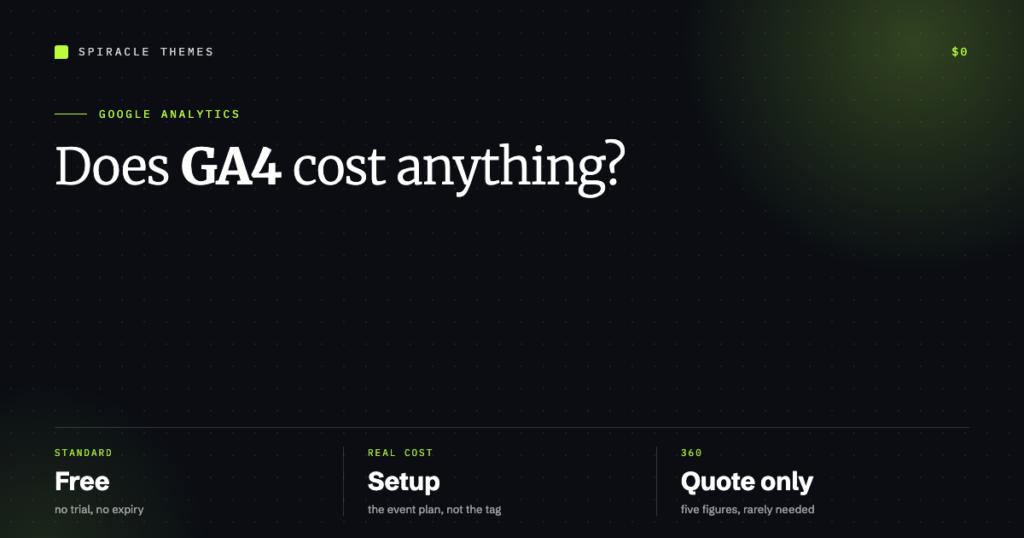
No. Google Analytics 4 — the standard version that almost every website uses — is free, including the tracking, the reports, and the tag manager that feeds it. You can set it up today and pay nothing, forever, for a normal business site.
What costs money is everything around it: the enterprise tier, the person who configures it properly, the consent tool your region requires, and the time spent maintaining the setup. This guide separates those clearly, because “is Google Analytics free?” has a yes answer followed by a much more useful set of caveats.
What is genuinely free
| Tool | Cost | What it does |
|---|---|---|
| Google Analytics 4 (standard) | Free | Traffic, events, conversions, audiences, reports |
| Google Tag Manager | Free | Deploy tags without editing site code |
| Google Search Console | Free | Search queries, indexing, Core Web Vitals |
| Looker Studio | Free | Custom dashboards on top of GA4 data |
| BigQuery export (daily) | Free to enable | Raw event export; you pay BigQuery storage and query costs |
For a site under a few hundred thousand sessions a month, that stack does everything a small business needs. The setup itself is about fifteen minutes if you know where the tag goes, and there is nothing to renew.
Where the money actually goes
Five real costs, in rough order of how often they apply:
- The person who configures it. Installing the tag is trivial; deciding what counts as a conversion, naming events sensibly and registering custom dimensions is the work. A freelancer typically charges a few hundred dollars for a proper setup; an agency package runs into four figures.
- Consent management. If you have EU or UK visitors, you need a consent banner that blocks analytics until the visitor agrees, and that is genuinely integrated with GA4 consent mode — not a decorative banner. Free options exist; paid CMPs cost monthly.
- Server-side tagging. Moving tag firing to a server container improves data quality and ad-blocker resilience, but it needs a server to run on, which is a monthly hosting line item.
- Google Analytics 360. The enterprise tier. Quote-based, sold through sales, and reported to start in the tens of thousands per year. Nothing about a standard business site needs it.
- Maintenance. Events break when themes and forms change. Somebody has to notice and fix it — that is a recurring cost whether you do it or pay for it.
What the free tier actually loses
The limits are real, and they are the honest argument for 360 at scale:
- Data retention. Standard GA4 lets you keep user and event data for 2 or 14 months. Longer periods — 26, 38 and 50 months — are 360-only. If you want year-over-year comparisons beyond fourteen months, the free tier cannot give them to you.
- Data thresholding. When demographics or signals are involved and the audience is small, Google withholds rows to protect identity. Reports show “thresholding applied” and the numbers stop adding up.
- Sampling in explorations. Large date ranges or complex segments get sampled. The percentage is shown, but the precision is gone.
- No SLA or support. If GA4 miscounts, there is no contract to appeal to.
The retention limit surprises people most. Fourteen months sounds generous until someone asks for a comparison against the same quarter two years ago and the data no longer exists.
The free setup, step by step
- Create a GA4 property at
analytics.google.comand add a web data stream for your domain. - Install the tag — through a plugin, the site’s theme settings, or Google Tag Manager if you already use it.
- Open the site in a private window and check Realtime: your own visit should appear within seconds.
- Mark the events that represent a business outcome as key events — form submission, purchase, enquiry click.
- Link Search Console, so query data sits next to traffic data.
- Set data retention to 14 months rather than the default 2, which costs nothing and is the difference between having a year of history and having none.
- Add a Looker Studio report on top, because the default GA4 interface is a report builder that assumes you will build one.
That is a complete, free, competent setup. Nothing above requires a paid tier, and every one of those steps is reversible.
So what does a setup actually cost?
Three realistic scenarios:
| Scenario | Typical cost | What you get |
|---|---|---|
| Do it yourself | Free | Tag installed, pageviews and basic events, default reports |
| Freelancer setup | Low hundreds | Event plan, key events marked, custom dimensions, one dashboard, documentation |
| Agency package | Low four figures | The above plus consent mode, conversion tracking tied to real business outcomes, training |
| GA 360 | Five figures and up per year | Extended retention, no sampling, SLA, BigQuery volume, support |
The thing worth paying for is not the installation. It is the decision about which five events matter and the guarantee that they still fire in six months.
Free alternatives worth knowing
If the objection is Google specifically — privacy, data ownership, ad-blockers — the credible open-source options are Matomo (self-hosted or cloud) and Plausible (lightweight, paid cloud, self-hostable). Both cost something, either in hosting or subscription, and neither has GA4’s ecosystem. For a simple site that only needs pageviews and referrers, Plausible-style analytics are cheaper than doing GA4 badly.
Do you need it at all?
If nobody looks at the reports, the honest answer is no. Analytics earns its keep when it answers a decision: which pages bring enquiries, which channel is worth more budget, where the checkout drop-off happens. A site with no traffic strategy needs Search Console far more than GA4 — it tells you what people searched to find you, which is actionable in a way a pageview count is not.
What matters after setup is that the tracking keeps working as the site changes — updated themes and rebuilt forms are where events silently stop. Our WordPress care plans include that check monthly, and if you are still deciding whether to build the site at all, what a WordPress site costs puts these line items in context.
FAQ
Is Google Analytics really free?
Yes. GA4 standard is free with no time limit. The paid product is Google Analytics 360, an enterprise tier sold by quote, which almost no small or mid-sized site needs.
Why do agencies charge for “setting up” something free?
They are charging for the event plan, the conversion definition, consent integration and the dashboard — not for installing a script. That work is what makes the free tool produce usable numbers.
Does GA4 have a free trial of the paid features?
No. There is no trial of 360; it is a sales process. The standard tier has no expiry, so there is nothing to trial.
How long does Google Analytics keep data?
On the free tier, two or fourteen months depending on your setting. Extended retention of 26, 38 or 50 months is exclusive to 360. Exporting to BigQuery is the usual workaround for keeping history on the free tier.
