
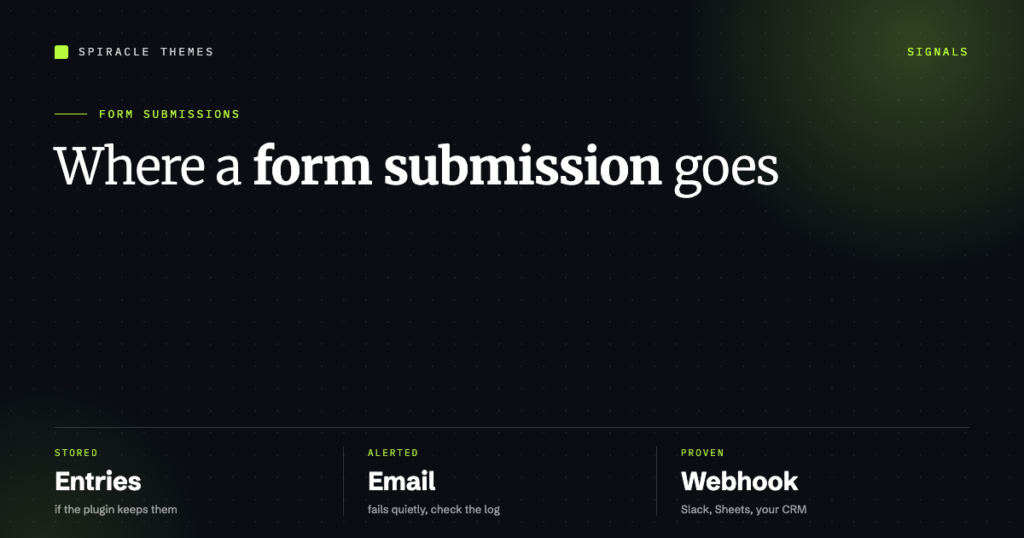
A form submission can land in three places: the form plugin’s entries screen, an email in your inbox, or somewhere else entirely through a webhook. Most “the form isn’t working” reports are actually one of those three going quiet while the other two keep working — and knowing which one you are looking at is the whole diagnosis.
This guide covers where submissions actually go per plugin, the sixty-second test that proves a form works, and the hooks that give you a signal without relying on email at all.
Where submissions go, by plugin
| Plugin | Stored entries | Email notification | Notes |
|---|---|---|---|
| WPForms | Yes, in Pro (WPForms → Entries) | Yes | The free version sends email but does not keep a searchable entry record |
| Contact Form 7 | No, by default | Yes | Storage needs the Flamingo add-on |
| Fluent Forms | Yes, exportable to CSV | Yes | Entries available in the free version |
| Gravity Forms | Yes (Forms → Entries) | Yes | Per-form notification routing |
Contact Form 7 is the one people get bitten by. Its own plugin directory listing describes Flamingo as a “message storage plugin originally created for Contact Form 7, which doesn’t store submitted messages” — so if you are running CF7 alone, the email is the record. Lose the email and you have lost the submission.
The sixty-second test that proves a form works
- Open the form page in a private window, not your logged-in browser. Cached pages and logged-in-only views are why forms “work for me”.
- Submit with a real address you control — not
[email protected], which spam filters treat as noise. - Watch what happens on screen: a success message, a redirect to a thank-you page, or an unchanged form. A form that reloads with empty fields and no message has usually failed.
- Check the entries screen (if your plugin has one) before touching anything else.
- Check the inbox and the spam folder of the address configured in the notification.
- If mail logging is available — WP Mail SMTP has an email log — read the entry. It tells you whether WordPress handed the message off or the mailer errored.
That sequence separates the three failure modes cleanly: no entry and no email means the form never processed; an entry with no email means delivery failed; an email with no entry means the plugin does not store submissions.
It submitted, but no email arrived
Almost always one of six things:
| Cause | What you see | Fix |
|---|---|---|
PHP mail() is unreliable or disabled |
Nothing in any inbox, no error anywhere | Install an SMTP plugin and send through a real mailbox |
| From address on a different domain | Gmail/Outlook silently drops it; SPF and DKIM fail | Use an address on your own domain, authenticated in SMTP |
| Recipient’s spam filter | Email exists, in junk | Add the sender to contacts, then fix DMARC alignment |
| Host mail limit hit | Works, then stops after N messages/day | Move to a transactional provider |
| Notification disabled or misaddressed | Entries exist, no mail | Check the plugin’s notification settings per form |
| Form uses AJAX and the request never completes | Spinner, then nothing | Look at the browser console for a failed request or a 403 |
Real-time signal without email
Email is a weak alerting channel: it fails quietly and it is easy to stop reading. If you want to know a submission happened, hook the submission itself. Every major plugin fires an action or webhook at the end of processing:
// WPForms
add_action( 'wpforms_process_complete',
    function ( $fields, $entry, $form ) {
        // $entry has the submitted values
    }, 10, 3 );

// Contact Form 7
add_action( 'wpcf7_mail_sent',
    function ( $contact_form ) {
        // fires after the mail is sent
    } );

// Gravity Forms
add_action( 'gform_after_submission',
    function ( $entry, $form ) {
        // $entry['id'], $entry[1], ...
    }, 10, 2 );
Point that at a Slack webhook, a Google Sheet via Apps Script, or your CRM, and the notification stops depending on a mail server you do not control. For most sites a single webhook to Slack replaces the whole “did the form fire?” anxiety — if the channel is quiet, the form is quiet.
Get a weekly digest instead of per-submission email
If the problem is not missing mail but the volume of it, WPForms now emails a weekly summary that opens with entry, view and spam counts compared to the previous week, then breaks the numbers down per form. It is a useful second signal: a form that has “gone quiet” is called out explicitly. Most form plugins have some equivalent, or you can build one with a scheduled WP-Cron job that counts entries.
What “no submissions at all” usually means
When even a test submission produces nothing — no entry, no email, no success message — check these before rewriting the form:
- The form is not on the page anymore. A cache layer or a page rebuild can drop the shortcode block; the page still loads, the form is simply absent.
- A JavaScript error. Open the console on the live page. One failed script from another plugin stops the form handler from binding.
- Spam protection rejecting you. reCAPTCHA or hCaptcha misconfigured will refuse legitimate submissions, often with no visible message.
- A CSS-hidden submit button. It happens after theme updates more often than anyone admits — the form renders, the button is behind an overlay.
- The form posts to a URL that 403s. Security rules blocking
admin-ajax.phplook exactly like a broken form.
Deciding which signal to trust
For a business site, the entry record is the source of truth and email is the alert. Configure both: keep entries on so nothing is ever lost to a mail failure, and route notifications to an address someone actually monitors. If the alert is what you are trying to fix, setting up form notifications walks through the per-plugin configuration and the delivery fixes.
Forms are also the most common place a WordPress site silently breaks after an update, which is why “does the contact form still work?” is on the weekly checklist of our $99 care plan.
FAQ
Does WordPress store form submissions by default?
No. WordPress has no built-in form system. Whether submissions are stored depends entirely on the form plugin — WPForms Pro, Fluent Forms and Gravity Forms store entries; Contact Form 7 does not unless you add Flamingo.
How do I check if a form was submitted without logging in?
You cannot, from the site. Use a webhook to Slack or a Google Sheet, or have notifications sent to a shared inbox. Both give you visibility without an admin login.
Why did my form stop sending emails after an update?
Usually the notification settings survived but the mail path broke — a changed From address, a new security rule, or an updated SMTP plugin that needs re-authorising. Check the email log first; it is faster than guessing.
