
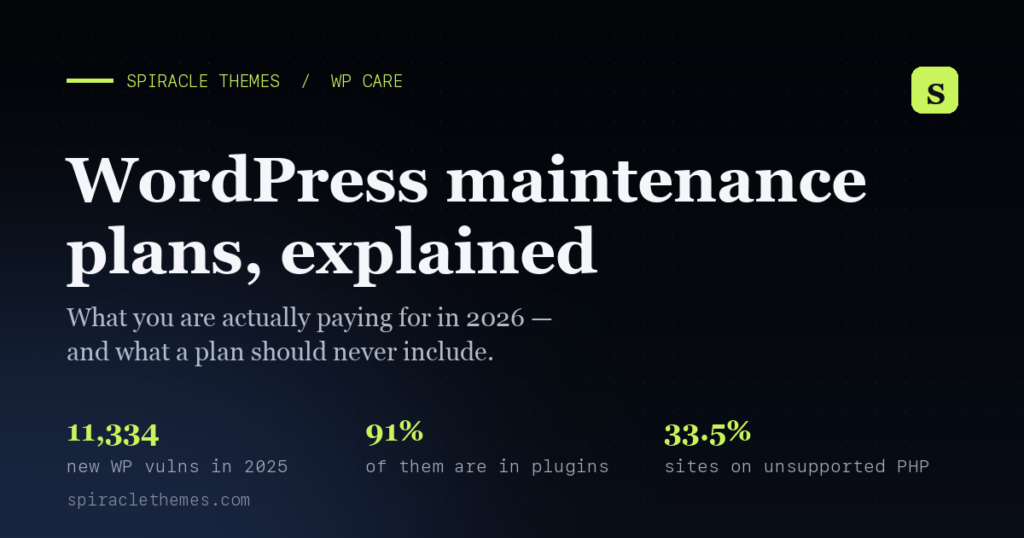
The short answer: A WordPress maintenance plan costs $50–$300 per month for most business and WooCommerce sites. It should cover core, theme and plugin updates tested on a staging copy, off-site backups with a restore you have actually run, uptime and malware monitoring, and a monthly report. Below $50 you are buying automation, not judgement. Above $500 you should be getting strategy, not just upkeep.
Most WordPress sites don’t get hacked or go down because of bad code. They break because nobody updated the plugins, nobody tested the update before it went live, and the last backup turned out to be from eight months ago. That’s not a hosting problem or a theme problem — it’s an unowned job.
A maintenance plan is simply paying someone to own that job. The problem is that “WordPress maintenance” covers everything from a $49 one-off fix to a $2,190/month agency retainer, and almost nobody explains which parts you actually need. This post does that — with the numbers behind each failure mode, the questions to ask any provider, and an honest answer to whether you need a plan at all.
What actually breaks on an unmaintained WordPress site
WordPress is not a set-and-forget product. As of October 2026 it powers 39.5% of all websites and 58.3% of all sites running a known CMS, according to W3Techs — which makes it the single biggest target on the web. That popularity is exactly why the maintenance workload never stops.
1. The release treadmill is constant
WordPress shipped version 7.0 on 20 May 2026 and 7.1 on 19 August 2026. Since then the 7.1 branch alone has had 7.1.1 (17 September), 7.1.2 (22 September) and 7.1.3 (6 October). Those point releases are mostly security and bug fixes — skipping them is how a site ends up two years behind and unfixable without a rebuild.
Now add plugins and themes. A typical business site runs 20–30 of them, each with its own release schedule. Checking version numbers monthly is not maintenance; it’s the first five minutes of maintenance. And when an update does take a site down, recovery is its own job — here’s how to fix a WordPress critical error in the first ten minutes.
2. Plugins carry almost all of the risk
Patchstack’s State of WordPress Security 2026 report counted 11,334 new vulnerabilities in the WordPress ecosystem during 2025 — a 42% increase over 2024. Of those, 91% were in plugins and 9% in themes.
Three findings from that report should change how you think about updates:
- 46% of vulnerabilities had no patch available at the time of public disclosure. So “only install patched plugins” is not a defence — the disclosure happens first.
- About half of high-impact vulnerabilities are exploited within 24 hours, and the weighted median time to first exploit is 5 hours. A monthly update cycle cannot race that. Monitoring and virtual patching can.
- In a large-scale penetration test of popular hosting companies, only 26% of vulnerability attacks were blocked at the hosting or network layer. Your host is not your security plan.
The 2024 numbers tell the same story from the other direction: 7,966 new vulnerabilities, 96% of them in plugins — and more than 500,000 websites were infected in that year alone, according to Sucuri data cited in Patchstack’s 2025 report.
3. Outdated PHP quietly breaks sites
WordPress runs on PHP, and PHP branches get a fixed support window. PHP 7.4 stopped receiving security fixes on 28 November 2022. PHP 8.0 followed on 26 November 2023, and PHP 8.1 on 31 December 2025. PHP 8.2 leaves security support on 31 December 2026 — about two months from now.
Yet WordPress’ own install statistics show 15.0% of sites still running PHP 7.4, 9.5% on PHP 8.1, 3.5% on PHP 8.0, and roughly 4% more on branches as old as PHP 5.6. Add it up and 33.5% of WordPress installs are on a PHP version that no longer receives security fixes — and those sites are usually the ones running abandoned plugins too.
4. Version drift is the real warning sign
WordPress’ version stats show 64% of installs on the current 7.1 branch, another 7% on 7.0, and a long tail still on 6.x — plus about 1% on WordPress 4.9, a branch that has been unsupported for years. Those aren’t lazy owners. They’re sites where updating broke something once, nobody could roll it back, and everyone agreed to never touch it again. A plan with staging and backups is what prevents that outcome.
The four costs people forget to budget for
A checkout that breaks for a week
Baymard Institute’s meta-analysis of 50 studies puts the average documented cart abandonment rate at 70.22%. That is the baseline with everything working — and that’s before the hidden costs of a “free” site. Now imagine a plugin update breaks the payment step silently on mobile: you don’t lose 70% of carts, you lose nearly 100% of them, and nobody files a bug report because they assume your store is closed.
Speed works the same way. Deloitte’s Milliseconds Make Millions study, commissioned by Google, found a 0.1-second improvement in mobile load time lifted retail conversions by 8.4%. A site that has quietly slowed from 1.2s to 4s over two years has given that away — usually through bloat nobody audited.
Being invisible on Google
Malware on a WordPress site rarely announces itself. What happens is that Google starts showing a “Deceptive site ahead” or “This site may be hacked” interstitial, Chrome refuses to load the page, and your organic traffic goes to zero within days. Removing that warning takes a clean-up, a review request, and usually several days of waiting. Even a small brochure site loses its entire lead flow for the duration.
Your own hours
Doing this properly — logging in weekly, reading changelogs, taking a backup first, testing, rolling back when something breaks, checking that forms and checkout still work — is realistically 2–5 hours a month for a normal business site, more for WooCommerce. At a freelance rate of $40/hour, that’s $80–$200/month of work. Most owners “save” that money by not doing it, which is a different decision with a different cost.
Emergency rates
The market prices urgency accordingly. FixRunner publishes $49 for a one-off WordPress fix, $95 for malware removal, and $150 for speed optimization. SiteCare’s managed plans run $435/month (Gold) to $2,190/month (Diamond). Both are legitimate businesses serving different customers — but they show the spread: you either pay monthly for prevention, or you pay a premium later for triage.
What a serious maintenance plan actually includes
Strip out the marketing and there are seven components. Any provider missing more than one of them is selling you a backup plugin with an invoice attached.
- Updates that are tested before they touch the live site. Core, theme and plugin updates applied on a staging copy, smoke-tested, then pushed. If something breaks, rollback is a button, not a support ticket.
- Backups that have been restored at least once. Daily, offsite, retention of 14–30 days. The only meaningful question is whether a restore was ever tested — an untested backup is a rumour.
- Uptime monitoring with a human on the other end. Checks every 1–5 minutes, an alert to someone who can actually investigate, and a stated response time.
- Malware and vulnerability monitoring, plus a removal policy. Scheduled scans, alerts on new plugin vulnerabilities, and a clear statement of whether clean-up is included or quoted.
- Speed and Core Web Vitals work. Google’s thresholds are LCP within 2.5 seconds, INP of 200ms or less, and CLS of 0.1 or lower. A monthly check without fixes is a newsletter, not maintenance.
- Security hardening. Two-factor logins, login attempt limiting, least-privilege user roles, and WAF rules where the host supports them.
- A plain-English report and a block of hours. What changed, what was fixed, what’s at risk, what it cost. Plus a defined number of development hours so small fixes don’t become a new quote every time.
What it should not include: six red flags
- “Unlimited edits” at $30/month. Nobody can honour unlimited work at that price; the plan will be neglected or the work will be superficial.
- No staging environment. If updates go straight to live, you are the test environment.
- A backup plugin described as a “plan”. Backups are one of seven components, and a backup you can’t restore is worthless.
- Bundled “SEO retainer” with no deliverables. Ask what changes each month and how it’s measured. “Content and optimisation” is not an answer.
- Hosting credentials held hostage. On cancellation you should get admin access, backups and documentation. No exceptions.
- No stated response time. The response SLA is the main thing you’re buying; if it’s not written down, you’re buying goodwill.
DIY, plugin, freelancer or care plan?
All four are legitimate. The right one depends on what a broken week costs you — not on the monthly fee.
| Option | Typical cost | What you get | What still lands on you |
|---|---|---|---|
| Do it yourself | $0 + 2–5 hrs/month | Full control, no lock-in | Knowing what’s safe to update, taking backups first, fixing it when an update breaks the layout |
| Maintenance plugin / dashboard | $0–$50/month | Automated backups, updates, uptime alerts, reporting across sites | Judgement. Automation applies updates; it doesn’t decide whether the update was safe, or repair a broken checkout afterwards |
| Freelancer, hourly | $40–$80/hour | Real expertise when you need it | Availability. Nobody’s watching the site between invoices, and small jobs fall below their minimum |
| Maintenance / care plan | $50–$500+/month | Ownership: tested updates, restorable backups, monitoring, hardening, an SLA and monthly hours | Paying every month, including the quiet ones. Everything outside the stated scope |
Eight questions to ask before you sign anything
- When was the last restore you actually tested, and what happened?
- Do updates go through staging first, or straight to live?
- What is your response time if the site goes down at 2am, and who is on the other end of that alert?
- How often do you scan for malware, and is removal included or quoted separately?
- Which specific tasks are excluded? (Migrations, redesigns, content writing and premium plugin licences are the usual ones.)
- What happens to my unused hours at the end of the month?
- If I cancel, what do I receive — access, backups, documentation?
- Can I see a sample monthly report from a real client site?
If a provider can’t answer all eight in writing, the price is irrelevant.
When you genuinely don’t need a maintenance plan
Be honest with yourself about this, because a bad plan is worse than none:
- The site is a placeholder with no traffic, no leads and no revenue, and you’d rebuild rather than restore it.
- You’re a developer or you genuinely enjoy this work, you check in weekly, and you keep tested backups.
- The site is brand new. Maintenance matters most from month 6 onward, once plugins start aging and the person who built it has moved on.
If, on the other hand, the site takes orders, books appointments or generates leads, a plan isn’t a luxury — it’s cheaper than the first incident. That’s the whole calculation.
Where our plans fit
We build and support WordPress themes for a living, so maintenance is adjacent to our day job rather than a separate business bolted on. We offer two plans, both month-to-month, with no upsell ladder:
- Care — $99/month. Tested core, theme and plugin updates, daily offsite backups with 30-day retention, 24/7 uptime monitoring, weekly malware scans, monthly speed check, broken-link and form checks, 2 hours of changes, and a monthly report. Built for brochure sites, blogs and business sites where a short outage is annoying rather than catastrophic.
- Advanced Care — $299/month. Everything in Care, plus a staging copy so every update is tested before it reaches live, WooCommerce monitoring with a monthly test order, database optimisation, 6 hours of changes, 4-hour support response seven days a week, same-day outage response, and malware removal plus hardening included.
Both start with a free audit of your hosting, PHP version, plugins, backups and speed — and if the audit says you don’t need a plan yet, we’ll tell you that instead of taking the fee. The full comparison, including what’s excluded, is on the WordPress maintenance plans page.
Frequently asked questions
How much should a WordPress maintenance plan cost?
Published prices run from roughly $50/month for automated upkeep to $2,190/month for full agency retainers, with the useful middle around $100–$300/month for a business or WooCommerce site. Below $50 you’re usually buying automation, not judgement; above $500 you should be getting strategy, not just upkeep.
My host already does backups and updates. Isn’t that enough?
Host backups cover the server, not your site’s health. They won’t tell you a plugin update broke your checkout, they won’t scan for malware in your uploads folder, they won’t restore a single file on request, and — as Patchstack’s hosting pentest showed — server-level defences blocked only 26% of WordPress vulnerability attacks. Hosting is the floor, not the plan.
Is a maintenance plan worth it for a small brochure site?
If the site brings in any leads at all, yes — the cost of being offline or delisted for a week usually exceeds a year of the cheapest sensible plan. If it brings in nothing and you’d rebuild rather than restore, a plan is optional; keep tested backups and update quarterly.
Do I need a different plan for WooCommerce?
You need different checks, not necessarily a different price tier. A store must have a monthly test order, checkout and payment-gateway verification, and staging before updates — because a broken cart costs 100% of that day’s revenue. That’s the reason our Advanced Care tier exists.
Can I move to a plan mid-incident?
You can, but expect the clean-up to be quoted separately — emergency work on an already-infected site is a project, not a monthly retainer task. It’s cheaper and faster to have monitoring in place before it happens.
Sources
- W3Techs, WordPress usage statistics — retrieved 28 October 2026.
- WordPress.org, Release archive — version dates retrieved 28 October 2026.
- WordPress.org, Version and PHP usage stats API — retrieved 28 October 2026.
- PHP.net, Unsupported branches and end-of-life dates — retrieved 28 October 2026.
- Patchstack, State of WordPress Security 2026 (2025 data) — 11,334 vulnerabilities, 91% in plugins, 46% unpatched at disclosure, 26% of attacks blocked at host level.
- Patchstack, State of WordPress Security 2025 (2024 data) — 7,966 vulnerabilities; 500,000+ sites infected per Sucuri.
- Baymard Institute, Cart abandonment rate statistics — 70.22% average across 50 studies, retrieved 28 October 2026.
- Deloitte / Google, Milliseconds Make Millions — 8.4% retail conversion lift from a 0.1s mobile speed improvement.
- web.dev, Core Web Vitals thresholds — LCP 2.5s, INP 200ms, CLS 0.1.
- SiteCare pricing ($435–$2,190/month) and FixRunner one-off service pricing ($49–$150) — retrieved 28 October 2026.
