
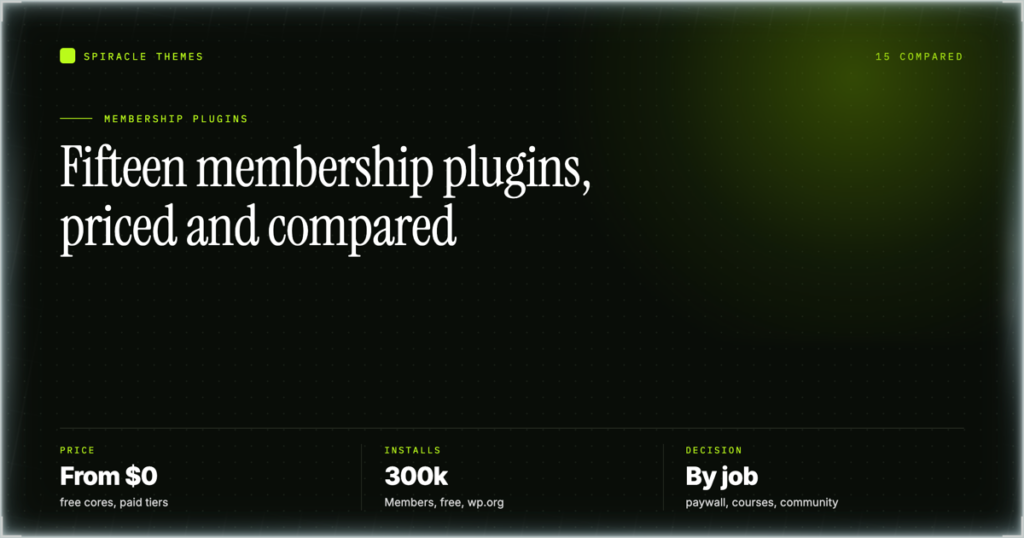
Pick the plugin that matches how you charge, not the one with the most installs. Selling access to posts and pages? MemberPress or Paid Memberships Pro. Selling a course? LifterLMS. Selling a community login? Ultimate Member or User Registration & Membership. Selling member pricing inside a shop? WooCommerce plus a memberships extension. Everything else here is a variation on those four jobs, and choosing across job types is where people lose a fortnight.
Install counts, ratings and versions came from the WordPress.org plugin API on 2 November 2026, on WordPress 7.1.4. Prices come from the vendors’ pricing pages, read the same day. Where a price could not be read, this states none rather than an invented one.
Key takeaways
- Paid Memberships Pro’s WordPress.org listing has been closed since 17 October 2024 at the author’s request — still developed and sold, but no longer installable from wp-admin search.
- Two plugins still recommended by 2026 roundups are closed for cause: ProfilePress (3 December 2021) and ARMember (1 February 2025), both for guideline violations.
- Members has 300,000 installs and a 98/100 rating, but it is a role editor with no checkout — it cannot take a payment on its own.
- Kadence Membership scores 62/100 from 100 reviews, far below the 94–98 of the plugins above it.
- Dripping, multiple levels and built-in email are the three features people most often find are paid-only after building on a free tier.
What you are selling decides the plugin
Content access. Articles, videos or a resource library, some of it behind a login. The work is rule definition — by category, post type, tag, URL or single post — and billing is one price on one interval. Almost every plugin here does this; they differ on rule flexibility and dripping.
Course subscription. An ordered curriculum where progress matters: lessons, sections, quizzes, completion tracking. Membership plugins can gate a course but do not know a lesson from a blog post, so you pay for a paywall and an LMS that ignore each other.
Community login. The product is other people — profiles, directories, private groups, front-end registration. Billing is often secondary or absent, which is why the biggest plugins here are free and monetise add-ons.
Paid directory or gated commerce. You sell listings, vendor access, wholesale pricing or member-only products. The membership layer sits on top of a shop, because the products already exist as products.
Quick pick
| If this is you | Start with | Why |
|---|---|---|
| One paywall, tight budget | Paid Memberships Pro (free core) | Real levels and dripping for $0; install from the vendor or GitHub, not wp-admin search |
| You want one invoice and support | MemberPress | $399/yr list, nothing to assemble |
| Courses with lessons and progress | LifterLMS | Built as an LMS first; gating is a setting |
| Profiles and member directories | Ultimate Member | 200,000 installs, free core, widest community feature set |
| Member pricing in an existing shop | WooCommerce + Memberships | The shop exists; you add a rule layer, not a second billing engine |
The full comparison
“No wp.org listing” means the plugin is sold only by the vendor, so there is no install count to quote — and any figure you see elsewhere is marketing.
| Plugin | Source | Active installs | Rating /100 (reviews) | Price | Best for |
|---|---|---|---|---|---|
| MemberPress | Vendor only | No wp.org listing | No wp.org listing | $399 / $699 / $999 per year list | Turnkey paywall and billing |
| Paid Memberships Pro | Vendor + GitHub | Closed 17 Oct 2024 | Listing closed | Free core; managed $49 / $99 / $299 per month | Free, flexible levels |
| Ultimate Member | wp.org | 200,000 | 88 (1,445) | Free core; add-ons separate | Community and profiles |
| Members | wp.org | 300,000 | 98 (1,281) | Free | Roles and capabilities only |
| User Registration & Membership | wp.org | 50,000 | 96 (832) | Free core; paid add-ons | Front-end registration forms |
| WP-Members | wp.org | 50,000 | 92 (272) | Free core; paid add-ons | Simple article paywall |
| Simple Membership | wp.org | 40,000 | 92 (475) | Free core; paid add-ons | Cheap protected content |
| Paid Member Subscriptions | wp.org | 10,000 | 94 (270) | Free core; pro licence | Small paid subscriptions |
| LifterLMS | wp.org | 10,000 | 96 (393) | $199 / $299 / $799 (list $398 / $598 / $1,598) | Course sales |
| Kadence Membership | wp.org | 8,000 | 62 (100) | Free core; paid tiers | Kadence theme users |
| Groups | wp.org | 10,000 | 96 (382) | Free core; paid add-ons | Group-based access |
| WooCommerce (base) | wp.org | 7,000,000 | 90 (4,833) | Free; extensions sold separately | Member pricing in a shop |
| MemberMouse | Vendor only | No wp.org listing | No wp.org listing | $299 / $499 / $699 per year list | Membership as a funnel |
| ProfilePress | Vendor only | Closed 3 Dec 2021 | Listing closed | Not verified | Existing installs |
| ARMember | Vendor only | Closed 1 Feb 2025 | Listing closed | Not verified | Existing installs |
Content access plugins
1. MemberPress
What it does. Rules-based restriction, membership levels, recurring billing and a member dashboard in one licence. Rules are the strength: gate by post type, category, tag, URL pattern or single post, and one rule covers thousands of pages without further work.
Who it is for. Anyone who needs to sell access this week without assembling four plugins. It is also the easiest of these to hand over, because the documentation base is the largest in the category.
Price. List price on the MemberPress pricing page, checked 2 November 2026: $399 Starter / $699 Growth / $999 Scale per year. The page displayed a 50% discount at the time ($199.50 / $349.50 / $499.50), but that is a promotion — budget the list figure at renewal.
Watch out. No free tier and no wp.org listing, so nothing to try beyond a refund window. Check the tier limits before paying; sites planning courses and a corporate level outgrow Starter within a year.
2. Paid Memberships Pro
What it does. Levels, restriction, dripping, member directories and a large add-on library, with the core released free and self-hosted. The free core is not a demo — it handles levels, restriction and recurring billing through Stripe or PayPal without a licence fee.
Who it is for. Budget-constrained sites, and anyone who wants to read the code first. The level-plus-add-on model also bends further than a fixed feature grid when your membership structure is unusual.
Price. Free $0 for the self-hosted core. Managed plans on the Paid Memberships Pro pricing page, checked 2 November 2026: Standard $49/month, Max $99/month, Max 2x $299/month — hosting and support, not a feature upgrade.
Watch out. Its wp.org listing has been closed since 17 October 2024 at the author’s request. The plugin is actively developed; you simply cannot find it under Plugins ? Add New. Download from the vendor or GitHub and upload the zip. Anyone calling the project abandoned is reading a closed sign as a death certificate.
3. WP-Members
What it does. The oldest approach here and the simplest: it blocks content and shows a registration form in its place. Posts and pages are marked members-only individually or in bulk, and registration fields are configurable without code.
Who it is for. Sites whose membership is essentially “a login for the good stuff” — a newsletter archive, a document portal, a small B2B library.
Price. Free core in the WordPress.org directory. Paid add-ons cover what the core leaves out; pricing was not verified, so check the vendor page.
Watch out. Version 3.5.8.3 (27 October 2026) is stable, but the feature surface has not grown the way competitors’ has — 272 reviews at 92/100 is a good score from a small base. Need courses or profiles and you will be adding plugins, at which point one plugin that already does both costs less.
4. Simple Membership
What it does. Levels, protected content, member management and payment buttons, with a deliberately small footprint. “Protect this page for level 2” is a checkbox rather than a rule engine.
Who it is for. Small sites — a coach, a single-author publication, a club — that want paid access without learning a rule system. 40,000 installs and 92/100 from 475 reviews is a reasonable signal for a long-running plugin.
Price. Free core in the directory; paid add-ons for extras. No price verified here.
Watch out. The free line is drawn close to the bone — dripping, some gateways and several conveniences sit on the paid side, and the interface shows its age.
5. Paid Member Subscriptions
What it does. Subscription plans, restriction, member accounts and billing, with a cleaner settings experience than most free options. Version 3.1.3 landed 20 October 2026, with 94/100 from 270 reviews at 10,000 installs.
Who it is for. Small and mid-size sites selling a monthly subscription — a paid newsletter, a niche library, a professional association. The free core covers a single-plan setup; multiple plans and advanced rules need the pro licence.
Price. Free core in the directory; pro licence sold by the vendor. Pricing not verified for this article.
Watch out. 10,000 installs means a smaller community, so fewer tutorials and fewer people who have already hit your problem. Map your required features against the pro list before migrating a live site onto it.
6. Kadence Membership (formerly Restrict Content)
What it does. Restriction and membership levels inside the Kadence ecosystem, inheriting the theme and block styling rather than fighting it. Rules cover post types, categories and individual content.
Who it is for. Sites already on the Kadence theme and Kadence Blocks. If the rest of the stack is Kadence, integration is the reason; if it is not, the reason disappears.
Price. Free core in the directory with paid tiers above it. No price verified.
Watch out. The rating. 62/100 from 100 reviews is by a wide margin the lowest here — the next lowest is 88. Not broken, but read the recent one-star reviews first; it is maintained, last updated 14 October 2026.
7. ProfilePress
What it does. Registration forms, user profiles, restriction and payments in one plugin, with a form builder non-developers can drive.
Who it is for. Existing installations. It still works and the vendor still sells it; it is not the pick for a new build in 2026, when the alternatives are reviewable in the directory.
Price. Sold by the vendor; not verified. No install count is quoted because the listing no longer exists.
Watch out. Its wp.org listing was closed on 3 December 2021 for a guideline violation. It has kept shipping since, but there are no directory updates, no directory review and no measurable install base. A roundup quoting an install count for ProfilePress has been quoting a 2021 number.
Course and learning plugins
8. LifterLMS
What it does. Courses, sections, lessons, quizzes, assignments, prerequisites and progress, with membership gating in the same plugin. Because a course is modelled as a course, you get completion tracking a paywall cannot fake.
Who it is for. Anyone whose product is a curriculum, including training businesses selling to companies, where enrolment and reporting are first-class rather than a workaround.
Price. List price on the LifterLMS pricing page, checked 2 November 2026: Earth $199/yr, Universe $299/yr, Infinity $799/yr. The page showed $398 / $598 / $1,598 struck through as a Black Friday promotion to 3 November — a promotion, so budget the list figure.
Watch out. Heavier than a paywall plugin, and the free core (10,000 installs, 96/100 from 393 reviews, 10.3.2) is genuine but limited. To hide a few posts, this is the wrong tool and you will feel it in the admin menu.
9. ARMember
What it does. Plans, restriction, member profiles and a form builder, historically popular with small course sellers because it bundled things that usually cost extra.
Who it is for. Existing installs, and only those.
Price. Sold by the vendor; no price verified here.
Watch out. Its wp.org listing was closed on 1 February 2025 for a guideline violation. Recent enough that 2025 and 2026 roundups still carry it as a live directory plugin with an install count. Choosing it today means taking on a plugin that cannot be reviewed or updated through the directory — a deliberate maintenance liability, not an accident.
10. MemberMouse
What it does. Levels, dripped content, member commerce, upsells and one-click offers, built around the idea that a membership is a funnel rather than a paywall.
Who it is for. Sites with real membership revenue, where a failed checkout costs more than the licence. Not aimed at a blog with 40 subscribers.
Price. List price, checked 2 November 2026: Basic $299/yr, Plus $499/yr, Pro $699/yr. The page showed each at 50% off ($149.50 / $249.50 / $349.50) as a promotion, so plan for list.
Watch out. No wp.org listing, no free tier, and a real learning curve — it wants you to adopt its product and bundle structure. For one level at one price you pay for machinery you never touch.
Community and role plugins
11. Ultimate Member
What it does. Ultimate Member handles front-end registration, login, profiles, member directories, private content and account pages with role-based restriction. 200,000 installs, version 2.14.1, last updated 23 October 2026, 88/100 from 1,445 reviews — the largest review base here outside WooCommerce.
Who it is for. Communities where the profile is the product: alumni networks, professional directories, niche social sites, associations.
Price. Free core in the directory; the official extension bundle is sold by the vendor. Pricing not verified here.
Watch out. 88/100 is the lowest score among the well-reviewed options, and complaints cluster around extension conflicts and the cost of assembling them. The core is free; a full community stack is not.
12. User Registration & Membership
What it does. A drag-and-drop registration and login form builder plus levels and restriction. Version 5.3.1, 50,000 installs, 96/100 from 832 reviews, updated 17 October 2026 — the best-reviewed mid-size option on this list.
Who it is for. Sites where the registration form is the hard part: multi-step signups, custom fields, conditional logic, approvals. The membership side covers restriction adequately.
Price. Free core in the directory; paid add-ons for advanced fields and integrations. No price verified.
Watch out. It is a form plugin that grew a membership layer. If the requirement is complex billing — proration, concurrent subscriptions, dunning — confirm the payment add-on you need is included, because that is the edge of its ambition.
13. Members
What it does. Roles and capabilities, cleanly: a role editor, per-role capability checkboxes and shortcodes for hiding content from a role. 300,000 installs, 98/100 from 1,281 reviews, updated 30 October 2026 — the highest install count and rating in this article.
Who it is for. Sites that do not sell access at all: internal docs behind a role, trade pricing for a wholesale role, a client portal where the membership is a role you assign by hand.
Price. Free — Members on WordPress.org, with no paid tier to check.
Watch out. It cannot take a payment — no checkout, no subscription, no gateway. Those 300,000 installs are not 300,000 membership businesses, and treating this as a membership plugin is the most common mistake in the category.
14. Groups
What it does. Creates groups, assigns users and restricts content by group, with WooCommerce integration for group-based product access. 10,000 installs, 96/100 from 382 reviews, updated 24 September 2026.
Who it is for. Team and seat-based access — a company buys five seats, five people get in. That shape differs from one-person-one-subscription and most plugins model it badly.
Price. Free core in the directory; paid add-ons for advanced group and commerce features. No price verified.
Watch out. The group abstraction is the whole point, so a single-user site pays a tax on every screen. Confirm the WooCommerce integration fits before building a seat-based product.
Commerce plugins
15. WooCommerce + WooCommerce Memberships / Subscriptions
What it does. WooCommerce is the shop — 7,000,000 installs, version 11.2.1, 90/100 from 4,833 reviews, updated 9 October 2026. Memberships and Subscriptions are separately sold extensions adding member-only products, member pricing, drip and recurring billing on top of the existing cart.
Who it is for. Stores that already sell something and want a member tier: wholesale pricing, a club, a product-of-the-month subscription. With a shop in place, a rule layer is cheaper than a second billing engine.
Price. WooCommerce is free in the directory. Memberships and Subscriptions are commercial extensions; their prices were not verified, and they decide whether this route is worth it.
Watch out. Two extensions, two renewals, and a stack that gets deep fast — shop, subscriptions, memberships, tax, shipping. Right when a shop exists, wrong when a paywall is all you need.
Also worth a look
Memberful is a hosted layer that connects to an existing site rather than living in wp-admin: Standard $49/month, with billing and email handled off-site. SureMembers does restriction with a lifetime option — Starter $69/yr, Pro $149/yr, Business $199/yr, Business Lifetime $599 one-off (both checked 2 November 2026; SureMembers showed higher list prices struck through). Neither has a wp.org listing, and aMember and BuddyBoss are unlisted platforms rather than plugins, unpriced here.
Head to head: the three decisions that stall people
MemberPress vs Paid Memberships Pro. Budget and risk, not features — both gate by category and both bill through Stripe. MemberPress at $399/yr removes assembly; PMPro costs nothing for the core and asks for decisions about add-ons. Pick MemberPress when the site is a business asset and you want one invoice and one support queue. Pick PMPro when the budget is zero or the structure is odd enough that a fixed grid will not hold it. One tiebreaker: PMPro can no longer be installed from wp-admin search, so if the person maintaining the site only knows how to click Install, that is a real operational cost.
Ultimate Member vs User Registration. Both free, both front-end registration, both with paid extension layers. Ultimate Member is a community product — profiles, directories, member pages. User Registration is a forms product — multi-step signups, conditional fields, approvals. If the homepage shows a member directory, take Ultimate Member. If the hard part is the signup form, take User Registration, which also has the better rating (96 vs 88).
LifterLMS vs MemberPress plus a course plugin. For one course that is a video page behind a paywall, MemberPress costs less. The moment you need prerequisites, quizzes, completion tracking or a student dashboard, the combination stops being cheaper — you maintain a paywall and an LMS that ignore each other, and the student sees the seam. LifterLMS at $199/yr list with gating built in is usually the smaller total.
The free-tier trap
Free cores are real, but the line between free and paid falls in the same three places across almost every plugin here. Check before you build, because retrofitting means migrating members.
| Feature | Why the free tier stops short | Cost of finding out late |
|---|---|---|
| Content dripping | Needs a schedule plus a per-member start date | No cohort or “one module a week” product; manual re-releases |
| Multiple levels | Free tiers often ship one or two; tiered pricing needs the paid rule engine | Upsells become a second site or a manual upgrade email |
| Email sequences | Transactional mail is cheap to include; lifecycle sequences are not | A separate email tool and a sync that breaks silently |
| Advanced rules | Per-post checkboxes are easy; URL patterns and partial content are not | You hand-protect pages, miss one, and issue a refund |
| Reporting and exports | Usually the first thing behind the licence | Cannot answer “who lapsed in March” without a database query |
The pattern: the free tier is sized for one price and one level. The moment you need a second price — annual, corporate, a win-back — you are in the paid product. The honest comparison is not “free vs $399” but “free plus three add-ons vs $399”.
The gateway constraint nobody puts in the table
Recurring billing needs a gateway, and the plugin quietly determines which ones you can use. Stripe and PayPal are the only two with near-universal support across this list; if you can take money through either, gateway support is not a deciding factor and you should choose on features.
If you cannot, it becomes the deciding factor. Regional gateways — Razorpay, Paystack, Mollie and equivalents — are supported plugin by plugin, sometimes only in a paid tier, sometimes through a third-party add-on of uncertain maintenance. Open the plugin’s own gateway documentation and confirm yours is listed for the version and tier you are buying, then run a test transaction before launch. A membership plugin that cannot take your customers’ money is a very well-built content blocker.
What the SERP still gets wrong
Closed listings presented as live. Paid Memberships Pro closed its wp.org listing on 17 October 2024 by author request; ProfilePress closed on 3 December 2021 and ARMember on 1 February 2025, both for guideline violations. All three facts sit in the public API and almost no roundup ranking for this keyword mentions any of them. The PMPro case is mild — a healthy plugin, distributed elsewhere. The other two mean no directory updates and no directory review, with install counts unmeasurable for years.
Install counts for premium plugins. MemberPress, MemberMouse, Memberful, SureMembers, aMember and BuddyBoss have no wp.org listing. Any article quoting “200,000 active installs” for MemberPress is repeating a 2021 marketing claim — the previous version of this post did exactly that. If a number cannot be pulled from the API, the honest entry is “not listed”.
Reviews collapsed into one number. A 96 from 393 reviews and a 96 from 4,833 are not the same evidence, and 62 from 100 on 8,000 installs deserves a warning, not a table row. Read the recent one-star reviews on whatever you install; they describe the version you will actually get.
“Tested, all fifteen.” Nobody installs fifteen membership plugins on one site and runs them for a month. What is checkable is metadata, changelogs, pricing pages and support forums — so that is what this compares, dated 2 November 2026. Claims of months of hands-on testing across fifteen billing systems deserve suspicion.
Frequently asked questions
What is the best WordPress membership plugin for a beginner?
MemberPress, if the budget allows, because one licence covers restriction, levels and billing without assembly. On zero budget, Paid Memberships Pro’s free core gives you levels and Stripe billing with more exposed settings. Both have documentation you can follow without a developer.
Is Paid Memberships Pro still available on WordPress.org?
No. Its listing has been closed since 17 October 2024 at the author’s request, which is why searching in Plugins ? Add New returns nothing. The plugin is still developed and sold by the vendor and published on GitHub; you download the zip and upload it. Our guide to installing a WordPress plugin from a zip file covers that.
Do I need WooCommerce to run a paid membership?
No. Only the commerce route needs it, and that route exists for stores that already sell products. A content paywall, a course subscription and a community login all work without it, and adding WooCommerce just to take a subscription payment gives you a cart, a shop and tax rules you did not ask for.
Can I drip content on a free membership plugin?
Sometimes, and less often than feature pages suggest. Dripping needs a schedule plus a per-member start date, and that combination is one of the most common paid-only features. Verify it in the free version’s own documentation, not the vendor’s feature page, which usually describes the paid product.
Which membership plugin supports Razorpay or Paystack?
It varies by plugin and often by tier. Stripe and PayPal have near-universal support; regional gateways are supported plugin by plugin, sometimes through a maintained add-on and sometimes through one untouched in two years. Check the plugin’s own gateway list for the version you are buying and run a test transaction first.
Does a membership plugin hurt SEO?
Not by itself, but gated content is invisible to search engines by design, so pages you want to rank must stay public. The common pattern is a public teaser with the first section open. Keep paywalled pages out of your sitemap rather than letting them 404 for crawlers, and confirm the plugin returns a proper response code instead of an empty page.
On FAQ markup: Google retired most FAQ rich results in 2023, so schema will not reliably produce an expanded snippet. It still helps other surfaces and machines read the page, but nobody should sell it to you as a rich-result guarantee. The same applies to the rest of the setup — see our list of security plugins worth running alongside a membership site, because a login form is an attack surface.
Two things that do not fit a comparison table. Adding members by hand is routine — comps, migrations, corporate seats — and it helps to know the difference between creating a user and assigning the right role, covered in how to add new members to WordPress. And a site that takes money needs updates, backups and a rollback plan more than a brochure site does, which is broadly what a WordPress care plan covers — the part most people skip until the first failed renewal.
Choose the plugin for the job you are actually doing — access, course, community or shop — then check the free tier against the three features that are usually paid: dripping, multiple levels and email. That hour of checking saves the migration you would otherwise do in month four. If you are still deciding whether to build the membership at all, the honest test is whether you can name ten people who would pay today.
