
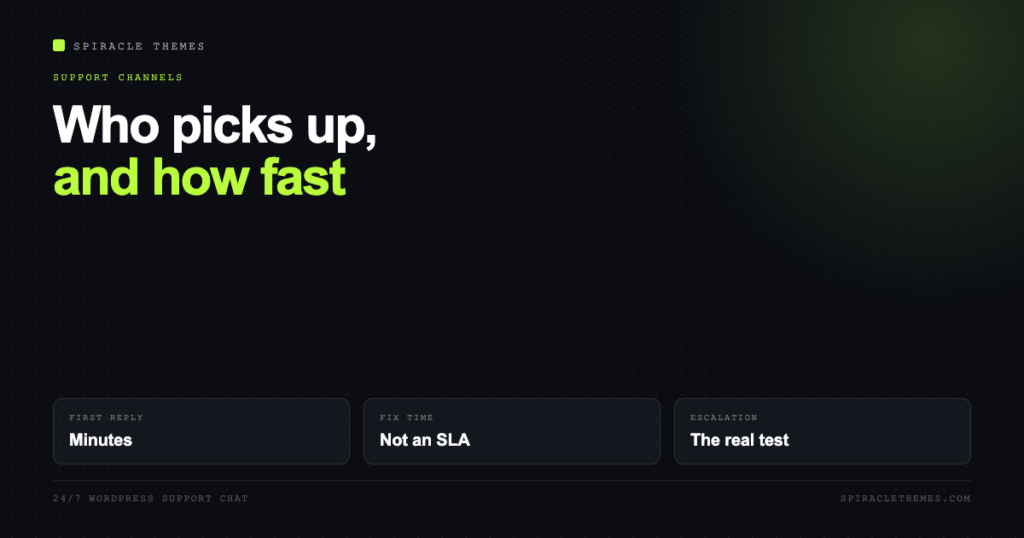
A 24/7 support chat does not make your site faster or more secure. What it changes is the gap between something breaking and a human reading about it. That gap is the entire value, and it is worth being precise about, because “24/7 support” is sold by three completely different businesses and means something different in each.
Three products, one label
Before comparing, work out which one is being sold to you:
- Host support. They own the server, the network and the PHP stack. They can fix a downed container, restore a backup, raise a PHP memory limit and blackhole an attacking IP. They usually will not debug your plugin conflict.
- Plugin or theme vendor support. They know one product deeply and often answer within a day. Free plugins typically get forum support only, which is not a channel so much as a queue.
- Agency or care-plan support. They own the outcome on your site, which means they will debug a plugin conflict, but they are on the hook for decisions they did not make, so scope gets defined carefully.
The mistake is buying the first and expecting the third, then discovering at 2am that the person on chat can restore the server but cannot tell you which plugin broke the checkout.
What chat is genuinely good at
Chat wins when the problem is known, the fix is a known action, and the cost of waiting is measured in minutes. A table makes the boundary obvious:
| Situation | Chat fit | Why |
|---|---|---|
| Site returns a 500 or is down | Good | Fast triage: server, PHP fatal, or DNS. Logs answer it in minutes. |
| SSL expired or certificate error | Good | Host-side action, single step, verifiable immediately. |
| Locked out of wp-admin | Good | Password reset or database-level access, host can do it. |
| Need a backup restored | Good | Host owns the backup, and the request is unambiguous. |
| One plugin breaks one page | Mixed | Chat can deactivate it. Finding out why needs a staging copy and a developer. |
| Checkout fails for some customers | Poor | Needs reproduction, logs and a staging environment, not a chat window. |
| Site was hacked | Poor | Forensics, cleanup, re-entry check and patching. Hours of work, not a conversation. |
| Redesign, new page, content change | None | That is a project. Chat support is not a design queue. |
Response time is not fix time
Every support promise you will read is about first response. “24/7” means someone is watching the queue at 3am, not that a fix lands at 3am. For a host, that is reasonable: a container restart is genuinely fast. For anything involving diagnosis of your specific site, the honest sequence is chat, then ticket, then engineer, then developer, and only the first two are fast.
Ask two questions before buying: what is the median time to first response, and who picks it up when the chat cannot solve it. A provider that answers both without hesitating is usually telling the truth.
Why 24/7 specifically matters
Three real scenarios, none of which involve you being awake:
- A plugin update was scheduled by the host at 3am and broke the homepage.
- A traffic spike from a post that got shared overnight pushed the database to its connection limit.
- A certificate renewal failed silently at the weekend, and every visitor saw a browser warning.
In each case the difference between 4 hours and 14 hours of downtime is measurable in lost revenue and, longer term, in how Google treats a site that repeatedly fails to load. Downtime is one of the few SEO problems that resolves the moment it is fixed, which is exactly why fast recovery is worth paying for.
Prepare before you open the chat
The single biggest variable in how fast a chat goes is what you bring to it. A useful opener contains:
- What you were doing when it broke, and the exact time.
- The exact URL that fails, and what you see: white screen, 500, redirect loop, partial page.
- Whether it affects everyone or one browser or one logged-in user.
- What changed in the last 24 hours: update, plugin install, DNS change, code edit.
- The Site Health report from Tools, Site Health, plus the last lines of the PHP error log if you can reach them.
“My site is broken” starts a twenty-minute discovery call. The five lines above start a fix.
The escalation ladder
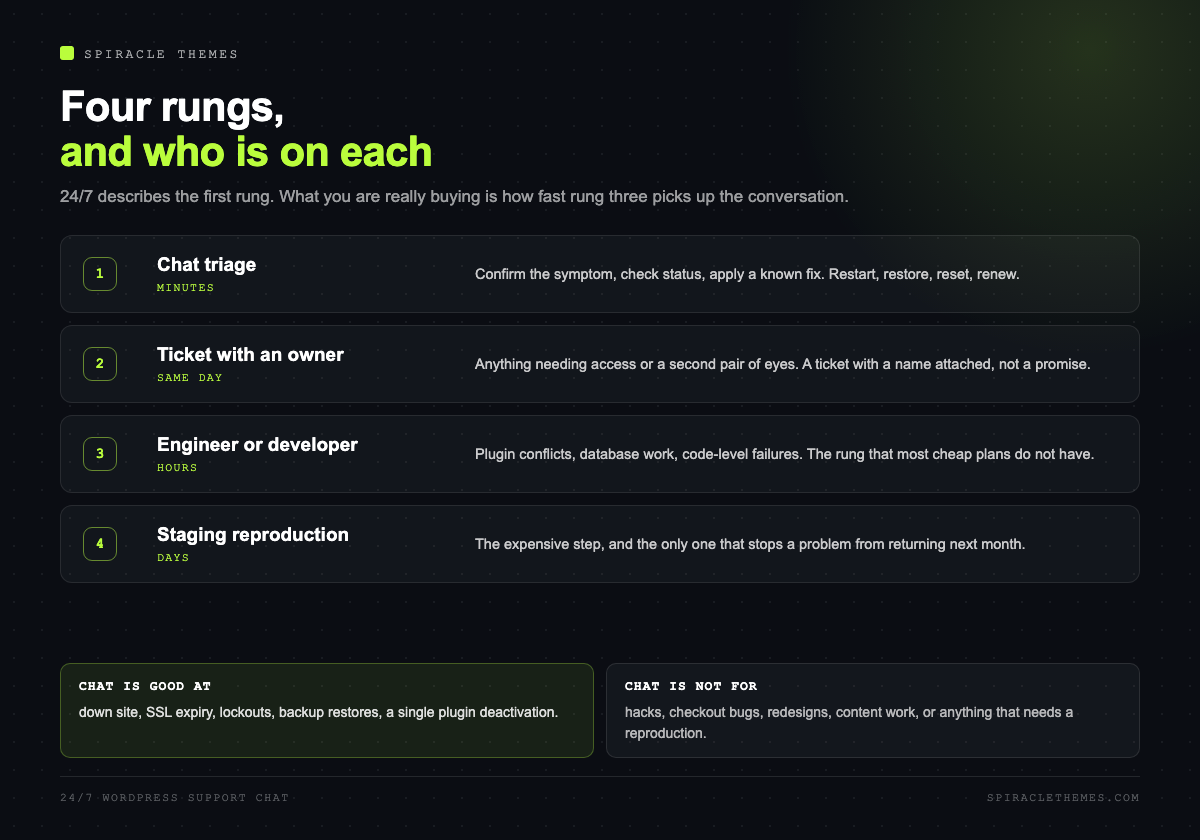
Good support has a visible ladder, and good chat agents say where on it you are:
- Chat triage. Confirm the symptom, check status, apply a known fix.
- Ticket with an owner. Something that needs access or a second pair of eyes gets a ticket, not a promise.
- Engineer or developer. Plugin conflicts, database work, code-level issues.
- Staging reproduction. The expensive step, and the one that actually solves recurring problems.
If your provider has no rung three, you have bought a triage desk, which is fine for hosting and useless for a WooCommerce checkout bug.
What a good chat actually looks like
The difference between a useful support desk and a frustrating one shows up in the first two replies. A worked example, with the timings that matter:
- Minute 0: you post the URL, the error and what changed. The agent confirms the symptom in one line rather than asking you to describe it again.
- Minute 3: the agent states a hypothesis out loud: “the white screen is a PHP fatal, likely the plugin updated at 02:00.” That sentence is the signal that you are talking to someone who reads logs.
- Minute 10: a fix is applied in a way you can verify: plugin rolled back, cache purged, error disappears.
- Minute 15: the agent tells you what to watch for, and whether a ticket was opened for the root cause.
Compare that with the pattern that wastes an afternoon: “please clear your cache”, then “please deactivate all plugins”, then silence. The first pattern is triage; the second is a script.
Monitoring is the part people forget to buy
Support is reactive by definition. Between the incident and the chat message there is a gap, and that gap is filled by monitoring, not by support. Three checks cover most of it:
- Uptime: an external check every minute, alerting to more than one channel. If the alert goes to an inbox nobody reads at 3am, you have monitoring without the point of monitoring.
- Certificate expiry: a warning at 21 and 7 days. This is free and prevents the most visible kind of failure.
- Synthetic transaction: a scripted form submission or checkout once an hour. It catches the failures that return HTTP 200 while being broken, which uptime checks miss entirely.
The combination is what makes 24/7 support worth paying for: monitoring finds the problem, chat gets a human on it, and the escalation ladder gets it fixed. Any one of the three alone is a partial product.
Who is actually behind the chat
“Staffed 24/7” hides three very different arrangements, and they fail in different ways:
- Follow-the-sun employees. The best case: the person answering at 3am is a colleague in another timezone with the same access. Expensive, and rare outside larger hosts.
- Outsourced tier one. Common and perfectly workable for known fixes: restart, restore, reset, renew. It breaks down on anything needing judgement, which is when an escalation path earns its keep.
- A chatbot with a human fallback. Increasingly the default. Fine for password resets, useless at 2am with a white screen, so the only question that matters is how fast the fallback arrives.
None of these is dishonest as long as it is described. The problem is a marketing page that says 24/7 and an afternoon where three agents ask the same question because the conversation is not carried between shifts. Ask whether the transcript follows the ticket.
When to escalate yourself
Chat agents are trained to keep the conversation in chat, which is not always what you need. Escalate deliberately when:
- The same problem has returned twice. A recurring symptom is a root cause, and root causes need a ticket with an owner.
- The fix requires a decision: replacing a plugin, changing PHP versions, restoring to an older backup and losing a day of orders.
- The agent asks you to deactivate plugins on a live store. That is a staging task, and saying so usually gets it moved.
- You are past thirty minutes without a hypothesis. Time to ask for the escalation rather than continuing the diagnosis by chat.
Escalating is not rude, it is specifying the rung of the ladder you need. Providers with a real ladder expect the request.
What to ask before you pay for it
- Who answers at 2am: an employee, a contractor, or a chatbot with a human fallback?
- Can support access wp-admin, or only the hosting panel? The second is a much smaller promise.
- Do they have staging, and will they reproduce there before touching live?
- Is there a written response target, and what happens when it is missed?
- Is the chat included, or billed per incident after a quota?
- Do they log the conversation somewhere you can read a week later?
For reference, the claims in this market are concrete when you read them: Kinsta advertises support from WordPress engineers available 24/7/365, and WordPress.com gives free users forums and an AI assistant while reserving 24/7 human support for paid plans. Same phrase, very different product.
Chat is not a maintenance plan
Worth separating, because the two get bundled. Chat fixes what is broken now. Maintenance prevents the thing from breaking, and the tasks that prevent it (staged updates, restore tests, plugin audits, PHP version reviews) are scheduled work, not reactive conversations. A plan with chat and no schedule is a fire brigade with no inspection.
If you are choosing between them, buy the schedule first and the chat second. If you already have both, the monthly maintenance checklist is the part that does the preventing, and our maintenance plans include both.
FAQ
Is 24/7 WordPress support chat actually 24/7?
For hosts, usually yes, because the queue is staffed in shifts. For agencies, read the wording: many offer 24/7 monitoring with business-hours support, which is a different product and a reasonable one, as long as it is described honestly.
Can support chat fix a plugin conflict?
They can deactivate the plugin and restore the page. Confirming which plugin, and why, needs a staging copy and usually a developer. Expect the first and not the second from host chat.
How fast should a first response be?
Minutes for a live chat during business hours; under an hour for a paid plan with a written target. Anything quoted in days is a ticket queue, whatever the badge on the site says.
Does support chat help with SEO?
Only through uptime, speed and recovery speed. No support desk will improve your rankings; they will stop a fixable problem from costing you rankings.
What should I have ready before contacting support?
The failing URL, the exact error, what changed in the last 24 hours, whether it affects everyone, and your Site Health report. That is enough to turn a discovery call into a fix.
If the problem is speed rather than an outage, chat will not solve it, and the diagnosis order is different: why your WordPress site is slow.
