
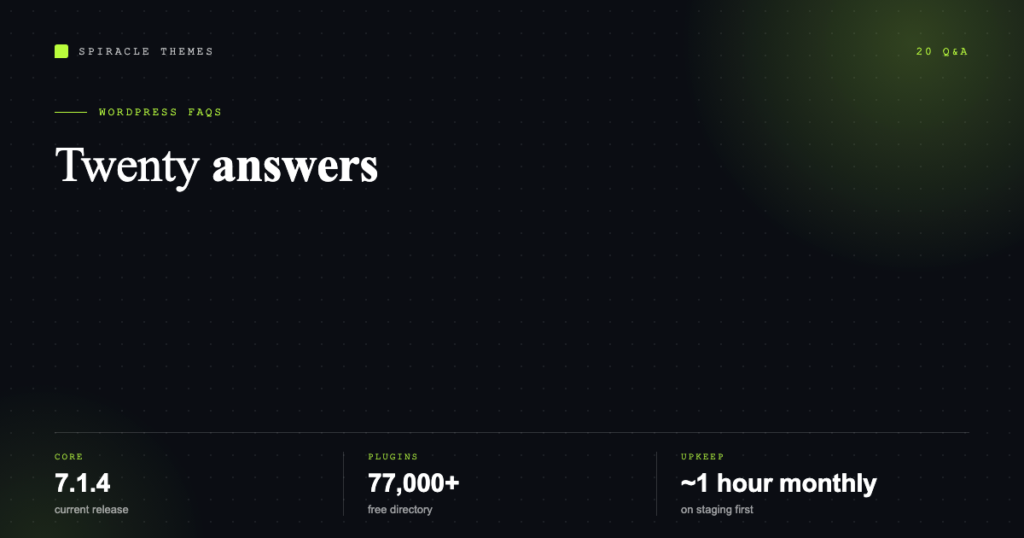
These are the twenty questions that come up in every WordPress project — from someone installing it for the first time to a business owner deciding whether to keep paying for maintenance. The answers are the current ones, checked against WordPress.org, the plugin directory and PHP’s release schedule in November 2026.
The basics
1. What is WordPress, in one sentence?
Free, open-source software that turns a database and a folder of PHP files into a website you manage through a browser. It is licensed under the GPL, which means you can install it anywhere, modify it, and take your content with you.
2. Is WordPress free?
The software is. The rest is not: you pay for a domain and hosting, and optionally for a premium theme or plugin. A realistic floor for a business site is US$60–150 a year in domain and hosting, and that is before anyone touches the design. WordPress.com is a different product with its own plans, starting at free.
3. How much of the web runs on WordPress?
W3Techs puts it at 39.5% of all websites and 58.2% of the sites whose content management system is known. The second number is the more honest one for market-share arguments, because it excludes sites with no detectable CMS.
4. What version is current?
The WordPress.org version-check API currently reports 7.1.4 as the latest release. You can see your own version in the dashboard footer or at Dashboard → Updates.
5. What does WordPress need to run?
The current recommendation is PHP 8.3 or newer, MariaDB 10.11 or newer (or MySQL 8.0 or newer), and HTTPS. The legacy floor is still PHP 7.4 and MySQL 5.5.5, but both are long past end of life and running them is a security decision, not a compatibility one.
Hosting and domains
6. Do I need separate hosting and a separate domain?
They are two different services, often bought from two different companies. The domain is a name rented from a registrar; the hosting is disk space and a server. You can buy both from one company, but the domain should always be registered in an account the business owns.
7. What kind of hosting does WordPress need?
Any hosting that supports PHP and MySQL will run it. Shared hosting is fine for a brochure site; managed WordPress hosting is worth the premium when caching, staging and automatic backups would otherwise be your job; VPS or cloud hosting is for sites with traffic or custom server needs.
8. How much traffic can shared hosting handle?
Varies enormously by host, and the honest answer is that page-caching plugins matter more than the plan name. A cached brochure site on entry-level shared hosting can serve thousands of visits a day; an uncached WooCommerce store can struggle at a hundred.
9. Do I need HTTPS?
Yes, and it is free. Every serious host issues Let’s Encrypt certificates, WordPress’s Site Health screen warns you when it is missing, and browsers mark plain-HTTP pages as not secure. Set it up before launch, not after.
Themes, plugins and builders
10. How many plugins is too many?
There is no number. What matters is what loads on a page and whether the plugins are maintained. Fifty well-built plugins that load nothing on the front end are harmless; three that each enqueue jQuery, a slider library and a font file are not.
11. How many plugins are in the official directory?
Over 77,000 free plugins, according to wordpress.org/plugins. That number is a warning as much as a resource — the quality range is enormous, and the directory rating plus “last updated” date tell you more than the description does.
12. Block editor or page builder?
The block editor is faster and is where WordPress development is going. A page builder is easier for a non-technical person to make pixel-level changes. The trade-off is page weight and future portability, and it is covered in detail in Elementor versus Gutenberg.
13. Can I change themes without losing content?
Content, yes — posts, pages and media are stored independently of the theme. What you lose is anything the old theme provided: widgets, custom post types it registered, and layout blocks specific to it. Take a backup and a staging copy first.
14. Do I need a child theme?
If you plan to modify templates or CSS, yes, or your changes are erased at the next theme update. If you only change colours and fonts through the customiser or Site Editor, no.
Performance
15. How fast should a WordPress site be?
Fast enough to pass the Core Web Vitals thresholds, which are the numbers Google actually uses: Largest Contentful Paint under 2.5 seconds, Interaction to Next Paint under 200 milliseconds, and Cumulative Layout Shift under 0.1. Those are measured on real users’ devices, so a fast laptop test is not evidence.
16. What speeds up WordPress most?
In order: page caching, a host with a fast PHP stack (which is why the PHP version question above matters), image compression and correct sizing, and fewer render-blocking assets. Reordering that list almost always wastes money — a CDN will not fix a 4-second server response.
SEO
17. Is WordPress good for SEO?
The platform gives you clean permalinks, sitemaps, canonical tags and fast pages by default, which is most of the technical foundation. Rankings still come from content, internal links and authority. An SEO plugin helps you control titles, descriptions and schema; it does not produce rankings on its own.
18. Do I need an SEO plugin?
For a business site, yes — if only for editing title tags and meta descriptions per page, controlling the sitemap, and adding schema. Yoast and Rank Math are the two most common; either is sufficient, and running both is a mistake.
Security and maintenance
19. Will WordPress get hacked?
WordPress core is not the usual entry point. Most compromised sites are running an outdated plugin, an end-of-life PHP version, or a weak administrator password. Updates, 2FA on admin accounts, and a host that patches PHP are the three controls that prevent the majority of incidents.
20. How much maintenance does a WordPress site need?
A monthly routine: apply core, theme and plugin updates on staging, verify the site afterwards, confirm backups exist and are restorable, and check for warnings in Site Health. Add an annual review of PHP version, plugin list and page speed. That is roughly an hour a month for a small site, and it is the difference between a site that lasts five years and one that gets rebuilt in two.
Quick reference
| Question | Short answer |
|---|---|
| Free software? | Yes, GPL; you pay for hosting and domain |
| Market share | 39.5% of all sites, 58.2% of known CMS |
| Current version | 7.1.4 |
| Requirements | PHP 8.3+, MariaDB 10.11+/MySQL 8.0+, HTTPS |
| Plugins available | 77,000+ free in the directory |
| Speed targets | LCP < 2.5s, INP < 200ms, CLS < 0.1 |
| Biggest security risk | Outdated plugins and end-of-life PHP |
| Maintenance time | About an hour a month |
Still deciding?
Two questions remain after this list, and both have their own guides: whether to use WordPress.com or self-hosted WordPress at all, covered in WordPress.com versus WordPress.org, and what to do in the first hour after installation, covered in just installed WordPress, now what.
If the maintenance answer above is the one that made you wince, that is the part a WordPress care plan exists to take off your hands.
