
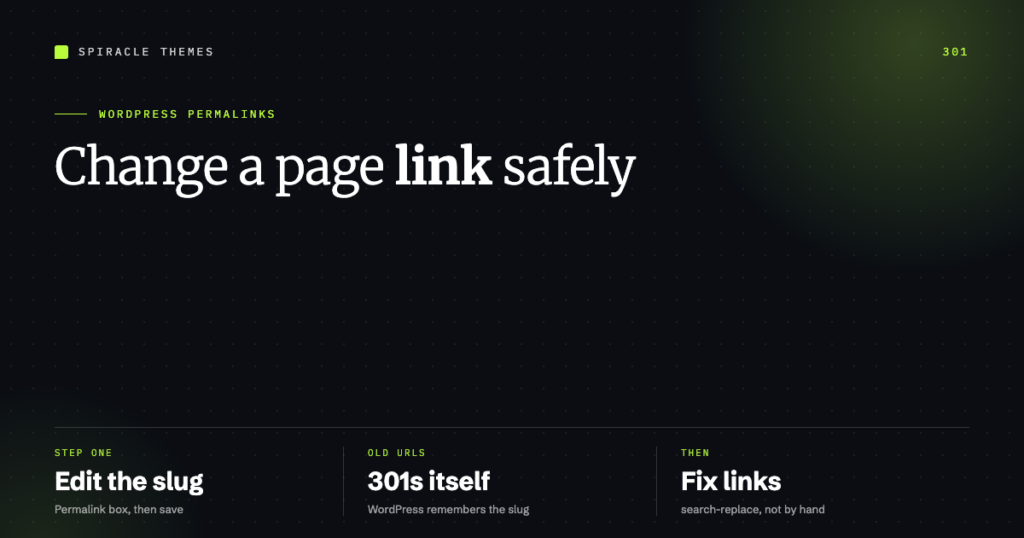
To change a page’s link in WordPress, open the page, find the Permalink box under the title, click Edit, type the new slug and save. The old URL keeps working — WordPress stores the previous slug and 301-redirects it to the new one automatically.
That is the whole operation for a single page. The complications start when you need the old link to keep working for something else, when the link is already in dozens of posts, or when what you actually want to change is the whole domain rather than one page.
Change one page’s URL
- Go to Pages → All Pages and open the page.
- In the right-hand sidebar, find Permalink (if you do not see it, enable it under the three-dot menu at the top right of the editor).
- Click Edit next to the current slug and type the new one. Keep it lowercase, hyphenated, and descriptive.
- Click Update.
The permalink box also has a View Page link after saving, which is the fastest way to confirm the new URL resolves. For posts, the same box sits in the same place.
What happens to the old URL
WordPress keeps a record of previous slugs and redirects them. You can verify this on any site you own: change a page’s slug, then request the old URL — you get a 301 to the new one, not a 404. I confirmed it again today on this site: two posts were renamed during a rebuild, and both retired slugs return 301 rather than a dead page.
Two limits worth knowing:
- Only the slug is remembered, not the path. Moving a page under a different parent changes the path in a way the old-slug redirect may not catch.
- Chains accumulate. Rename the same page three times and you get redirect chains, which slow crawlers and dilute signals. Set the final slug once rather than iterating in public.
When you need a redirect WordPress will not create
Three common cases the automatic behaviour does not cover: you deleted a page and want its traffic to land somewhere else, you are changing a URL structure (/services/ to /what-we-do/), or you are importing content that used different paths.
Use a redirect plugin — Redirection is the standard free option, Rank Math also has a redirect manager. Rules are stored in the database, so they survive theme changes, unlike .htaccess edits that get overwritten when a host resets permalinks.
| Source | Target | Type |
|---|---|---|
/old-page-name/ |
/new-page-name/ |
301 permanent |
/services/web-design/ |
/what-we-do/ |
301 permanent |
/campaign-2024/ |
/pricing/ |
301 permanent |
Use 301 for anything permanent. A 302 tells search engines the move is temporary and keeps the old URL indexed — the usual cause of “I redirected it but Google still shows the old page”.
Links inside your content do not update themselves
Changing a slug does not rewrite the links you typed manually inside other posts. Internal links pointing at the old URL will still work (through the 301), but they cost a redirect hop and they show up in audits as broken or redirected links.
Two ways to clean them up:
# Preview what would change, then run it
wp search-replace 'old-page-name' 'new-page-name' \
  --dry-run --all-tables

wp search-replace 'old-page-name' 'new-page-name' --all-tables
Or use Better Search Replace from the admin, which offers the same dry run in a UI. Either way: back up the database first, run the dry run, and read the count before committing. Menu links, on the other hand, are stored by page ID and follow the page automatically — no action needed.
Renaming several pages at once
There is no bulk “change URL” action in WordPress, and doing ten pages by hand invites inconsistency. Two approaches work:
- WP-CLI — read the list, then update each one:
wp post list --post_type=page --fields=ID,post_namegives you the current slugs, andwp post update 42 --post_name=new-slugchanges one. Old slugs are recorded the same way as a dashboard edit, so redirects still happen. - Redirect rules instead — if a whole directory is changing (
/services/to/work/), write one regex rule in the redirect plugin rather than ten page edits. Fewer moving parts, easier to audit later.
Either way, run it on staging first and check three URLs afterwards: the new one, the old one, and one internal link that pointed at it.
Changing the whole site address is a different job
If what you want is example.com → newdomain.com, that is not a page link change and the editor will not help. The two settings live in Settings → General: WordPress Address (URL) and Site Address (URL). Both need the https:// prefix and neither should end with a slash.
Sequence that avoids a locked-out admin:
- Point the new domain at the host and confirm it resolves.
- Update both URL fields in Settings → General.
- Update the site URL in any caching, CDN or SMTP configuration.
- Search-replace the old domain in the database if any absolute links remain.
- Add a 301 from old domain to new at the DNS or server level, permanently.
If the change locks you out of /wp-admin, define WP_HOME and WP_SITEURL in wp-config.php to override the database values, log in, correct the settings, then remove the constants.
SEO checklist for a URL change
- One redirect per old URL, straight to the final destination — no chains.
- Update internal links, not just the redirect.
- Resubmit the sitemap after the change; regenerating it is not automatic on every setup.
- Keep the old URL redirecting for at least a year — ideally permanently.
- Do not change URLs for cosmetic reasons on pages that already rank.
Renaming URLs is one of the few SEO operations that is genuinely safe when done with a 301 and genuinely damaging when done with a 404. If you are auditing a site where links have been changed over the years, the maintenance plans include redirect and broken-link checks monthly, which is usually how these get found.
FAQ
Does changing a WordPress page URL break the old link?
No. WordPress keeps the previous slug and redirects it with a 301. That covers the slug itself; if you move a page to a different parent or change the domain, add an explicit redirect rule.
How do I change a page link without a plugin?
Edit the page and change the Permalink slug — no plugin needed. Plugins are only required for redirects WordPress will not create automatically, such as deleted pages or bulk URL structure changes.
Will changing the URL affect SEO?
With a 301 and updated internal links, the impact is small and temporary. Without a redirect, you lose the page’s ranking and any links pointing at it. There is no scenario where changing a URL without a redirect is a good idea.
Can I change a URL back after changing it?
Yes, and the old slugs accumulate. Changing back is usually the cleanest fix for a wrong slug — just avoid doing it repeatedly, because each change adds a hop to the redirect chain.
