
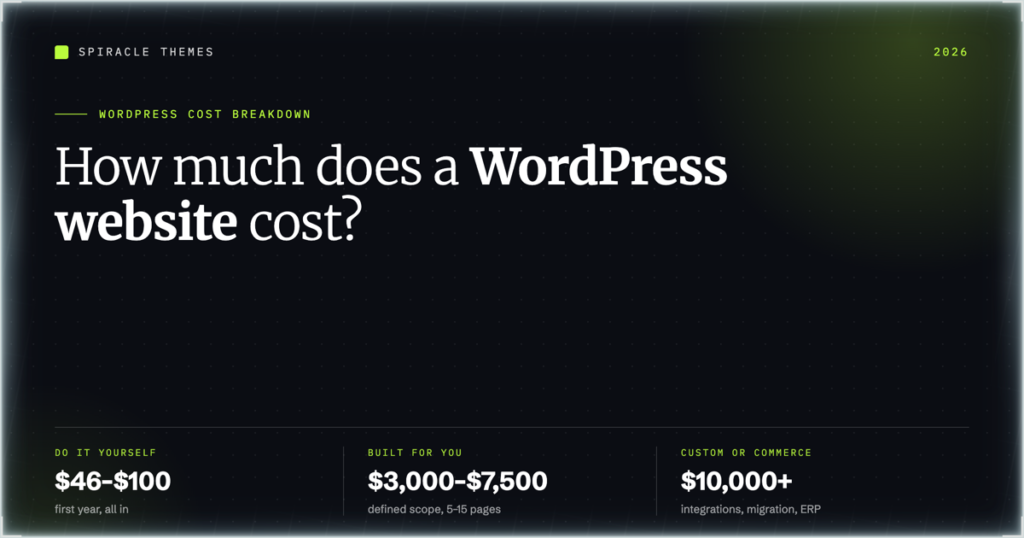
How much does a WordPress website cost? In 2026 the honest range is $46 to $100 for a do-it-yourself site’s first year, $3,000 to $10,000 for a professional build, and $10,000 to $50,000+ once custom development, commerce or integrations are involved. The software is free. Everything around it is not, and the gap between the bottom and top of that range is mostly labour, not licences.
Below is what each piece actually costs, with the numbers sourced rather than guessed, plus what changes in year two — the part most quotes leave out.
The one-line answer, by route
| Route | Typical cost | What you get |
|---|---|---|
| DIY, free theme and plugins | Under $100 in year one | A working site and your own time as the labour |
| DIY with paid theme and plugins | $200–$600 | Better design options and support, still your time |
| Freelancer or small agency, defined scope | $3,000–$7,500 | Designed marketing or business site, usually 5–15 pages |
| Custom build | $10,000–$30,000+ | Custom theme or blocks, integrations, content migration |
| Complex or commerce | $15,000–$50,000+ | Multi-language, subscriptions, ERP or custom checkout |
If you are going the DIY route, the setup itself is the first cost you can remove: creating the WordPress site yourself takes an afternoon and a domain, and everything after it is a monthly bill you can size deliberately.
The bottom three bands come from a 2026 cost breakdown by GetDevDone, which prices a defined-scope site at $3,000–$7,500, custom work at $10,000–$30,000, and complex builds from $15,000 to $50,000 or more. They match what we see quoted in the market; anybody offering a “custom” build for $500 is selling a template with your logo on it.
What every WordPress site pays, whatever the route
| Line item | Typical 2026 cost | Notes |
|---|---|---|
| Domain name | $10–$30 per year | Around $14.99 is a normal .com price; privacy is often included now |
| Shared hosting | $2.50–$8 per month | Promo prices require long terms; renewals are higher |
| Managed hosting | $35–$50 per month | Staging, backups and real support included |
| SSL certificate | Free | Let’s Encrypt through your host; extended-validation certificates run $50–$200/year and almost nobody needs one |
| Theme | $0, or up to ~$200 | Free themes on WordPress.org are production-grade |
| Premium plugins | $47–$200 each per year | Security, backups, forms, SEO; most sites need two or three, not ten |
| CDN | $0–$50 per month | Included with some hosts, billed separately on others |
Those domain, theme, plugin and certificate ranges are the ones Kinsta publishes in its 2026 cost guide; hosting tiers come from current published pricing. Two specific anchors worth knowing: Wordfence Premium is $149/year and Sucuri’s firewall and monitoring starts at $229/year if you want a paid security layer rather than the free tier.
Hosting: the price you see is not the price you pay
Hosting is where WordPress budgets go wrong, for one reason: introductory pricing is tied to a long term and the renewal is a different number. Using Hostinger’s current published plans as the example, the entry plan is $119.52 for 48 months — about $2.49 a month — and it renews at $10.99 a month for the same term. The mid tier works out around $3.49 a month up front and renews at $16.99; the top shared tier renews at $25.99.
That is not a trick, it is the standard shape of the market, but it means a four-year budget based on the headline price is wrong by roughly a factor of four. Budget the renewal number.
Managed WordPress hosting is a separate decision. It starts around $35 a month on Kinsta and includes Cloudflare, daily backups, staging and support; their WooCommerce-optimised tier starts at $42 a month. You are paying for backups, staging and someone else’s uptime discipline — worth it the moment the site earns money, wasteful for a brochure site with four pages.
DIY: the cash is small, the hours are not
WPBeginner’s current guide puts a fully functional WordPress site at $46–$100 for the entire first year, and a professional small-business site at $300–$1,000 a year once hosting, a premium theme and the essential plugins are in place. That is accurate as far as cash goes.
The cost that never appears in these tables is time. A first build is realistically 20 to 40 hours once you have chosen a theme, wrestled with the block editor, set up forms, added analytics and fixed the contact form that silently stopped sending. Value that at whatever your hour is worth and DIY stops looking free — it is still usually the right call for a blog or a side project, and usually the wrong one for a business whose site needs to work next week.
What drives the price when you hire it out
Across every quote you will collect, four things move the number:
- Page count and template variety. Ten pages that reuse four templates cost far less than ten unique designs.
- Who writes the content. Copywriting and image sourcing are frequently quoted separately, and are the most common surprise line item.
- Functionality. Bookings, memberships, multi-currency, CRM sync and custom checkout are where budgets double.
- Migration. Moving an existing site — especially with redirects, or out of a builder — is real work and is often under-scoped.
Cost by site type
| Site type | Build | Running cost per year |
|---|---|---|
| Blog or personal site | $0–$500 | $50–$150 |
| Brochure site, 5–10 pages | $1,500–$5,000 | $150–$600 |
| Business site with lead generation | $3,000–$10,000 | $300–$1,000 |
| WooCommerce store | $5,000–$15,000+ | $500–$3,000 |
| Membership or course site | $5,000–$20,000 | $800–$4,000 |
| Custom or multi-language platform | $10,000–$50,000+ | $2,000–$10,000+ |
The running-cost column is where the honest guidance sits: GetDevDone puts annual costs at $300 for a basic site up to $10,000+ once hosting and support are included, and WPBeginner’s figure of $50–$200 a month for managed maintenance lands in the same place from the other direction.
Year two is where the real bill arrives
Year one is quoted, year two is forgotten. Renewals come due on the domain, the host, the theme and every premium plugin at once; updates pile up; a plugin conflict takes the site down on a Friday; the PHP version moves and something breaks. None of that is a scam, it is the cost of running software that faces the internet.
That work is what a care plan is for, and it is why we sell one. Our WordPress maintenance plans are $99 a month for updates tested before release, daily offsite backups with 30-day retention, 24/7 uptime monitoring, weekly malware scans, outage fixes, two hours of changes a month, monthly speed and broken-link checks, a plain-English report and one-business-day email support. The $299 Advanced plan adds staging before every update, WooCommerce monitoring with a monthly test order, database optimisation, six hours of changes, four-hour priority support seven days a week, same-day emergency response and malware removal with WAF and 2FA hardening.
Compared with the $300–$1,000 a year that a small business site costs to run, that is a real line item — and it is still less than one emergency fix at agency rates.
Five places people overpay
- Long hosting terms bought on the promo price. A four-year prepay chains you to a host whose renewal you have not budgeted for. Start with one year.
- Plugin stacks that overlap. Three plugins for popups, forms and “growth” that each cost $99 a year and each ship their own scripts. Pick one job, one plugin.
- Paid themes when a free one is the right shape. The difference between a good free theme and a $79 one is usually support and a few options, not the quality of the code. Our comparison of free versus premium themes covers when the upgrade is actually worth it.
- Custom development for a conventional design. If the layout is standard, a well-built theme plus configuration beats a custom build on cost and on maintenance.
- Rebuilding instead of fixing performance. Most “we need a new site” conversations are really images, fonts and third-party scripts. That work is cheaper than a rebuild and shows up in the same metrics.
Two worked budgets
A DIY small-business site. Domain $14.99. Hosting at the entry tier, first year around $30 on a promo term, renewing near $132. A free theme and free tiers of the essentials: $0. SSL: $0. Total cash for year one: roughly $45, plus your own hours. This is a legitimate starting point, not a compromise.
A freelancer-built business site. Design and build $3,500. Premium theme $79, one-time. Paid security $149 a year. Managed hosting $35 a month, so $420. Domain $15. Total first year: about $4,163, dropping to roughly $600–$700 a year after that, before any maintenance plan. Add $99 a month for care and the site’s true annual cost lands just under $1,800 — which is the number to compare against “we’ll just handle it internally”.
FAQ
Is WordPress really free?
The software is, and it stays free. What you pay for is hosting, a domain, and optionally a theme, plugins and someone’s time. A site cannot be online for $0, but it can be online for under $100 in its first year.
Why are quotes for the same site so different?
Because “the same site” rarely is. One quote includes copywriting, image sourcing, redirects and two rounds of revisions; another is a theme install with your logo. Ask for the deliverables list, not just the total.
What is the cheapest way to start properly?
One year of shared hosting, a free theme that is actively maintained, the free tier of one security plugin and one backup plugin, and no page builder until you can name the layout you need it for. That covers the majority of small sites.
How much should I budget for maintenance?
Plan on $300–$1,000 a year for a small business site, whether that goes to a host with managed support or to a maintenance plan. Budget nothing and you are self-insuring against an outage on a Friday afternoon.
Does the cost change if I want an online store?
Yes, and mostly in the build and the plugins rather than the hosting. A basic WooCommerce site starts around $5,000, and stores with product migration, regional tax and shipping rules, or ERP integrations commonly run $15,000 and up.
Where to spend first
If you only have a small budget, spend it in this order: reliable hosting, a maintained theme, backups, then speed. Everything else can wait until the site has traffic to justify it. Our free WordPress themes exist so that the theme line can be zero without the site looking like it, and if you are starting from nothing, how to create a free WordPress website walks the whole setup with no paid plugins at all.
Two costs sit just outside the build itself: the tools that make the build faster, covered in website development tools, and the analytics that tell you whether it worked — Google Analytics costs nothing for the standard tier, which is why measuring from day one is not a budget decision.
Comparing agency and freelancer quotes rather than WordPress-only builds? What website development costs covers the wider market, and what a website developer actually does explains who you are paying for.
The other half of a website bill is the work itself. The seven phases that produce it, and where the hours actually go, are set out in the website creation process.
