
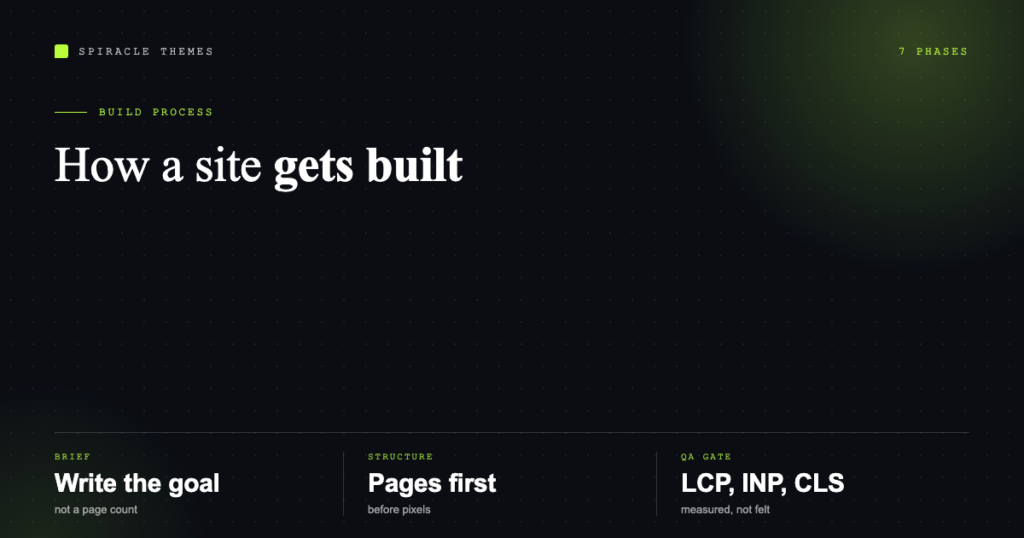
A website gets built in seven phases, and the ones clients remember are design and launch. The phases that decide whether the project succeeds are the two before design and the one after launch: the brief, the structure, and the QA gate.
This is the process in the order it actually runs, with what each phase produces.
Phase 1: discovery and brief
Before any pixels: what is the site for? A brochure site, a lead generator, a store, and a support hub need different structures and different measurements of success.
The brief should answer, in writing:
- Business goal — the one outcome that matters, e.g. qualified enquiries per month.
- Audience — who arrives, what they already know, what device they use.
- Success metric — something measurable, agreed before launch, not after.
- Constraints — deadline, budget, existing brand, legal requirements, integrations with a CRM or accounts package.
- Content reality — who writes it, who approves it, and whether it exists today.
Most projects that go wrong go wrong here: the goal was “a new website” instead of “more enquiries”, so every later decision is a preference rather than a trade-off.
Phase 2: structure and content model
Before wireframes, decide what pages exist and how they relate. A sitemap with a purpose for each page, plus an inventory of the content each page needs.
| Deliverable | What it settles |
|---|---|
| Sitemap | Which pages exist, at what depth, and what each one is for |
| Page inventory | Owner, status (exists / to write / to retire), priority |
| Content model | Reusable types: services, case studies, team, posts |
| Navigation | Primary menu, utility pages, footer structure |
This phase is unglamorous and saves the most rework. Changing a page’s purpose on a wireframe costs minutes; changing it after design costs a week.
Phase 3: wireframes
Grey boxes, real hierarchy, no colour. The question wireframes answer is “does this page convince someone in this order” — headline, proof, offer, action. Two rounds is normal; five rounds means the brief is still unresolved.
Phase 4: design
Visual design applies the brand to the approved wireframes and produces a small design system rather than a folder of screens: type scale, spacing, colours, buttons, form fields, card patterns.
Design one representative page of each type — home, interior, index, form — rather than all twenty pages. The system covers the rest, and it keeps the build consistent.
Phase 5: build
In WordPress this means a theme (usually a child theme), templates for each content type, reusable blocks or patterns, and the plugin set limited to what the brief actually requires.
- Set up hosting, staging, HTTPS, and the database.
- Build templates against the design system.
- Load real content, not lorem ipsum — placeholder text hides layout failures.
- Configure SEO, analytics, forms, email delivery.
- Leave the client with an editing workflow they can follow.
Build on staging, never on the live site. It sounds obvious and is skipped constantly on small projects, which is how a config change takes the site down on a Friday.
Phase 6: QA and the launch gate
This is the phase clients skip and regret. A site is ready when it passes these, not when it “looks done”.
| Gate | Standard |
|---|---|
| Performance | LCP 2.5s or less, INP 200ms or less, CLS 0.1 or less |
| Accessibility | WCAG 2.2 level AA — contrast, keyboard access, labels, focus states |
| Responsive | Checked at 390px, 768px, 1440px; no horizontal scroll |
| Forms | Submission arrives by email and is stored; spam protection on |
| Links | No 404s in the primary navigation or calls to action |
| Indexing | Robots allowed, sitemap valid, no accidental noindex |
| Redirects | Every old URL maps to its new equivalent |
| Backups | Scheduled, off-server, one restore test completed |
The Core Web Vitals thresholds are Google’s published “good” targets; WCAG 2.2 is a W3C Recommendation dated 12 December 2024. Both are checkable before launch, which is the point — they are gates, not opinions.
Phase 7: launch and the first month
- DNS cutover — point the domain at the new host, with the old site reachable until the new one resolves.
- SSL — certificate active, HTTP redirecting to HTTPS.
- Search Console and analytics — verify, submit the sitemap, confirm tracking fires.
- Redirect map — old URLs to new, live and tested, not planned.
- Monitoring — uptime alerts and a backup schedule, so failures are discovered by a monitor rather than a customer.
- Iterate — the first month of real traffic tells you which page confuses people. That is design feedback you cannot get from a mockup.
How long each type takes
| Project | Typical timeline | What drives it |
|---|---|---|
| Brochure site, 5–8 pages | 2–4 weeks | Content readiness |
| Business site with custom design | 4–8 weeks | Approval rounds, integrations |
| Ecommerce | 8–16 weeks | Products, payments, shipping rules |
| Membership or multilingual | 8–12 weeks | Content volume, access rules |
Timelines slip for three reasons, in order: content arrives late, approvals take a week each round, and scope grows without a corresponding change to budget. All three are manageable if they are named in the brief.
Who does what
The client owns the goal, the content, the approvals and access to accounts. The builder owns structure, design, build, QA and launch mechanics. Projects stall when the client assumes the builder will write the copy, or the builder assumes the client will test the contact form.
If you are running this yourself rather than hiring, the same seven phases apply — the order does not change, only who does the work. Once the site is live, the maintenance phase begins: updates, backups, monitoring, and small changes, which is what a WordPress care plan covers. If you are still at the very start, domains and hosting is the prerequisite, and what a website developer does explains which parts you are hiring for.
FAQ
Do I need wireframes for a small site?
For five pages, a sketch of each page’s sections is enough. Skip the phase entirely and the design will invent structure page by page, which is how sites end up inconsistent.
Can design and build overlap?
Yes, once the design system is approved. Overlapping before that means rebuilding templates when the design changes.
How much of the timeline is content?
Usually more than anyone plans for. Writing, editing and approving copy is the most common critical path on a business site.
What is the most commonly skipped step?
QA and the redirect map. Both are invisible when done and expensive when missed — traffic lost from old URLs never announces itself.
Is it worth paying for professional copywriting?
If the site’s job is to sell or convert, yes. Design controls how a page feels; copy decides whether the visitor acts.
