
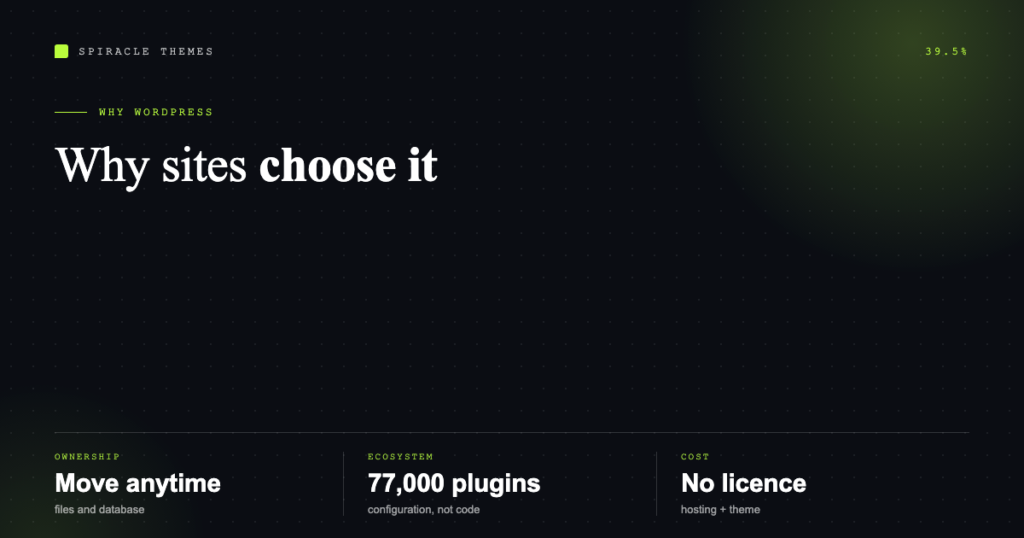
WordPress runs 39.5% of all websites and 58.2% of the sites whose content management system is known, according to W3Techs. Numbers that size are not a fashion — they are a set of practical advantages that compound: you own the site, you can move it, you can hire for it, and the tools are free.
Here is what those advantages actually are, and where the trade-offs sit.
1. You own the site, not a subscription
WordPress is GPL software you install on hosting you control. The files, the database, the theme, the content — all yours. Export it, move hosts, hand it to another developer. Nothing locks you in.
Compare that with a website builder: your content usually lives in their format, on their servers, under their pricing. Leaving means rebuilding. With WordPress, leaving means copying a folder and a database.
2. The software itself is free
No licence fee, ever. Your costs are hosting, a domain, a theme, and any premium plugins you choose. That is a meaningful difference over five years, and it means budget goes into the parts that affect visitors rather than into access.
The honest caveat: free software is not free to run. Updates, backups, security and the occasional fix are real work — either your hours or someone else’s.
3. The ecosystem is enormous and current
| Fact | What it means for you |
|---|---|
| 77,000+ free plugins in the official directory | A plugin exists for almost every standard requirement |
| Current release 7.1.4 | Active development, not a legacy platform |
| Thousands of themes, free and commercial | Design is a choice, not a rebuild |
| WooCommerce for stores | Ecommerce without a second platform |
The flip side is quality variance: the directory contains excellent plugins and abandoned ones. Check the last-updated date before anything else.
4. Search engines understand it
WordPress produces clean, crawlable HTML with sensible URL structures, and the two dominant SEO plugins — Rank Math and Yoast — handle titles, meta descriptions, schema markup and sitemaps without custom code. Those are baseline requirements for organic traffic, and they are configuration rather than development.
None of that ranks a site on its own. It removes the technical obstacles so the content can do its job.
5. Content editing that does not need a developer
The block editor lets a marketing person publish a page without touching code. Add patterns and reusable blocks and a site can have consistent layout rules without a gatekeeper on every paragraph.
When clients tell us the previous site was “impossible to update”, the problem was rarely WordPress — it was a theme built with hard-coded sections nobody could edit.
6. It talks to everything
WordPress ships a REST API, which is why it connects to CRMs, email tools, payment processors, analytics, and headless front-ends. It also means the site can be one part of a system rather than a silo.
GET /wp-json/wp/v2/posts?per_page=5
returns the five latest posts as JSON
A static HTML site can be faster and simpler; it cannot do that without someone building it.
7. There are people who know how to fix it
Market share has a practical consequence: documentation, forums, tutorials, agencies and freelancers all exist in depth. If your developer disappears, the next one can pick up the site — a real risk with proprietary platforms or custom-built CMSs.
8. Multilingual, membership, ecommerce without switching platforms
Multilingual (Polylang, WPML), memberships, courses, bookings, directories, and stores are all solved problems in WordPress. You may outgrow a plugin, but you rarely outgrow the platform.
Where WordPress is the wrong answer
Being honest about this is more useful than another list of superlatives.
- Heavy application logic. A booking engine or SaaS product does not belong inside a theme; use WordPress as the marketing site and build the app separately.
- A five-page static site that never changes. Plain HTML on a CDN is faster and has no attack surface. WordPress earns its keep when content changes.
- Extreme traffic on a tiny budget. WordPress can serve millions of pageviews, but it needs caching, a CDN and hosting to match. That is an architecture cost, not a plugin.
- No one to maintain it. An unmaintained WordPress site degrades into a security liability. Either commit to the maintenance or budget for someone who will.
The advantages, ranked by what they change
- Ownership — you can leave, which is why you rarely have to.
- Ecosystem — standard requirements are configuration, not development.
- SEO baseline — the technical plumbing is solved.
- Cost — no licence, and hosting is commodity.
- People — the site never becomes unmaintainable.
The cost of all that is that you own the upkeep too. If you would rather that sat with someone else, WordPress maintenance plans exist for exactly that reason, and if you are choosing between builders, Elementor vs Gutenberg covers the decision that affects day-to-day editing most.
FAQ
Is WordPress really free?
The software is. Running it costs hosting, a domain, and optionally a theme and plugins. Budget for maintenance too, whether that is your time or a plan.
Is WordPress secure?
Core WordPress is actively maintained and security-released promptly. Most compromises come from outdated plugins, weak admin passwords, and missing updates — all controllable.
Will WordPress be slow?
Speed depends on hosting, theme weight, images and caching. A lean WordPress site on decent hosting beats most custom builds; a plugin-heavy one on $2 hosting will not.
Can I move my site later?
Yes. That portability is one of the main reasons to choose it. Export content, move files and database, update the domain — a standard migration.
Do I need to know code?
No for content and configuration. Custom layouts and integrations do need a developer, though far less often than with a hand-built site.
