
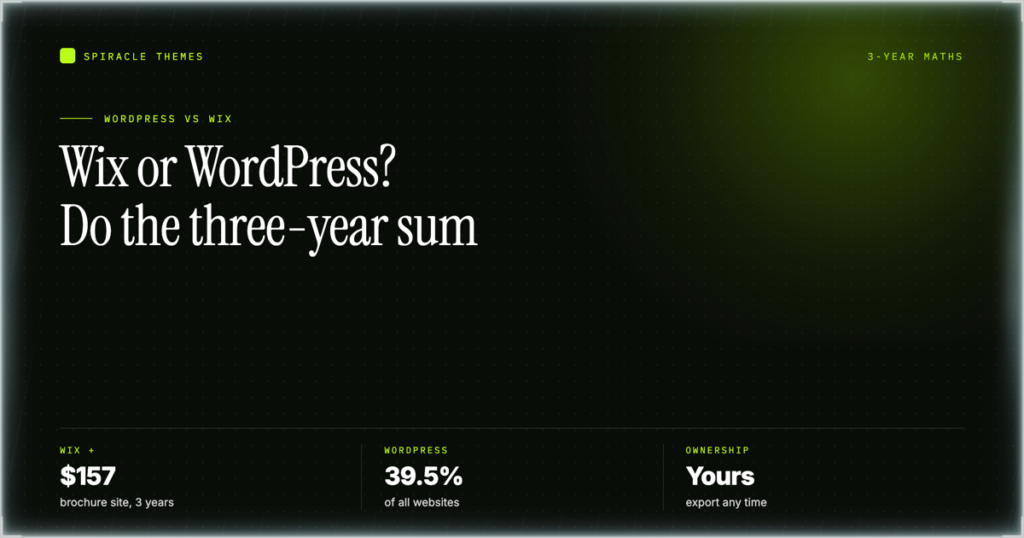
Short answer: for a five-page brochure site you will barely touch, Wix is usually the cheaper and faster choice in 2026 once you price your own time. For a blog, a store, or anything you intend to still own in 2030, WordPress wins on three-year cost, on control, and on the fact that you can pick the whole site up and move it somewhere else. The rest of this page is the arithmetic and the mechanics behind that split, checked against both vendors’ own pages on 2 November 2026.
Key takeaways
- Market share is not close. W3Techs measured WordPress at 39.5% of all websites and 58.2% of sites with a known CMS on 2 November 2026, against Wix at 4.2% and 6.1%.
- Wix’s paid tiers start at $17/mo on a yearly subscription (Light, annual billing, 2 GB storage) and run to $159/mo (Business Elite, unlimited storage). Card payments only switch on at Core, $29/mo. All five figures are the yearly-billing rates shown on wix.com/plans on 2 November 2026; paying month-to-month costs more.
- WordPress software is free; the stack is not. A realistic three-year bill for a small self-hosted site is roughly $455 at $10/mo hosting, a $12/yr domain and one $59 premium theme — the assumptions behind every WordPress figure below.
- Three-year, like-for-like: Wix costs about $612 vs ~$455 for a brochure site, $1,044 vs ~$455 for a blog, and $1,404 vs ~$1,031 for a small store.
- You cannot export a Wix site. Wix’s own help centre states that the site must run on Wix’s servers; CMS collections export as CSV, the application does not.
Quick pick: which one, for whom
| Your situation | Better fit | Why |
|---|---|---|
| 5-page local business site, one editor, no plans to grow | Wix Light | $17/mo covers hosting, CDN, SSL, domain for a year and support. No updates to run. |
| Blog, content site, or store that must last 3+ years | WordPress | Cheaper from year two onward, and you keep the URL structure, the data and the exit. |
| Agency or freelancer building for clients | WordPress, or Wix Studio | Wix’s standard plans cover one site each; Studio is a separate editor with separate plans. |
Two things make this harder than the listicles admit. Wix’s price already includes what a beginner would otherwise assemble: hosting, a CDN, SSL, backups, a support desk and a page builder. WordPress’s price looks small only if your time is free. The comparison below prices both, including the hours.
WordPress vs Wix, head to head
| Factor | WordPress | Wix |
|---|---|---|
| What it is | Open-source CMS you install on hosting you rent | Hosted SaaS website builder, closed platform |
| Share of all websites | 39.5% (W3Techs, 2 Nov 2026) | 4.2% (W3Techs, 2 Nov 2026) |
| Current release | Core 7.1.4 | Rolling; no version you manage |
| Entry price | $0 software; shared hosting, typically $5–$12/mo at renewal | Free plan; paid from $17/mo |
| Free tier limits | None — but you still pay for hosting and a domain | Wix-branded site, no custom domain, no payments |
| Storage | Whatever your hosting plan gives you (often 50–200 GB) | 2 GB / 50 GB / 100 GB / unlimited by tier |
| Sites per purchase | Unlimited installs on one hosting account | One site per premium plan |
| Custom domain | Buy anywhere, point DNS | Premium plan required; free for the first year |
| Extensibility | 77,000+ free plugins, 8,757 themes, full code access | Wix App Market, Velo JS layer, no server access |
| Export / portability | Full database and file export; move hosts freely | Content only (CSV for CMS); site cannot be hosted elsewhere |
| Payments | WooCommerce plus any gateway | Wix Payments; “Accept payments” starts at Core |
| Support | Community forums, host support, paid care plans | 24/7 support on every plan, including Free |
| Maintenance | Yours: core, plugins, PHP, backups | Wix’s: handled automatically |
| Best for | Content, commerce, membership, multilingual, anything custom | Speed to launch, small brochure sites, tight budgets of time |
What each Wix plan actually buys
Wix’s plan names changed several times, which is why half the comparisons still ranking quote an “Unlimited” plan at $14/mo. That plan no longer exists. These are the tiers listed on wix.com/plans, read on 2 November 2026 in USD on annual billing; Wix notes that prices vary by location, so treat these as a reference set rather than a quote for your country.
| Plan | Price/mo | Storage | Collaborators | What changes |
|---|---|---|---|---|
| Free | $0 | — | 1 | Wix-branded site, no custom domain, no payments |
| Light | $17 | 2 GB | 2 | Custom domain, free domain for a year, Light marketing suite |
| Core | $29 | 50 GB | 5 | Adds payments, Basic eCommerce, bookings, Basic marketing suite |
| Business | $39 | 100 GB | 10 | Standard eCommerce and marketing, standard payment tools |
| Business Elite | $159 | Unlimited | 100 | Advanced eCommerce, advanced developer platform |
Free: a demo, not a website
The Free tier gives you the editor, hosting, templates and the AI builder, and Wix’s own help centre is blunt that upgrading is what removes Wix ads and lets you connect a personal domain. There are no payments and no marketing suite. It is a legitimate way to spend a weekend learning the editor; it is not a way to run a business. Every listicle presenting “Wix is free” as a cost advantage is comparing a branded demo against a live WordPress site.
Light, $17/mo: the brochure tier
Light is the first plan that behaves like a real website: custom domain, free domain registration for the first year, 2 GB of storage, two collaborators, the Light marketing suite. Two gigabytes is fine for five pages of text and compressed images and not fine for a photo-heavy site or a blog that publishes weekly — images alone will fill it inside two years. This is the tier most small businesses actually need, which makes $17 the honest entry price rather than $0.
Core, $29/mo: where selling starts
Core is the first tier that says “Accept payments”, adds Basic eCommerce and the bookings platform, and jumps storage from 2 GB to 50 GB. If your site takes money, takes bookings, or publishes enough media to need headroom, Core is your floor. That ten-dollar jump buys the single most consequential feature on the page, which is why the $17 headline understates what a business pays.
Business, $39/mo: the default recommendation
Wix labels Business as recommended. It doubles storage to 100 GB, raises collaborators to ten, and upgrades eCommerce and marketing to the standard tier. The $10/mo gap from Core buys headroom, not capability. If unsure, start on Core and upgrade the month you hit a limit — Wix allows plan changes at any time, up and down.
Business Elite, $159/mo: for volume, not features
Elite costs $120/mo more than Business for unlimited storage, 100 collaborators and an advanced developer platform. For one small store that is overkill. It exists for large catalogues and high order volume, and its price shows where Wix’s cost curve bends: a WooCommerce store pays the same licence fee at ten products or ten thousand.
Wix Studio is a different product
Wix Studio, the editor aimed at agencies, has its own plan structure and pricing page. Wix’s help centre is explicit that standard premium plans apply only to sites built in the Wix Editor, and that Studio sites need a Studio plan. If a quote mentions “Wix” and “premium plan” together, confirm the editor first.
The two costs the plans page does not show
First, each premium plan covers one site: Wix says that if you have multiple sites, you buy a separate plan for each. A freelancer with six client sites is buying six subscriptions. Second, card processing is priced separately inside Wix Payments and varies by country and card type; the plans page publishes no rate. Price both before committing if you will take money online. Wix does include a 14-day money-back guarantee and 24/7 support on every tier, which is a genuine operational advantage over DIY WordPress.
What WordPress actually costs
WordPress core is free, and that is where the free part ends. You rent four things: hosting, a domain, optionally a theme, and the hours to keep it running. The full breakdown of WordPress website costs covers the long tail; here is the minimum viable stack.
Hosting: $2.49 promo, $10.99 renewal
Hostinger’s WordPress hosting page, read on 2 November 2026, lists an entry plan at $2.49/mo on a 48-month term renewing at $10.99/mo, a mid tier at $3.49 renewing at $16.99, and a business tier at $7.99 renewing at $25.99. Those are promotional rates, which is why any three-year comparison should use the renewal number: the promo is a customer-acquisition price, not a cost of ownership. If you have never pointed a domain at a host, the domain and hosting walkthrough covers the DNS step that trips most people up.
Domain: about $11.81 a year
Porkbun listed .com registrations from $11.81 on 2 November 2026. Registrars compete on first-year pricing and converge on renewal, so budget the renewal figure. A domain is the one line item that is identical on both platforms — Wix gives you one free for the first year, then charges its own renewal rate.
Theme and plugins: $0 if you choose
A free block theme costs nothing and is genuinely good now; a premium theme is a one-time licence and premium plugins are usually annual. The point is structural: on WordPress each is a decision you make and can reverse, while on Wix the equivalent capability is bundled into a tier you cannot itemise. The directory listed over 77,000 free plugins and 8,757 themes on 2 November 2026 — WooCommerce alone reports 7,000,000 active installs at version 11.2.1, tested against core 7.1.4.
Maintenance: the line item nobody puts in the table
WordPress needs core, theme and plugin updates, backups and a security posture. For a small site that is roughly an hour a month if nothing breaks — 36 hours across three years. That is not a reason to avoid WordPress; it is a cost you pay in time or pay someone to absorb, and it is the strongest argument for Wix on a site that will never change. It is also why maintenance plans exist as a product: predictable cost beats an emergency rebuild after a botched update.
The three-year cost, like for like
Method: Wix figures are the yearly-billing rates shown on wix.com/plans on 2 November 2026, times 36 months, plus a $20/yr domain renewal in years two and three (the domain is free in year one). WordPress figures assume shared hosting at $10/mo and business hosting at $26/mo at renewal rates, a $12/yr domain and one $59 premium theme bought once. Both exclude card processing, which scales with revenue rather than platform, and both exclude your time.
| Scenario | Wix, 3 years | WordPress, 3 years | Difference |
|---|---|---|---|
| 5-page brochure site | $612 (Light) | ~$455 | Wix +$157 |
| Blog, 100+ posts, image-heavy | $1,044 (Core) | ~$455 | Wix +$589 |
| Small store, under 100 products | $1,404 (Business) | ~$1,031 | Wix +$373 |
Brochure site: Wix is defensible
On cash alone Wix costs $157 more over three years. On time it is cheaper. Thirty-six hours of WordPress maintenance, at even $15 an hour, is $540 — more than three times the entire cash gap. If the site is five pages, changes twice a year, and nobody wants to think about PHP versions, paying $157 for someone else to run the infrastructure is rational. This is the one scenario where “Wix is cheaper” survives contact with the numbers, and for the opposite reason the listicles give: not because the subscription is cheap, but because it replaces labour.
Blog: WordPress wins clearly
A blog needs storage, an editorial workflow, categories, tags, a sitemap that behaves, and a way to move 300 posts if you change direction. Wix’s 2 GB Light tier cannot hold a serious image library, which pushes you to Core at $29 and $1,044 over three years. WordPress on a $10/mo plan gives you whatever disk the host sells for ~$455. The $589 difference is not rounding; it is a year of hosting plus a premium theme plus a plugin budget, and it grows every year the site stays up.
Store: WordPress wins on margin, Wix on assembly
Wix Business at $39/mo totals $1,404. A WooCommerce store on a host charging about $26/mo for a business tier totals ~$1,031 — $373 less, and the licence cost does not rise with order volume or catalogue size. What Wix sells for that premium is assembly: payments, tax display, shipping labels and email marketing wired together without plugins. If you sell 40 products and want to be live on Friday, that is worth paying for. If you sell 400 and hire a developer twice a year, WooCommerce is cheaper and more capable.
Performance: the structural difference, and how to measure it
Neither platform is fast or slow by nature, and any page that hands you a benchmark score for “WordPress” or “Wix” is describing one site on one day. What differs is where the weight comes from and who controls it.
Wix pre-renders pages and serves them from its own CDN, then ships a runtime JavaScript bundle so that the components you dragged into place become interactive. That bundle is a floor, not a ceiling: you cannot drop the parts your page does not use, because you do not control the build. In exchange Wix controls image handling, caching and infrastructure end to end, advertises 99.99% uptime, and nobody on your side can break it with a bad plugin update at 11pm.
WordPress renders PHP per request, or serves a cached HTML copy when a page-cache layer is in place. The output contains only what your theme and plugins put there. That cuts both ways: a lean block theme with two plugins ships very little JavaScript, and a page built from six plugins and a heavy page builder ships more than any Wix page will. The platform does not decide your performance; your build does.
Measure it instead of trusting a listicle. Google’s Core Web Vitals thresholds are LCP within 2.5 seconds, INP at 200 milliseconds or less, and CLS at 0.1 or less, as defined on web.dev. Test the exact template you intend to use across three page types (home, a content page, a product or contact page), on mobile, in PageSpeed Insights for lab data. Then check Search Console’s Core Web Vitals report for field data from real visitors — lab and field scores routinely disagree, and field data is what Google uses.
SEO mechanics: what you actually control
Both platforms are indexable. Wix pages are server-rendered, so Googlebot sees the content without executing the editor runtime, and the “Wix is bad for SEO” line that survived from 2016 is no longer true. The real differences are in the controls you get when something needs fixing.
URL structure. WordPress gives you a site-wide permalink pattern plus a per-post override, so you decide once that posts live at /post-name/ and never think about it again. Wix gives you a slug field per page and per post — sufficient for a small site, tedious for a large one. Neither lets you change a live URL without a redirect.
Redirects. WordPress handles them at server level or through a redirect plugin, with no practical cap. Wix has a 301 manager and supports importing and exporting redirects as a CSV, which is better than its reputation suggests — but the rules live inside Wix’s dashboard, not in a file you own.
Structured data. WordPress SEO plugins generate a connected graph — Organization, WebSite, BreadcrumbList, Article, Product — from one screen. Wix applies its own markup to blog posts and store products and exposes the fields its SEO panel supports. On both, FAQ schema is now mostly decorative: Google restricted FAQ rich results to well-known, authoritative government and health sites in August 2023, so the markup will not win you a snippet. Keep it for other surfaces, expect nothing from Search.
Head and code. WordPress lets you edit templates, enqueue or dequeue scripts and change headers. Wix offers code injection within limits it defines, and Velo — its JavaScript layer — for behaviour inside the page. Velo runs in Wix’s runtime; it does not give you the codebase.
Content architecture. Categories, tags, custom post types, internal-link automation and multilingual routing are native or one plugin away on WordPress. Wix Multilingual works, but it is a feature of the platform rather than a choice of implementations.
When Wix is genuinely the better choice
This is the part the affiliate comparisons skip, because honesty does not pay a commission.
You are the whole team and your time is the scarce resource. A solo founder who needs a landing page, a booking form and a contact address live this week should not be learning PHP requirements. Wix’s install-to-live path is hours; WordPress’s is a weekend the first time.
Your site is a shop window, not a product. Five to ten pages, no blog cadence, no memberships, no integrations beyond a booking widget. The ceiling you are buying under will never be reached, so lock-in costs you nothing in practice.
You want one throat to choke. Wix’s 24/7 support covers hosting, the editor and the payments stack. On WordPress, when the site goes white, your host blames the plugin, the plugin author blames the theme, and the theme author asks for staging access. That friction is a real cost for a non-technical owner.
You need infrastructure handled. SSL, CDN, DDoS protection, backups and payment compliance are Wix’s problem. On WordPress they are yours to configure, verify and keep configured.
You are building something temporary. A conference site, a product launch, a one-year promotion. Lock-in matters in proportion to lifespan, and a site with a nine-month life has almost none.
When WordPress is genuinely the better choice
Content is the business. If you publish weekly and need editorial roles, revisions, scheduled posts, taxonomy that behaves and a sitemap that updates itself, WordPress is the platform those workflows were designed on. Wix’s blog is competent; WordPress’s is the reference implementation.
You need a capability Wix does not sell. Custom post types, a membership gate with granular rules, multilingual with per-language URLs, a CRM sync, an API-backed catalogue, unusual checkout logic. On WordPress this is a plugin or 40 lines of PHP. On Wix it is a feature request.
You want to own the asset. The database, files, theme and content are yours, and moving hosts is a copy operation. That matters for valuation, for due diligence, and for the unglamorous day a platform changes its pricing.
You are building for a client who will outgrow the site. Agencies that hand over a Wix site hand over a subscription they do not control. A WordPress handover includes the site.
Five claims the SERP keeps repeating, checked
“Wix is easier” — true for a week
Wix is easier to start. It is not easier to operate once the site has 60 pages, three languages and a store, because the difficulty moves from “where is the button” to “why can I not do this at all”. Wix is easier on day one; WordPress is easier on day 400, when the answer to a structural change is a setting rather than a workaround.
“WordPress is more flexible” — true and useless without a number
Flexibility is 77,000 free plugins, 8,757 themes and full code access. It is also why a WordPress site can be broken by a $19 plugin from a vendor that vanished. It is a capability, not a benefit; it only pays if you use it.
“Wix is cheaper” — false for blogs and stores
At three years Wix costs $589 more for a blog and $373 more for a small store, because the features you need sit at Core and Business. It is roughly cost-neutral for a brochure site once you price maintenance time. The claim survives only in the narrowest scenario, and never for the reason it is usually given.
“WordPress needs hosting, so it is complicated” — backwards
Hosting is $2.49 to $10.99 a month and managed hosts install WordPress for you. What WordPress requires is attention, not expertise: updates, backups, a security plugin, a staging habit. You rent infrastructure instead of a subscription, and infrastructure needs a landlord who checks on it.
“Wix is closed” — accurate on the axis that matters
You own your content; you do not own the application. Wix’s help centre states the site must run on Wix’s servers because the SaaS architecture depends on them, and that embedding it elsewhere breaks support and can break analytics and search. CMS collections export to CSV; media downloads folder by folder. That is content portability, not site portability, and it is the strongest argument for WordPress on any five-year project.
How to choose in ten minutes
- Will you take payments, run a blog with more than 50 posts, or need memberships within two years? If yes, WordPress.
- Do you need a capability that is not in Wix’s App Market — custom post types, an API integration, per-language URLs? If yes, WordPress.
- Is the site under ten pages, rarely edited, and owned by someone who will not maintain it? If yes, Wix.
- Is the site temporary, or is speed to launch worth more than portability? If yes, Wix.
If you answered no to all four, the tie-breaker is who maintains it. A site with a named maintainer belongs on WordPress. A site with no maintainer belongs on Wix, because an unmaintained WordPress site is a liability and an unmaintained Wix site is just a site.
Moving from Wix to WordPress: the sequence that works
Wix cannot hand you an exportable site, so migration is a rebuild with a content import, not a transfer. Plan it as a project, not an afternoon, and keep the Wix site live until the WordPress one is ready on a staging URL.
- Inventory the URLs. Pull the sitemap and list every page and post. This list becomes your redirect map, and it is the step people skip and regret.
- Export content. CMS collections export to CSV from the dashboard. Pages and posts have to be copied or exported as HTML, and media downloads folder by folder from the Media Manager. Budget real time for images.
- Rebuild templates, not pages. Recreate the header, footer and three or four layouts in a block theme, then pour content in. Rebuilding page by page reproduces the old site’s inconsistency.
- Match slugs exactly. Keep /about/ as /about/. Every URL you change needs a 301, and the fewer you change the fewer you can forget.
- Redirect before launch. Load the old-to-new map into a redirect plugin or host rules, then test with
curl -I https://yoursite.com/old-urland confirm a 301 to the right destination. Do it on staging, not after DNS cuts over. - Recreate metadata, then verify. Titles, descriptions and structured data do not travel with copy-pasted text. After launch, submit the new sitemap and watch the 404 report in Search Console daily for two weeks.
The sequence is the same for any platform move; the Webflow to WordPress walkthrough covers the redirect and staging mechanics in more detail. What changes with Wix is only the export step, and it is the one with no shortcut.
The reverse move, honestly
WordPress to Wix happens, usually because a business shrinks its ambitions or loses the person who maintained the site. It is a rebuild too: plugins and shortcodes do not port, and layouts are recreated by hand. Do it if the destination is genuinely simpler — a brochure site with no commerce and no editorial calendar. Do not do it to escape maintenance; you will trade maintenance for a ceiling.
Frequently asked questions
Is WordPress or Wix better for SEO?
Both are indexable and both serve content server-side, so neither is disqualified. WordPress gives you more controls when something needs fixing: permalink patterns, server-level redirects, arbitrary head edits and a connected schema graph from one plugin. Wix covers the basics and hides the rest. Pick on control, not on a myth about crawlability.
Can I move my Wix site to WordPress?
Yes, as a rebuild. Wix does not export the application, so you export content — CMS collections as CSV, media folder by folder — and recreate templates in WordPress. Keep every URL you can and 301 the ones you cannot. Budget a week for a brochure site and a month for a store with a catalogue.
Is Wix really cheaper than WordPress?
Only for a small brochure site, and only once you count your own maintenance hours as free on the WordPress side. At three years Wix costs about $589 more for a blog and $373 more for a small store, because payments and storage push you to Core and Business. WordPress’s cash cost is lower; its time cost is higher.
Do I need to know code to use WordPress?
No. A block theme plus a page builder covers most brochure and blog sites without code, and managed hosts install and update core for you. You do need to be comfortable with a dashboard, plugin updates and owning your backups. If that sounds like a chore, Wix is the honest answer.
Can I use WordPress.com instead of buying hosting?
WordPress.com is a hosted service with its own plans and limits, not the self-hosted software most comparisons mean. The two are different products with different pricing and different plugin rules; the WordPress.com vs WordPress.org comparison sets out the difference before you pay for either.
Which is better for an online store?
Wix gets you selling faster: payments, tax display and shipping are wired together at Core and above. WooCommerce is cheaper past year two, does not charge more as your catalogue grows, and gives you the plugin layer when you need subscriptions, wholesale pricing or a warehouse integration. Under 100 products and no developer, Wix is defensible; beyond that, WooCommerce.
The verdict
Choose Wix when the site is small, the timeline is short and nobody wants to own infrastructure — and accept that you are renting rather than buying. Choose WordPress when the site is the business, when three-year cost matters, or when you need a capability Wix does not sell. If you land on WordPress and want the design work to take a week rather than a month, a purpose-built theme is the cheapest acceleration available; that is what we build them for.
