
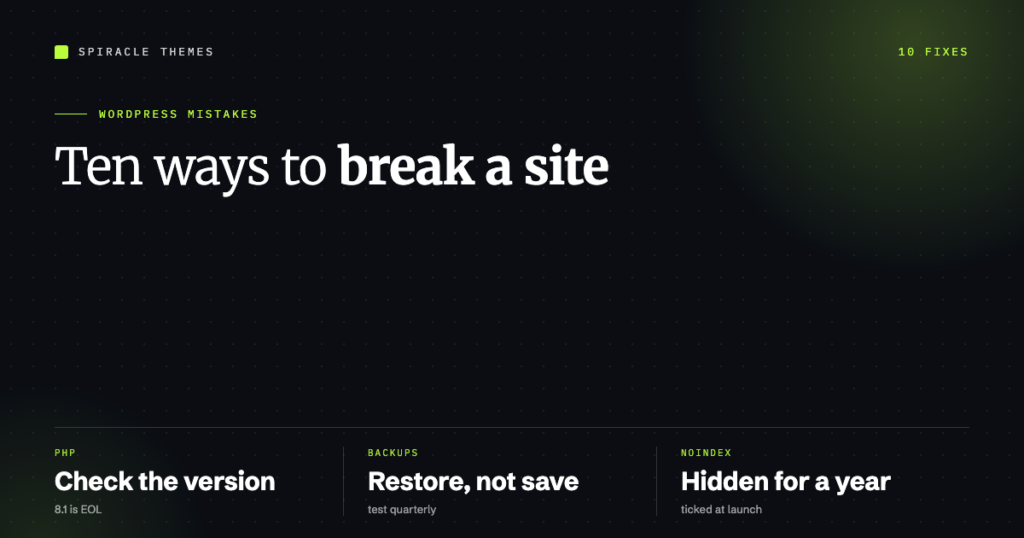
Almost every WordPress disaster I have been called in to fix started as one of ten ordinary decisions, made by someone who did not know it was a decision. None of them look dangerous at the time. The site still loads, the client is happy, and the bill is small. The cost turns up eight months later as a white screen, a hacked site, or a page-one ranking that quietly disappears.
This is the 2026 version of that list, with the current defaults, the current PHP support dates, and the fixes that actually work today.
1. Running WordPress on a PHP version that no longer gets security patches
This is the mistake that outranks the other nine, because it is invisible and it is not your choice alone — it is your host’s default.
PHP 8.5 was released on 20 November 2025 and is under active support until 31 December 2027, with security fixes through 31 December 2029. PHP 8.4 gets active support until 31 December 2026 and security fixes until 31 December 2028. PHP 8.3 has been in security-only maintenance since 31 December 2025. Anything on PHP 8.1 or earlier received its last security patch on 31 December 2025 and will never get another one.
WordPress’s own requirements page now recommends PHP 8.3 or newer, MariaDB 10.11 or newer (or MySQL 8.0 or newer), and HTTPS. A site on PHP 7.4 — still common on cheap shared plans — is running an interpreter that stopped receiving security fixes at the end of 2022.
Check yours at Tools → Site Health → Info → Server, or in hPanel under Advanced → PHP Configuration. Switching is usually a dropdown, and it is the single highest-value hour you can spend on an old site.
2. No backup you have ever restored
A backup you have never restored is a file, not a backup. The failure mode is brutal and specific: the plugin has been silently writing 0-byte archives because it hit the host’s disk quota or the PHP process timed out partway through, and nobody found out until the day it was needed.
What actually works:
- Keep backups somewhere that is not the same server. Host-side snapshots protect you from a bad plugin; they do not protect you from the account being suspended.
- Restore one into a staging copy once a quarter. It takes twenty minutes and it is the only test that means anything.
- Back up the database and wp-content. Uploads are usually the largest and most-irreplaceable part.
3. Editing theme files from the dashboard
Appearance → Theme File Editor is a live editor with no undo, no syntax check, and no version history. One missing semicolon in functions.php and the site returns a fatal error — the same critical error that WordPress 5.2 and later turns into a recovery-mode email instead of a blank screen, which is better, but still a broken site.
Two better options: edit locally and deploy, or at minimum keep a copy of the original file and use a staging site. If you want the editor gone entirely, disabling it is a one-line constant in wp-config.php:
define( 'DISALLOW_FILE_EDIT', true );The same constant removes the plugin and theme file editors from the dashboard without affecting updates.
4. Using “admin” as the username, or one account for everything
Usernames are public — they appear in the author archive URL — so /author/admin/ tells an attacker half of your login credentials for free. Modern WordPress lets you choose the username at install and does not let you change it afterwards, which is why this one persists on older sites.
The fix is not just renaming. Create a new administrator with a real name, log in as that, and demote the old account to subscriber (never delete it while logged in as it). Then add two-factor authentication — WordPress core has no built-in 2FA, so this is one of the few places a plugin earns its keep.
5. Installing a plugin for something WordPress already does
The classic example is a “coming soon” or “maintenance mode” plugin on a site running a theme that already has the toggle. The second classic is three plugins that all load jQuery, a slider library and a font loader.
Every plugin is code that runs on every request and updates on its own schedule. Before installing one, ask whether the feature is a WordPress core setting, a theme option, or five lines in a child theme. If you cannot name the problem the plugin solves, it is the wrong plugin.
6. Leaving automatic updates entirely on, or entirely off
Both extremes are wrong. Since WordPress 5.5, minor core releases apply automatically, and plugins and themes can auto-update individually. Turning everything on means a bad plugin release takes the site down at 3am with nobody watching. Turning everything off means a known vulnerability sits unpatched for months — which is exactly what most WordPress site hacks look like in the logs.
A workable middle: allow minor core and security releases automatically, keep plugins on manual updates applied weekly on staging first, and never auto-update a plugin you have customised.
7. Pointing the site at a domain you do not control
Two variations, both expensive. The first is building on example.com when the client has not yet confirmed they own it. The second is letting the developer hold the registrar account, the hosting account and the DNS in their own name — at which point the client’s website is not actually theirs.
The domain registration and the hosting should sit in accounts the business owns, with the developer added as a user. It costs nothing to set up correctly and it is the difference between changing agencies and losing a website.
8. Turning off search engines and forgetting to turn them back on
Settings → Reading → “Discourage search engines from indexing this site” is a staging checkbox that gets ticked during development and never unticked. Because WordPress only adds a noindex tag and a robots.txt disallow, the site looks perfectly normal in a browser and gets zero traffic for six months.
Worse: if the site was live and indexed before the box was ticked, Google will drop the pages from the index, and re-indexing takes weeks. Any launch checklist that does not include “confirm Site Visibility is set to public and the noindex tag is gone” is incomplete.
9. Publishing content with no internal links
WordPress makes it trivially easy to publish fifty posts that never reference each other. Google reads the link graph, not just the sitemap: a post nobody links to is a post that gets crawled rarely and ranked reluctantly.
The cheapest SEO work available is adding three contextual links from existing posts into each new one, and three out of it. No plugin required, no keyword research required, and it improves both crawl frequency and time on page.
10. Treating the website as a one-off purchase
WordPress core, the theme and every plugin are moving targets. PHP versions expire, plugin APIs change, TLS certificates renew, and search results drift. A site nobody maintains is not stable — it is decaying slowly.
That does not mean a retainer for its own sake. It means a schedule: updates applied and tested, backups restored quarterly, uptime and security monitored, and a monthly report that says what changed. If you would rather not run that schedule yourself, that is exactly what a WordPress care plan is for.
The ten mistakes at a glance
| Mistake | How it shows up | Fix |
|---|---|---|
| End-of-life PHP | Slow site, no security patches | Switch to PHP 8.3+ in the host panel |
| Untested backups | Restore fails when needed | Off-server backup, quarterly restore test |
| Editing theme files live | Fatal error, white screen | Local edits, or DISALLOW_FILE_EDIT |
| Predictable usernames | Brute-force login attempts | New admin account + 2FA |
| Plugin for everything | Slow, conflicting, unmaintained | Core setting or theme option first |
| All-or-nothing updates | Breakage or unpatched holes | Auto minor core, weekly plugin updates on staging |
| Domain not owned by the client | Lost site when the relationship ends | Client owns registrar, hosting and DNS |
| Noindex left on | Zero organic traffic | Check Settings → Reading at launch |
| No internal links | Rare crawling, weak rankings | Three in, three out per post |
| No maintenance | Gradual decay, eventual incident | A scheduled care plan |
Questions people ask about these mistakes
Which one causes the most damage?
End-of-life PHP, because it is silent, it is inherited rather than chosen, and it undermines everything else — backups, updates and security plugins all assume the interpreter underneath is still supported.
Are more plugins really a problem?
Not the count itself. Fifty well-built plugins that load nothing on the front end are fine; three plugins that each load jQuery, a slider and a font file are not. Judge by what loads on a page, not by the plugin list length.
Is it safe to let WordPress update itself?
Minor core releases, yes — that has been the default since 5.5 and it is how security fixes arrive. Major releases and plugins deserve a staging check first, because a major release can change behaviour in ways a business site notices.
How often should a site be backed up?
Daily for anything taking orders or leads, weekly for a brochure site that changes rarely. The frequency matters less than the destination: off-server, and restore-tested.
If you inherited a site and want to know which of these ten it is currently failing, that is a one-hour audit rather than a rebuild — and it is worth doing before you spend anything on new traffic.
