
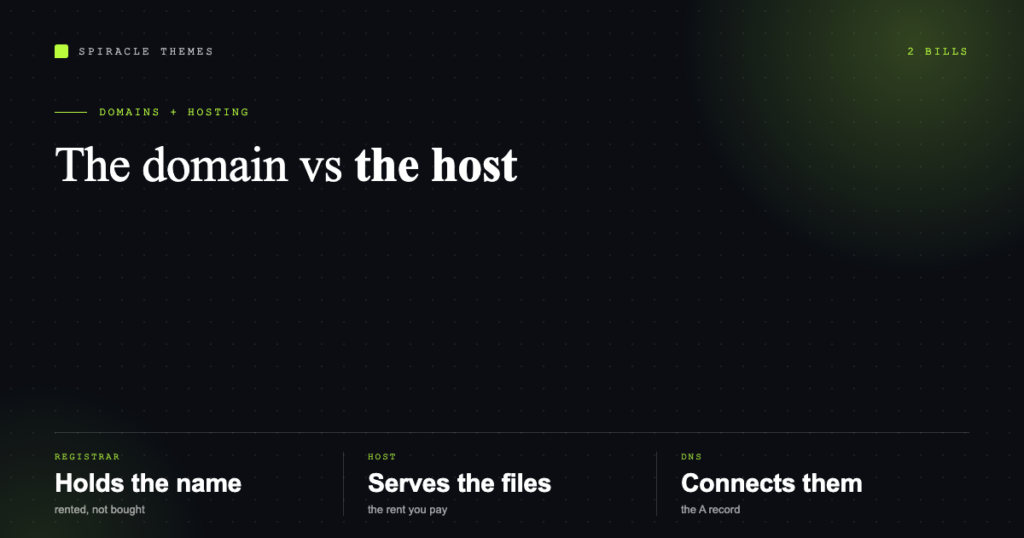
A domain and hosting are two different things bought from two different companies, and confusing them is the most common reason a first website takes a week longer than it should. The domain is your address. Hosting is the land the house sits on. DNS is the signposting that connects one to the other.
That is the whole model. The rest is knowing what to check before you pay.
Domain: the name, rented not bought
You never buy a domain outright. You register it for a period — one year, two, ten — and renew it. If you stop renewing, it goes back to the registry and eventually to whoever buys it next, which is why expired domains are a business model.
Registration happens through a registrar accredited by ICANN. Popular ones are independent of hosting: Namecheap, Cloudflare Registrar, Porkbun, GoDaddy, and yes, your host can be a registrar too. That matters later.
| Part | What it is | Typical cost |
|---|---|---|
| Domain registration | Renting the name for a year | Roughly $10–$20 for .com |
| Renewal | The same thing, next year | Often higher than the first year |
| WHOIS privacy | Hides your name and address from public lookup | Free at most registrars, paid at some |
| Transfer | Moving registrar, adds a year | Usually the renewal price |
The first-year price is marketing. The renewal price is the real cost, and it is the number to compare before you register anything. A $1 first year with a $38 renewal is a three-year decision disguised as a bargain.
Hosting: the server your files live on
Hosting is a rented slice of a computer that is always on, connected to the internet, running a web server, PHP and a database. Your WordPress files and database live there. Everything visitors see is served from it.
| Type | What you get | Fits |
|---|---|---|
| Shared hosting | Your site shares a server with hundreds of others; you get a control panel | Small sites, blogs, first business sites |
| Managed WordPress | Same idea, tuned for WordPress, with staging and updates handled | Business sites somebody else maintains |
| VPS | A virtual server you administer, with guaranteed resources | Traffic spikes, custom stacks, agencies |
| Cloud | Resources that scale automatically, billed by use | Unpredictable load, applications |
| Dedicated | An entire physical machine | Heavy applications, strict compliance |
For a first WordPress site, shared or managed is the right answer. VPS sounds more serious and mostly means you are now responsible for server updates at 11pm.
DNS: what actually connects them
DNS translates your domain into the address of your server. Two records do most of the work:
- Nameservers — the records at your registrar that say “ask this company about my DNS”. Pointing nameservers at your host is the usual setup step.
- A record — maps your domain to an IP address.
wwwis usually a CNAME pointing at the same place.
Changes take time to propagate because resolvers cache answers. Anywhere from minutes to a few hours is normal; “up to 48 hours” is the worst case, not the expectation.
If you change nameservers, every DNS record at the old provider stops working — including email. Export the MX records before you switch, or your mail goes dark the moment the change lands.
What to check before you pay for hosting
- PHP and database versions. WordPress currently recommends PHP 8.3+ and MariaDB 10.11+ or MySQL 8.0+. A host still advertising PHP 7.4 is selling a maintenance problem.
- Free SSL. HTTPS is table stakes and should not be an upsell.
- Backups, and where they go. Daily is fine; stored on the same server is not.
- Staging. A copy of the site to test updates on, without one you are testing in production.
- Email. Hosting mailboxes are convenient and often deliver poorly for bulk; transactional mail belongs with a dedicated service.
- Renewal price. The same trap as domains, three times the size.
- Support that answers. Send a pre-sales question and see how long a real answer takes.
The mistakes worth avoiding
- Registering the domain with the host you plan to leave. It works, but leaving means transferring the domain too — verify you have registrar access, not just panel access.
- Buying hosting before choosing the domain. Cheap hosts bundle a free domain that is locked to them for a year.
- Choosing a TLD on price alone. A
.comis still the default for trust; a country TLD helps local search; novelty TLDs can be cheap for the first year and expensive forever. - Ignoring the email records. The single most common self-inflicted wound in a migration.
- Expecting hosting to make the site fast. Hosting sets the floor. Plugins, images and page weight decide the rest.
How the two bills compare over three years
| Item | Year one | Years two and three |
|---|---|---|
| Domain (.com) | $10–$20, sometimes free with hosting | Renewal, often $15–$25 |
| Shared hosting | $30–$120 promotional | Renewal, usually two to three times higher |
| SSL | Free with Let’s Encrypt | Free |
| Backups | Included, or $20–$60 a year | Same |
The three-year total is the honest comparison, because the promotional year is the one nobody keeps paying.
Once hosting is live, the next step is not a theme — it is the handful of settings that decide whether the site is indexable, secure and backed up. That is covered in what to do right after installing WordPress, and if you are still choosing, how to create a WordPress site puts the whole sequence in order.
FAQ
Can I buy a domain and host it somewhere else?
Yes, and many people should. Register with a registrar you trust, then point the nameservers at whatever host you use. Moving hosts later then costs nothing but a DNS change.
Do I need a separate domain for a second site?
Not necessarily. A subdomain (shop.example.com) or a subdirectory (example.com/shop) runs on the same domain. A separate brand deserves a separate domain; a section of one brand does not.
What happens if I forget to renew?
There is a grace period, then a redemption period where you can still recover it at a higher fee, then it is released. Set auto-renew and a calendar reminder on the card that pays for it.
Is cheap hosting always bad?
No. Cheap shared hosting is fine for a low-traffic brochure site. It becomes a problem the moment you need consistent speed, staging, or support that responds in minutes.
Do I need a VPS to look professional?
No. Visitors cannot tell. A well-configured shared host with a light theme will outperform a neglected VPS every time.
If the hosting decision is really a question about who runs WordPress for you, that comparison is in WordPress.com versus WordPress.org.
If you are buying a domain specifically for a blog, nothing above changes, but the setup after the install does. Starting a blog on WordPress covers the six settings, the taxonomy and the publishing cadence.
