

A domain and a hosting account are two separate purchases from two separate companies, and most of the confusion in this area comes from one sentence: the domain is your address, hosting is the land the building sits on. You can change the land without changing the address, and that is the whole point of keeping them separate.
This is the order that avoids the expensive mistakes: domain first, hosting second, then connect them with nameservers, then install WordPress.
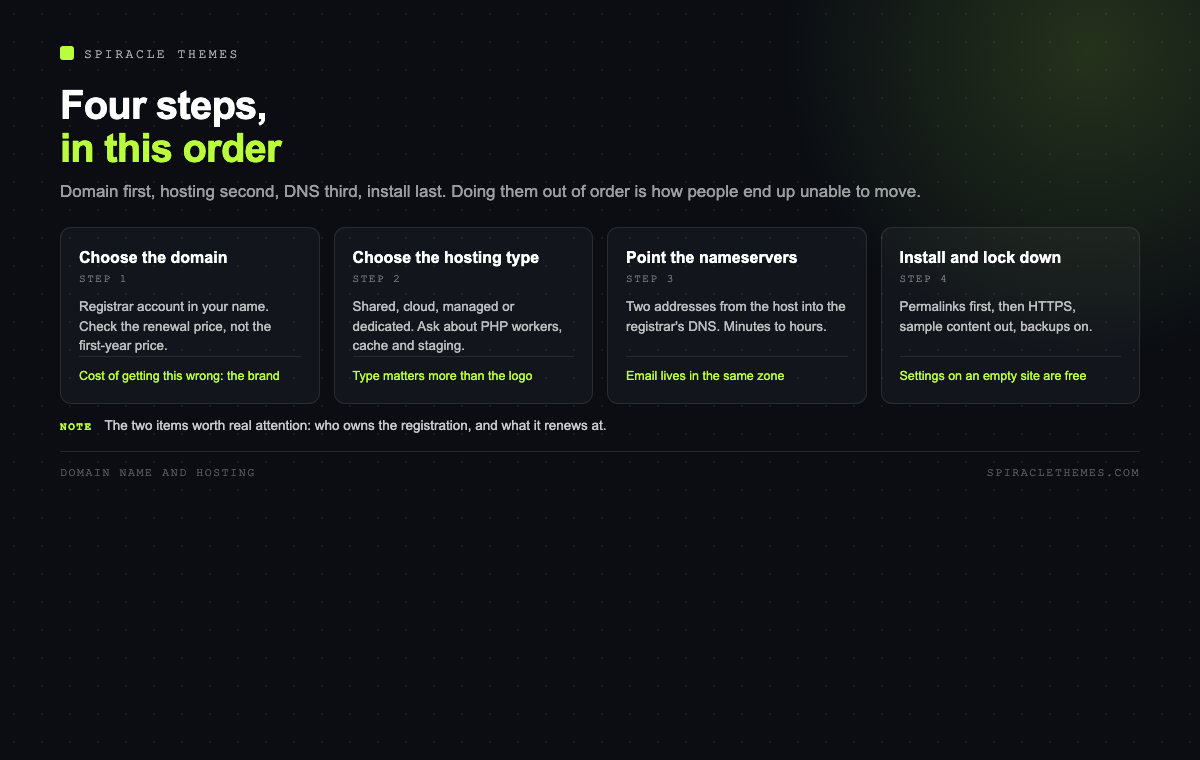
Step 1: choose the domain name
Three decisions hide inside “choose a name”: the word, the extension, and the registrar.
The word. Short, unambiguous when spoken aloud, and not a misspelling of a competitor. Avoid hyphens and numbers if you plan to say it on a call or a podcast. If the exact match is taken, a modifier that describes the business is better than an invented spelling that nobody can type.
The extension. .com remains the default for commercial sites because it is what people type when they are not sure. Country extensions signal local presence and can help a local business, but they also signal “we only serve this country”. Newer extensions are fine when the name is the brand and the audience arrives from search or social rather than the address bar.
The registrar. A registrar sells the registration; a host often resells one. Buying the domain from your host is convenient, and it is also how people end up unable to move: the domain is held inside an account they no longer control. A separate registrar account, in your name, with your email, is the safer default. Look at the renewal price, not the first-year price, before you buy, because the first year is the discount and the renewal is the actual cost.
| Item | What to check | Why it matters later |
|---|---|---|
| Registrar account | Registered in your name, your email | Recovery if the host disappears |
| Renewal price | Second year and beyond | The first year is marketing |
| WHOIS privacy | Included or paid | Keeps your address off public lists |
| Transfer lock | You control the lock | Prevents silent transfers |
| Auto-renew | On, with a card that works | A lapsed domain loses the brand |
Step 2: choose the hosting type, not the host
Hosting plans are usually sold by brand and only loosely by what the server actually is. The type matters more than the logo:
| Type | What you get | Good for | Watch out for |
|---|---|---|---|
| Shared | One server, many sites, fixed PHP workers | First site, low traffic | Neighbours, CPU limits, no staging |
| Cloud or VPS | Guaranteed resources, root or panel | Growing traffic, WooCommerce | You become the sysadmin |
| Managed WordPress | Updates, cache, staging, support | Business sites with no in-house dev | Higher price, fewer plugin freedoms |
| Dedicated | Whole machine | Very high traffic or compliance | Cost, and real operational work |
WordPress itself needs very little: PHP 8.3 or newer, MariaDB 10.11 or newer (or MySQL 8.0), and HTTPS. The differences between hosts that meet those requirements are cache quality, PHP worker count, disk speed, backup policy and support depth. Ask about those five things specifically, because “unlimited” in a hosting advert usually refers to disk space you will never fill, not to the resource that limits you.
Step 3: connect them with nameservers
The domain has to be told where the website lives. That is what nameservers do. Your host gives you two or more addresses, you paste them into the registrar’s DNS settings, and propagation usually completes in minutes, occasionally in hours.
Two practical notes. First, DNS changes are cached, so a change that looks broken is often just an old record on your own machine, test from a phone on mobile data before assuming the worst. Second, if you also want email on that domain, decide now whether email is handled by the host or by a separate service, because the MX records belong in the same DNS zone and moving the website should not move the mail.
Step 4: install WordPress and turn on HTTPS
A one-click installer is fine. What matters is what happens in the first ten minutes after: set the site title and tagline, set permalinks to post name, force HTTPS, install an SSL certificate if the host has not already, and delete the sample content.
If permalinks are still on the plain query-string format, every URL you publish has to be redirected later. Changing them on an empty site costs one click; changing them on a site with fifty posts costs a redirect map and a nervous afternoon. Do it first.
Step 5: the settings people forget
- Disable directory listing and file editing in the config file, if the host does not.
- Create a second administrator with a different email, so a lockout is recoverable.
- Set up automatic backups to a remote destination, not the same disk.
- Add the site to a monitoring service so downtime is noticed by something other than a customer.
- Point the DNS for www at the same place, and pick one canonical version.
What this costs, honestly
Prices change constantly, so the useful skill is knowing which line items exist rather than memorising numbers. A domain is a yearly fee, usually smallest in year one. Hosting is monthly or yearly, and the yearly price is often half the monthly one, which is a commitment rather than a discount. SSL is free from every reputable host through Let’s Encrypt. Email is either included, or a separate per-user cost, and a business address on a free mail provider is a deliverability risk rather than a saving.
The trap to avoid is buying the cheapest first-year bundle: domain, hosting and a theme for a low monthly figure that renews at three times the price, with the domain registered in the host’s name. It is not a scam, but it is a lock-in, and the exit costs more than the saving.
Checklist before you pay
- Registrar account created in your name, not the host’s.
- Renewal prices written down for domain and hosting.
- PHP version confirmed as 8.3 or newer, and changeable.
- Staging environment available, or a plan for testing updates.
- Backups included, and restorable without a support ticket.
- Email decided: host, or a separate provider with DNS access.
- Nameservers documented somewhere other than an email inbox.
If you already bought the wrong bundle
Most people read this after the purchase, not before. The recovery path depends on one question: whose name is on the domain registration?
- Your name, host’s account. Ask the host for the authorisation code (EPP) and unlock the domain, then transfer to a registrar you control. Transfers take about five days and usually add a year to the registration.
- The host’s name. This is the difficult case. The domain may be part of a package they own, and leaving can mean buying it from them or starting again with a new name. Read the terms before arguing, and get any agreement in writing.
- The host disappeared. The registrar of record still exists even if the host does not. Look up the domain in a WHOIS tool, contact that registrar, and prove ownership with the account email on file.
On the hosting side, the exit is easier: files plus a database export, restored anywhere. That is the practical argument for keeping the two purchases separate, and it is worth the small extra effort in year one.
How to move hosts without downtime
The migration itself is a solved problem, and the sequence matters more than the tool:
- Build the new hosting account and install WordPress on a temporary domain or a hosts-file override.
- Copy the site with a migration plugin, or with a database dump plus an archive of wp-content.
- Test on the temporary address: homepage, a deep page, a form, a login, and the checkout if there is one.
- Lower the DNS TTL to five minutes a day before the switch, so propagation is fast.
- Point DNS at the new server, keep the old one running for a week, and watch the error logs on both.
- Cancel the old account only after the new one has served a full week of normal traffic.
Two details that catch people: email usually lives in the same DNS zone, so moving the website can move the mail if the MX records change with it; and the SSL certificate has to be issued on the new server before the switch, or visitors get a browser warning in the gap.
Related reading: once the domain resolves and WordPress is installed, the next hour of settings is covered in just installed WordPress, now what, and the underlying concepts are in domains and hosting explained.
FAQ
Can I buy the domain from the same company as the hosting?
You can, and it is convenient. The risk is concentration: if the account is compromised or the host stops responding, you lose the address and the site together. If you do keep them together, make sure the registrant contact is your own email and that you know how to move the domain out.
Do I need a dedicated IP address?
Rarely. Modern hosting serves many sites from one address with SNI for SSL, and search engines do not penalise shared addresses. A dedicated IP matters for a few specific cases, such as some mail configurations or legacy client requirements.
What happens if I let the domain expire?
It usually enters a grace period where renewal is still possible at the normal price, then a redemption period where it costs considerably more, and then it is released publicly. Do not test this with a domain that carries your brand.
Is shared hosting enough to start?
For a brochure site or a new blog, yes. Move when you see consistent slow admin pages, CPU limit warnings, or a need for staging and object caching. Those are signals about resources, not about traffic numbers.
Should the domain include the keyword?
Only if it still reads like a brand. Exact-match domains carry no ranking advantage worth damaging a brand name for, and they age badly when the business changes direction.
Get the order right, domain then hosting then nameservers then install, and the rest of the setup is configuration rather than repair. The two things worth spending real attention on are the registrar account and the renewal price, because both are much cheaper to get right now than to fix later.
